Various menu settings
The following values can be set:
• On time and off time (setup range: 0.5 to 10.0 s)
• Motor speed (setup range: 1000 to 3000 RPM)
Setting Time
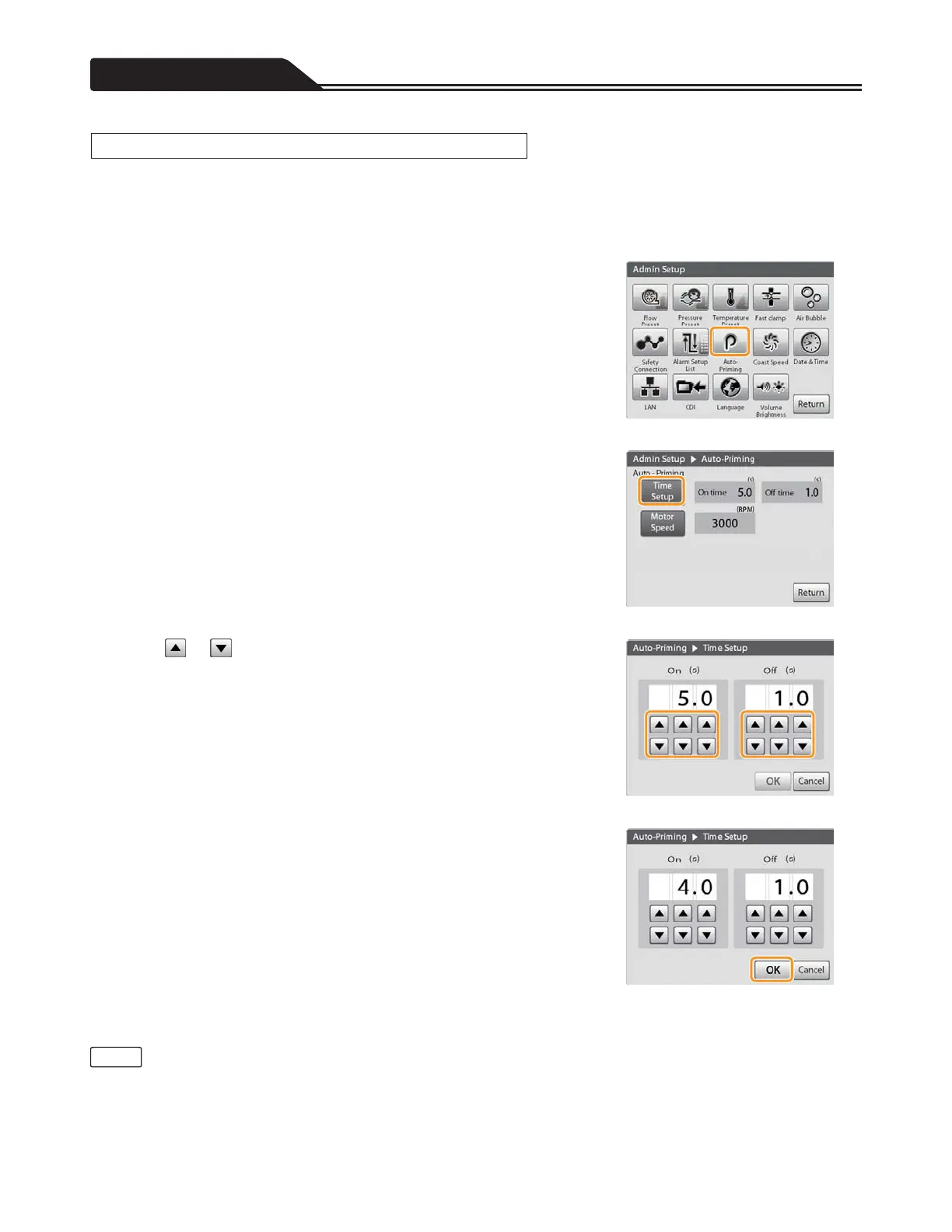
1. Tap the Auto-Priming icon. (Figure 3-74)
The Auto-Priming screen opens.
2. Tap [Time Setup]. (Figure 3-75)
Figure 3-74
3. Tap or , and input the time for “On (s)” and “Off (s)”
you want to set. (Figure 3-76)
Figure 3-75
4. Tap [OK] to complete the setting. (Figure 3-77)
Figure 3-76
Figure 3-77
• If you do not tap [OK], the changes to the setting will not take effect.
106
Setting Auto-priming
Note








 To Next Page