Various menu settings
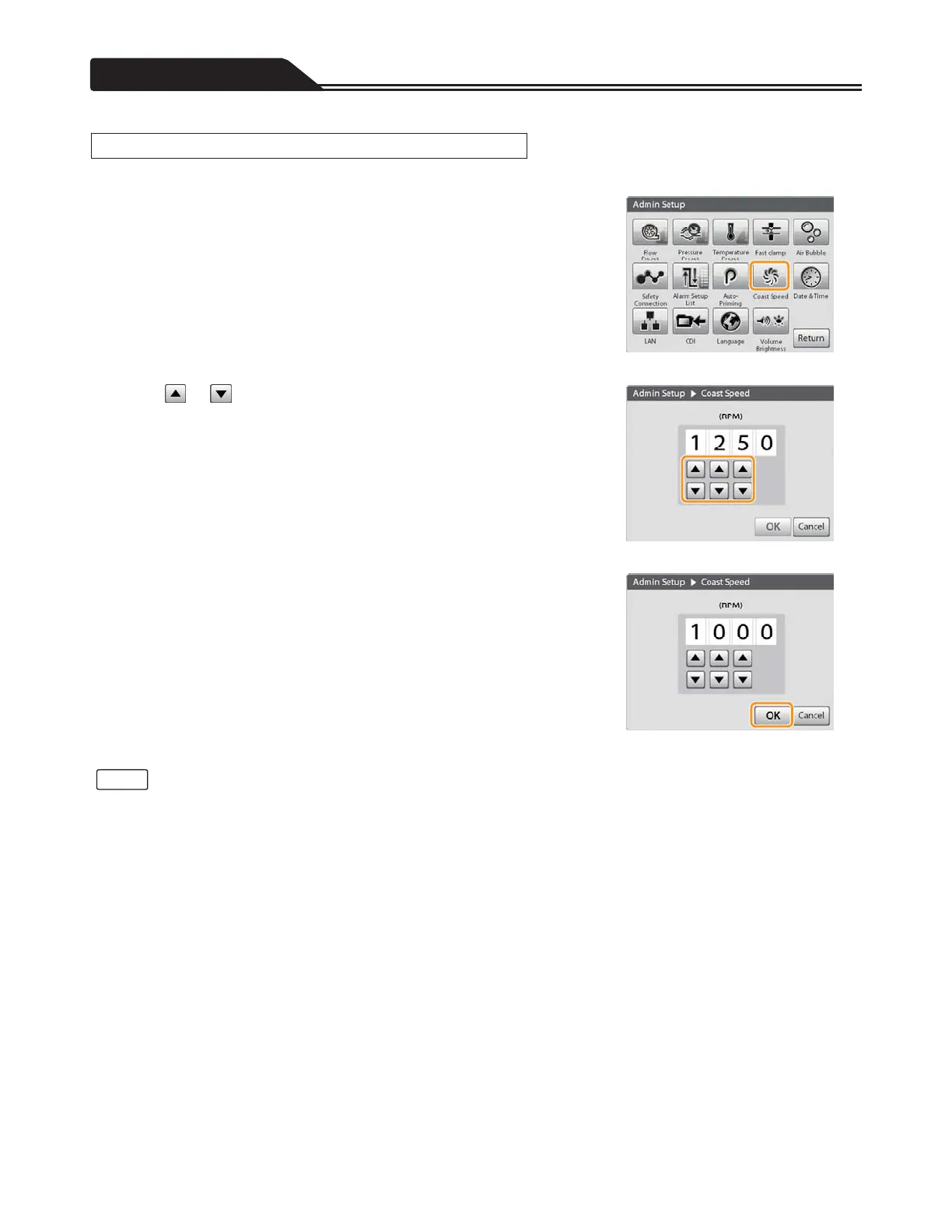
The coast speed (the minimum motor speed which does not cause back flow, setup range: 500 to 2000 RPM) can be set.
1. Tap the Coast Speed icon. (Figure 3-82)
The Coast Speed screen opens.
2. Tap or to input coast speed you want to set.
(Figure 3-83)
Figure 3-82
3. Tap [OK] to complete the setting. (Figure 3-84)
Figure 3-83
Figure 3-84
• If you do not tap [OK], the changes to the setting will not take effect.
• The indicated value of actual motor speed may differ from the coast speed setting due to the circulation conditions, etc. of the
blood circuit.
108
Setting the Coast Speed
Notes








 To Next Page