Various menu settings
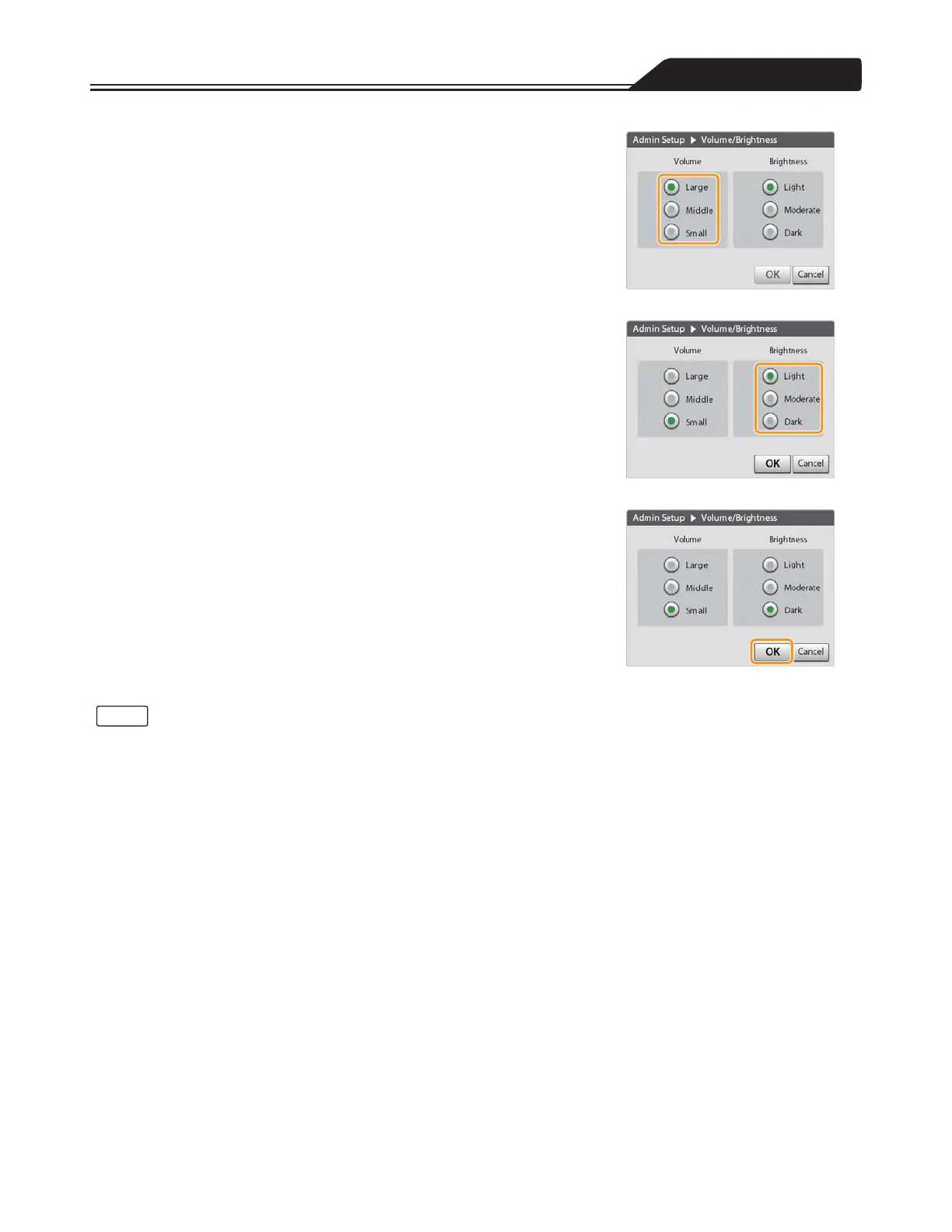
2. Select the volume level. (Figure 3-126)
Tap [Large], [Middle], or [Small].
3. Select the brightness level. (Figure 3-127)
Tap [Light], [Moderate], or [Dark].
Figure 3-126
4. Tap [OK] to complete the setting. (Figure 3-128)
Figure 3-127
Figure 3-128
• If you do not tap [OK], the changes to the setting will not take effect.
• The volume differs according to the volume setting and the priority of the alarm.
The relationship of the volume setting and the alarm sound pressure is as follows:
Volume setting [Large]: 65 to 85 dB
Volume setting [Middle]: Between [Small] and [Large]
Volume setting [Small]: 45 dB or higher
(Measured in ambient noise of 10 dB or less and with one meter distance.)
The relationship between the priority of the alarm and the sound pressure is as follows:
High priority ≥ Middle priority ≥ Low priority
119
Notes








 To Next Page