Note: For detailed information about networking your instrument, see the
QuantStudio
™
1 Real-Time PCR System IT Checklist (Pub. No. MAN0018164).
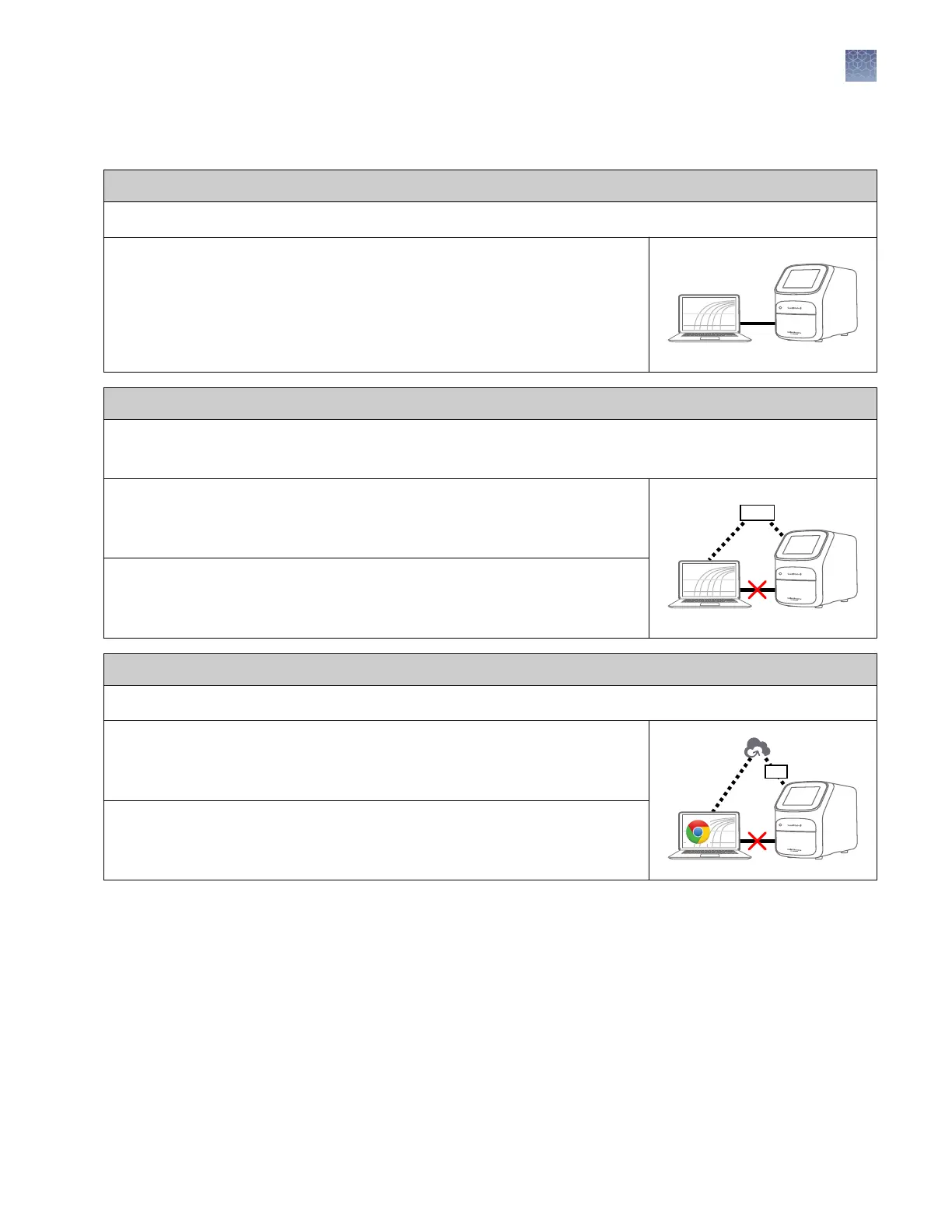
Direct configuration option
• A computer provided by Thermo Fisher Scientific with the QuantStudio
™
Design and Analysis Desktop Software
• Computer‑to‑instrument connection:
– Direct, wired connection between the computer and the instrument
using an Ethernet cable
IMPORTANT! A direct instrument‑to‑computer connection
cannot
be combined
with the LAN or the Cloud configurations.
Networked configuration option
• A computer provided by Thermo Fisher Scientific with the QuantStudio
™
Design and Analysis Desktop Software
• The computer and instrument must be on the same subnet mask.
• Computer‑to‑LAN connection
(select an option)
:
– Wired connection to the network using an Ethernet cable –
or
–
– Wireless connection to the network
• Instrument‑to‑LAN connection
(select an option)
:
– Wired connection to the network using an Ethernet cable –
or
–
– Wireless connection to the network using the instrument Wi‑Fi module
Thermo Fisher Cloud configuration option
• Internet access and a computer with the Chrome
™
web browser to access the Cloud
• Computer‑to‑Cloud connection
(select an option)
:
– Wired connection to the internet using an Ethernet cable –
or
–
– Wireless connection to the internet
• Instrument‑to‑Cloud connection
(select an option)
:
– Wired connection to the network using an Ethernet cable –
or
–
– Wireless connection to the network using the instrument Wi‑Fi module
Chapter 1 Product information
Supported options for instrument and computer connections
1
QuantStudio
™
1 Real-Time PCR System Installation, Use, and Maintenance Guide
17









 To Next Page