Power on the instrument
1.
Touch anywhere on the touchscreen to determine if the instrument is in sleep
mode. If the home screen is displayed, the instrument is already powered on.
2.
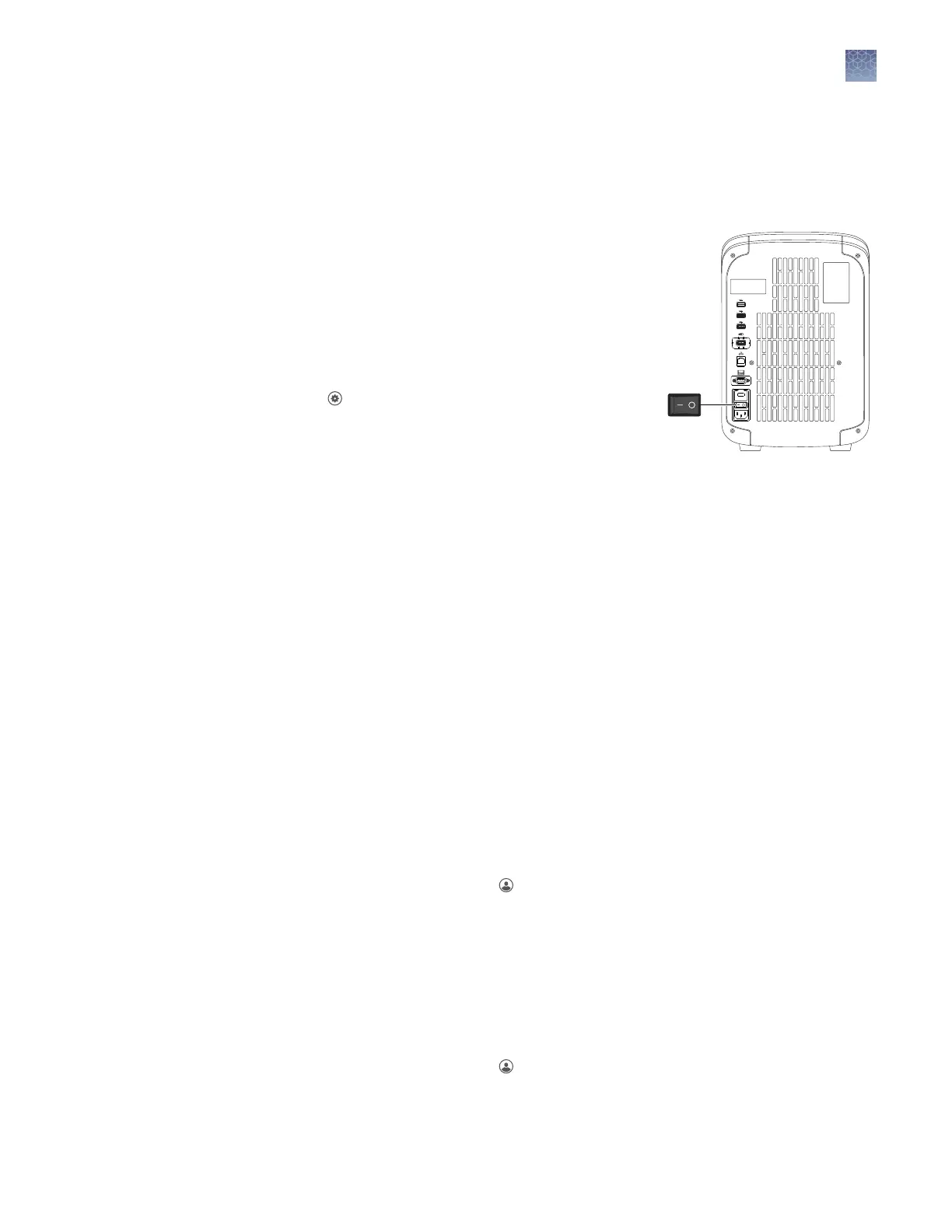
If the home screen does not display,
power on the instrument by pressing the
switch on the rear panel.
If left unaended (for about two hours), the
instrument automatically enters sleep mode
(enabled by default) to conserve power.
Note: To customize the sleep mode seing,
touch
Seings4Instrument
Seings4Sleep Mode.
Power off the instrument
The instrument operates in low-power mode when not in use. However, the
instrument can be powered o completely so that the components use no power.
Note: To power o the instrument for >1 week, see “Prepare the instrument to store,
move, or ship“ on page 74.
1.
Power o the instrument using the power switch on the back of the instrument.
2.
Power o the computer.
Sign in
Create an instrument prole before signing into the instrument. See “Create a new
instrument prole“ on page 27.
Note: An instrument prole is a user account specically for the instrument. It is not
related to any other user account for the system or software.
1.
In the home screen, touch Sign In.
2.
Touch Sign In, then select your username.
3.
Enter your PIN, then touch Enter.
Sign out
1.
In the home screen, touch
My Prole.
2.
Touch Sign Out.
Chapter 2
General procedures to operate the instrument
Power on the instrument
2
QuantStudio
™
1 Real-Time PCR System Installation, Use, and Maintenance Guide
21









 To Next Page