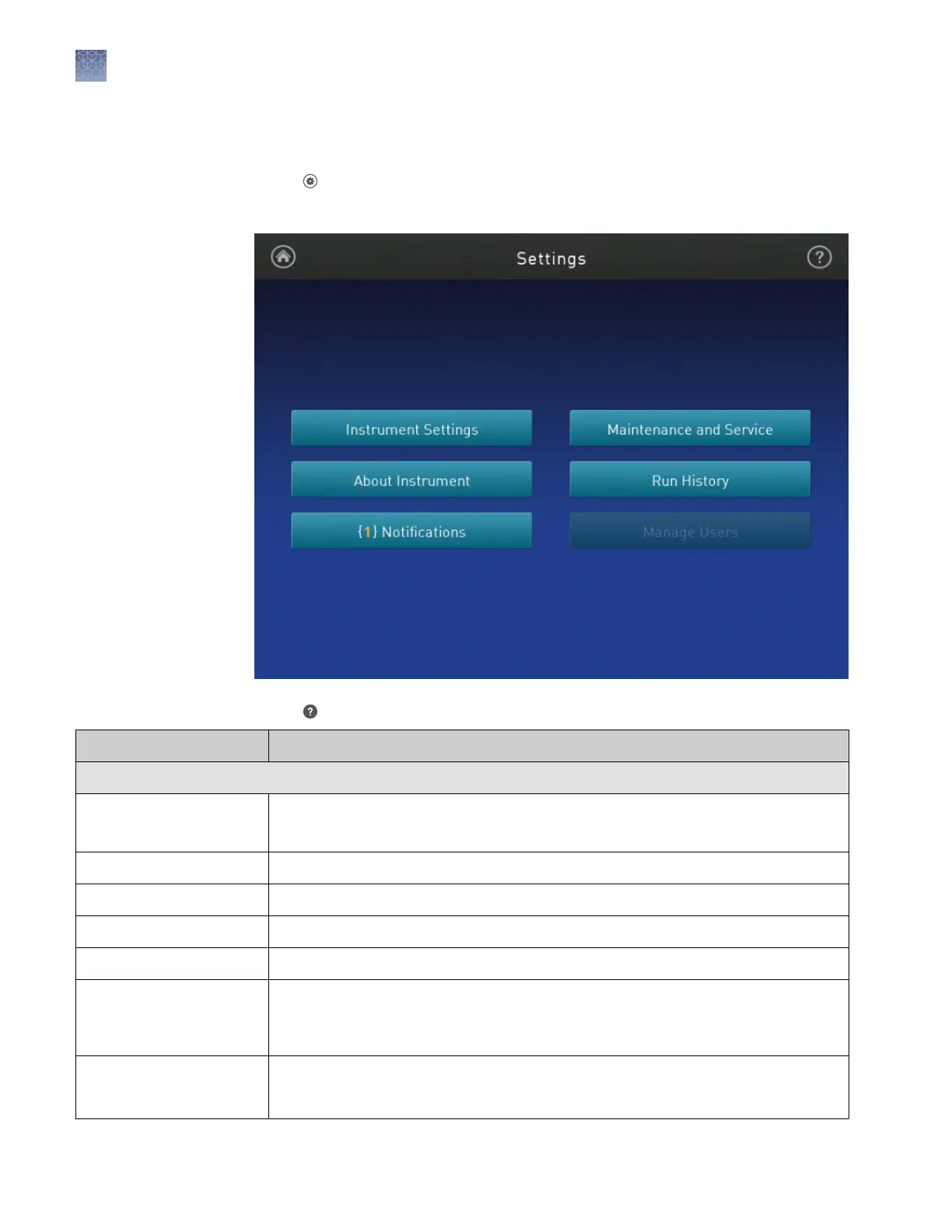
Overview of Settings
Touch Seings in the home screen to congure seings as needed.
Access to many seings are restricted to administrator instrument proles.
Touch for step-by-step instructions on conguring seings.
Options
Description
Instrument Settings
Instrument Name
(Administrator only)
Enter a unique instrument name, and
(optional)
set an instrument avatar.
Sleep Mode Enable the instrument to enter a standby mode after a set length of inactivity.
Heated Cover Temperature Set the idling temperature for the heated cover (before it enters sleep mode).
Network Drive
[1]
Specify a default network drive for transferring files from the instrument.
Insert Plate Reminder Enable a reminder to insert a plate before starting a run from the instrument.
OEM Connection Only
(Administrator only)
Required for API access to the instrument. When enabled, the software (desktop and
cloud) cannot connect to the instrument.
API access to the instrument is exclusive to authorized OEM partners.
Cloud Region
(Administrator only)
Specify the regional server location to access the Thermo Fisher Connect Dashboard.
Note: Once you set a Cloud region, restore factory defaults to change the region.
Chapter 3 Configure the instrument and manage instrument profiles
Overview of Settings
3
28
QuantStudio
™
1 Real-Time PCR System Installation, Use, and Maintenance Guide









 To Next Page