CFM-BL10Pro General instruction manual
48 / 87
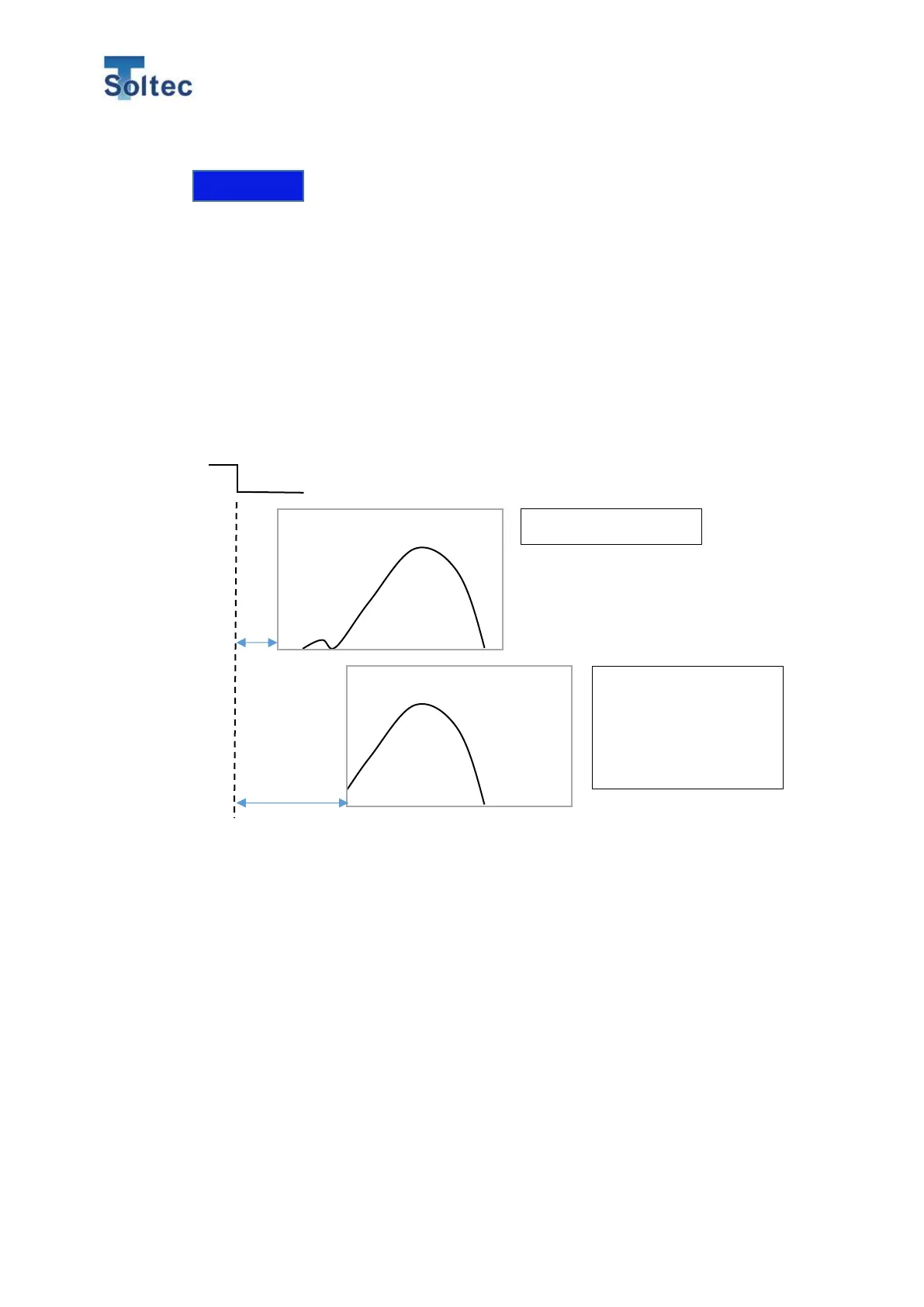
The time when CFM starts capturing a force curve at after receiving an external
trigger signal can be set.
The setting range is 0 to 999 msec. The initial setting is 0 msec.
When the Delay time is 0, CFM starts capturing force curve at the same time as
the time CFM receives a trigger signal.
Monitor the position of a force curve on its display and adjust it to the correct
position.
You cannot set a minus delay time. If a force curve comes in before trigger signal
comes in, adjust the position of an external trigger sensor.
5.4. Data saving
Insert USB memory to the USB port on the bottom side, then CFM automatically
saves all the force curve data, result values and so on until USB memory will be
filled with the data. Any USB can be used for this CFM.
And if you connect CFM to its specialized PC software “ProMaster Premium”, you
can operate all the functions, change all the settings and save all the data while
connecting it.
Bad example
The delay time is too
long, and the position of
the force curve lean to
the foreword.



 To Next Page