CFM-BL10Pro General instruction manual
47 / 87
CFM does not save settings and goes back to the main display.
The setting you adjust is cleared.
CFM saves inputted and changed content and goes back to the
main display.
5.3.4. Manual measurement setting
This is the mode in which measurement time is set by a manual operation and CFM
captures a force curve at a decided timing. CFM definitely needs an external trigger
switch sensor.
The time when CFM captures a force curve in can be set. The X axis of display is
this measurement time.
The range of setting is 10 to 100 msec if you select 10-100 msec in the Meas time
setting. Regarding general manual press machine, CFM can capture a whole
force curve within around 50 msec,
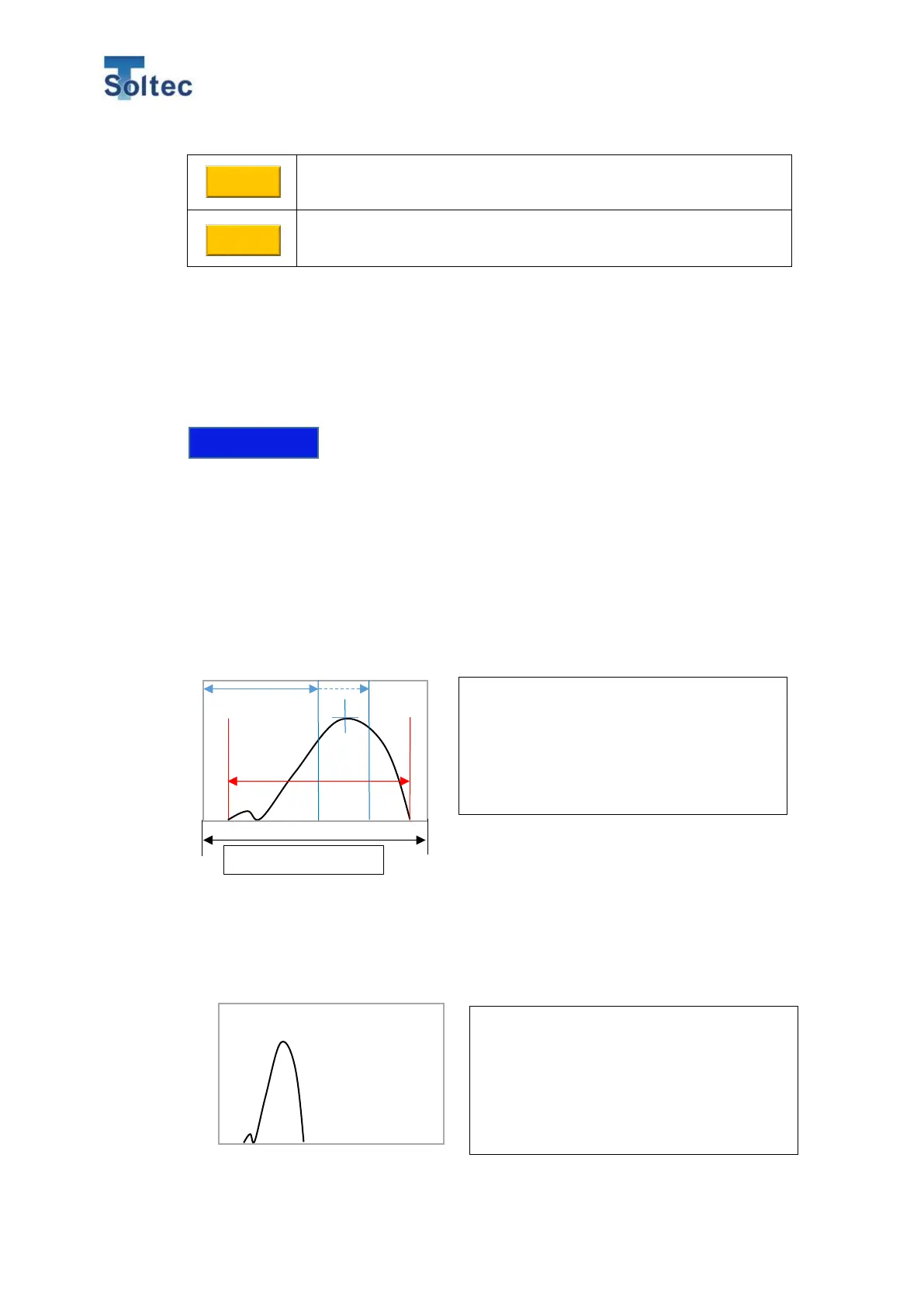
Appropriate measurement time
Not good example
A standard measurement time is set so the
actual width of a force curve covers the 70
to 80% of the display width. And adjust the
measurement time so that a Peak point is at
the 50 to 70% of the display width.
In this case, the measurement time is too
long. Shorten the measurement time so that
the width of a force curve will become 70 to
80% of the width of the display.



 To Next Page