CFM-BL10Pro General instruction manual
52 / 87
6.1.2. Installation
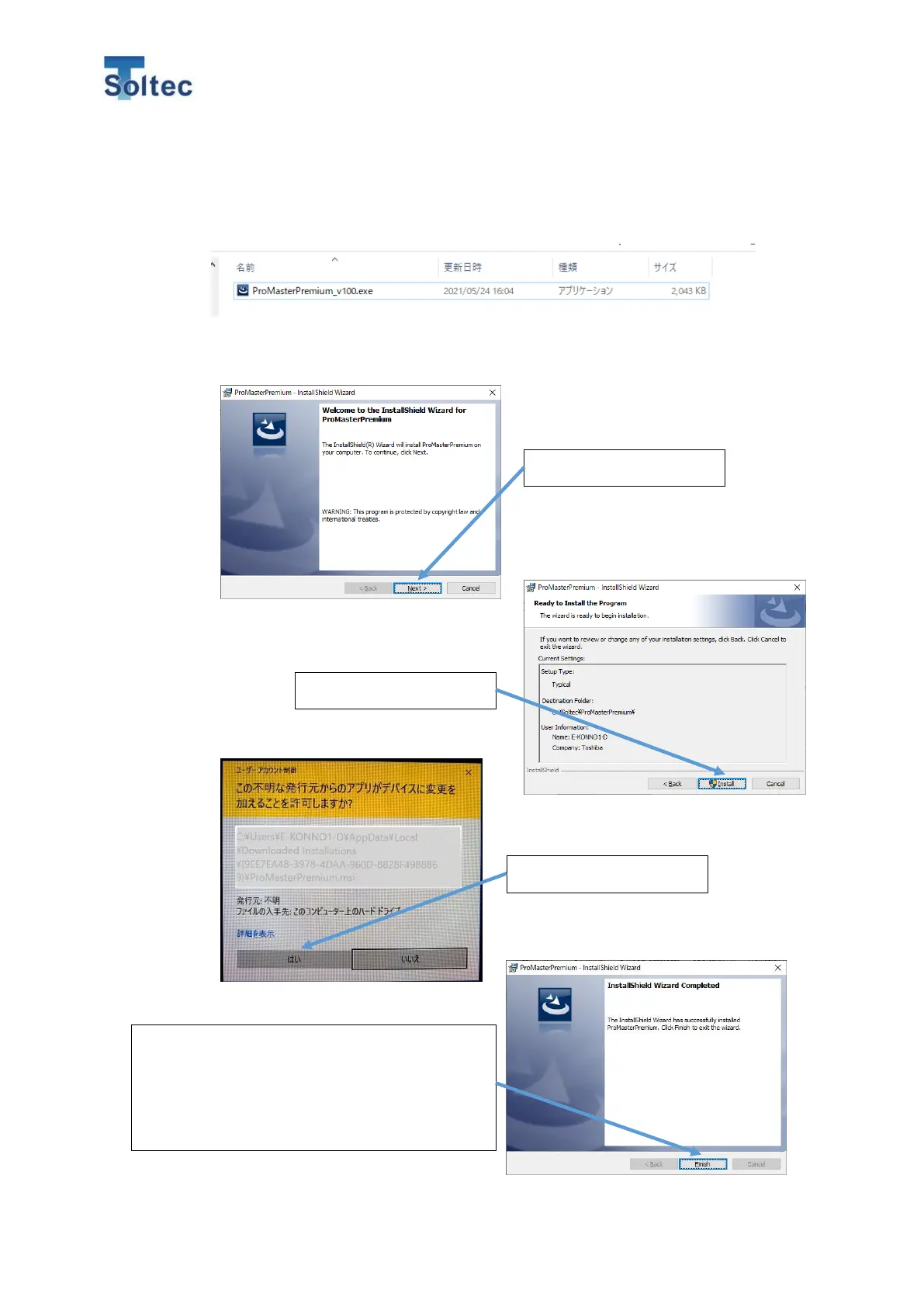
1) Copy the installer for this software “ProMasterPremium_v100.exe” at any place in
your PC. Then run this installer as an administrator.
2) Data files are automatically loaded, and the window below will appear.
Refer to the procedure below and proceed to install this software.
Click “Finish” and the installation is completed.
Click the icon of “ProMaster Premium” on the
desktop and run the software.



 To Next Page