CFM-BL10Pro General instruction manual
76 / 87
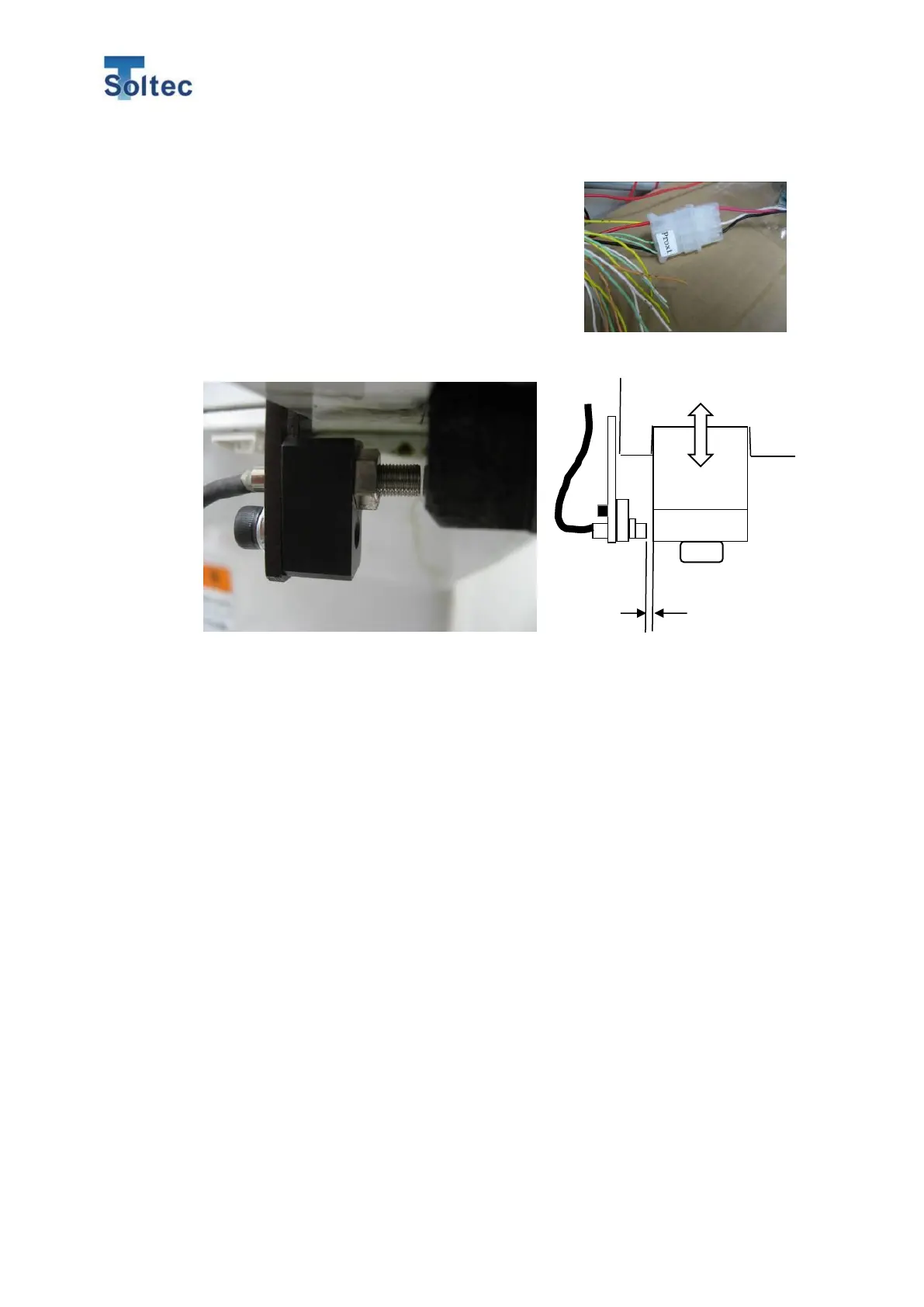
Trigger switch installation
When the trigger mode is” Fall”, attached the trigger
with using an optional trigger sensor holder. The
holder is installed near a machine ram. Adjust the
holder and sensor height so that the sensor turns
on when the ram reaches at its bottom dead center.
7.2.5. Trigger signal from PLC/Sequencer
When you use the trigger signal from Machine PLC and sequencer, the signal width
should be more than 5msec. CFM recognizes the edge of trigger pulse rise or fall but,
so as not to misunderstand an electrical noise as a trigger signal, it does not recognize
the pulse with less than 5msec. Always keep the timing when the trigger signal is output
and the timing when the ram reaches at the bottom dead center constant. The output
timing of the trigger constant.
7.2.6. External Program selection
Program number can be selected from Machine via IO. You can select a program when
CFM is in OPE mode or Teach mode (while CFM does not capture any force curves).
However, when CFM is in Error mode or Pass mode, CFM cannot receive any signals.
After the program is selected, CFM automatically turns to Teach mode.
<Program selection sequence>
When you select a program from Machine IO, firstly send Remote signal from Machine
to CFM. Then, according to CLK signal input, CFM read the values of BIT0 – BIT9.
Less than
0.5mm



 To Next Page