CFM-BL10Pro General instruction manual
77 / 87
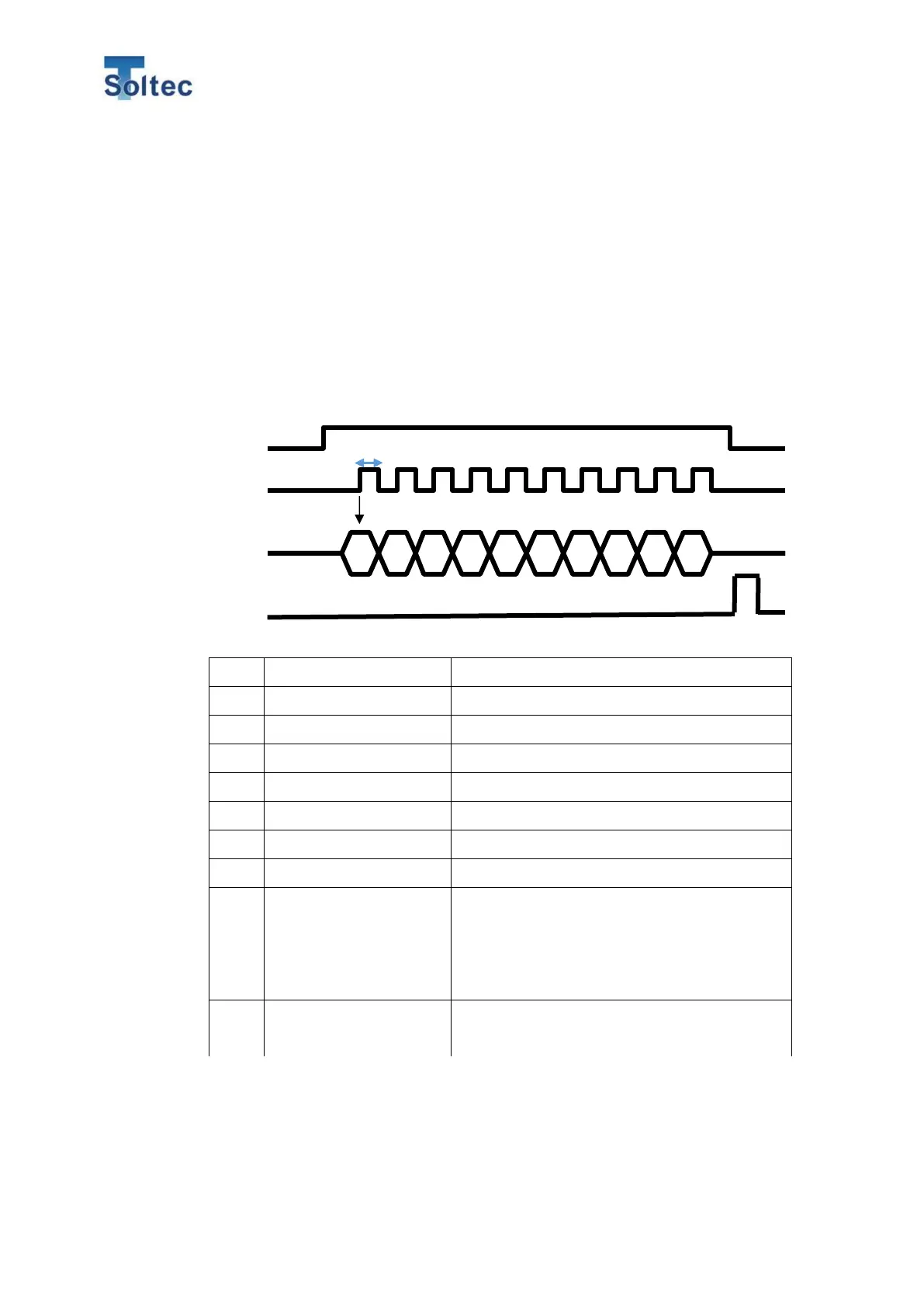
When Remote signal is switched off, CFM changes the program number. When the
program is correctly changed, CFM sends ACK signal back to Machine.
*Select a pulse width of CLK signal among 5 ~ 50msec.
*Complete the program selection within 2 seconds. If it is not complete within 2
seconds, this operation is automatically canceled.
*Input 10 CLK signals. If the number of the signal is not enough, this operation is
automatically canceled.
*When CFM is in OPE mode and you send the same program number as the current
one, CFM does not turn to Teach mode.
When BIT0 is 1, add program number to 1.
When BIT1 is 1, add program number to 2.
When BIT2 is 1, add program number to 4.
When BIT3 is 1, add program number to 8.
When BIT4 is 1, add program number to 16.
When BIT5 is 1, add program number to 32.
When BIT6 is 1, add program number to 64.
0:CH1 1:CH2 Only 0 is available for this unit.
0: No operation 1:When auto tolerance is
selected, CFM recalculates the auto tolerance.
When tolerance number or Manual tolerance is
selected, no operation performed.
0:Program 1: Sample number selection in
Cycle crimp



 To Next Page