CFM-BL10Pro General instruction manual
78 / 87
7.2.7. Time chart
<EXT.TEACH>
CFM can receive EXT.TEACH signal only when it is in OPE mode. When it is in Error
mode or Parameter mode, the external signal is ignored. Also, when it is already in
Teach mode, the external signal is ignored. And when Program is enabled, Teach is
performed against the selected program. When Cycle crimp is enabled, Teach starts
from the first sample.
<BYPASS>
CFM can receive BYPASS signal when it is in OPE mode. When it receives
BYPASS signal, it stops judgements and issue OK Eject signal without conditions.
Total count operates even during BYPASS mode.
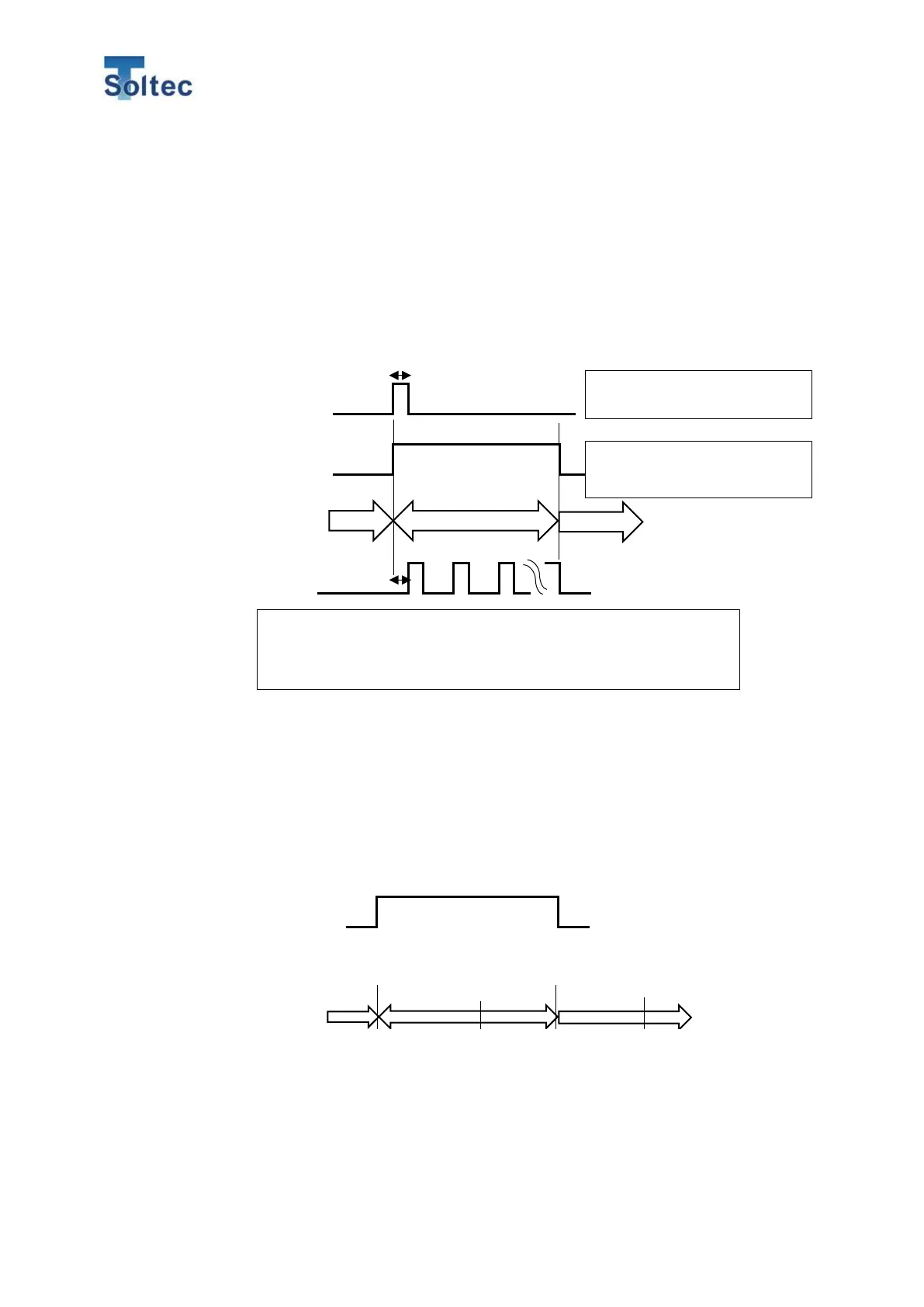
2. EXT.TEACH
19.TEACH中 出力
本体モード
圧着動作
Start crimping after more than 5 msec interval from when CFM turns to Teach
mode. When Teach is completed, it automatically turns to OPE mode. Teach mode
cannot be canceled in the middle via the external signal. Teach mode can be
canceled by pressing buttons on its front panel.
3. CH1 BYPASS
9. CH2 BYPASS
CFM unconditionally judges all samples as GOOD.
CFM outputs EJECT signal every crimp.
Input signal should be One shot and
more than 5msec pulse width.
19.TEACH mode signal become low
when the Teach of both CH is



 To Next Page