CFM-BL10Pro General instruction manual
62 / 87
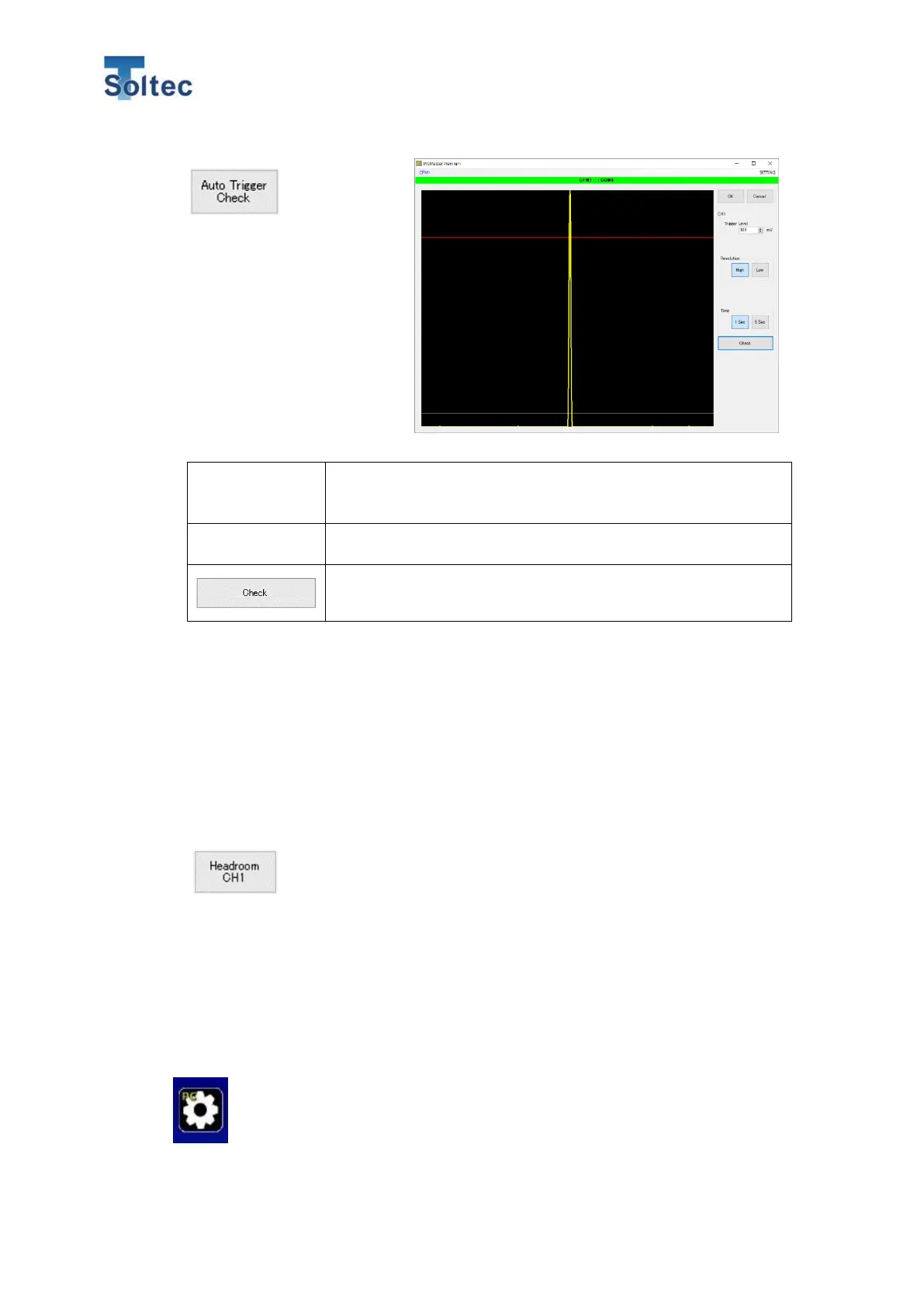
This screen is for checking
the Trigger level and trigger
timing for switch trigger.
Refer to 5.3.3 Trigger check
screen for the details.
The value which is displayed when the screen is opened is
the current Trigger level. Its unit is mV. The setting range is
from 20 to 100. The initial value is 40.
The period of capturing a sensor signal can be set.
You can select 1 second or 5 seconds.
Click “Check” button and CFM starts capturing a signal.
Crimp one good sample within 1 Sec or 5 Sec.
The signal from the sensor which is detected within the selected Time will be
displays as a yellow line. If the Time is 5 Sec, the signal may seem to be just one
line as the above image.
After capturing its data, the Trigger Level is automatically decided.
For closing this screen, Click “OK” (Save the result value) or “Cancel(Not save the
result value)
The judgement accuracy of CFM can be changed depending on the combination of
wires and terminals or condition of machines and applicators. This function is for
checking if the item is suitable for the CFM judgement. As for the way of the operation,
refer to the” 6.6 Head room software”.
6.4. Config screen
Activation setting of the Headroom software and language setting can be
set



 To Next Page