CFM-BL10Pro General instruction manual
28 / 87
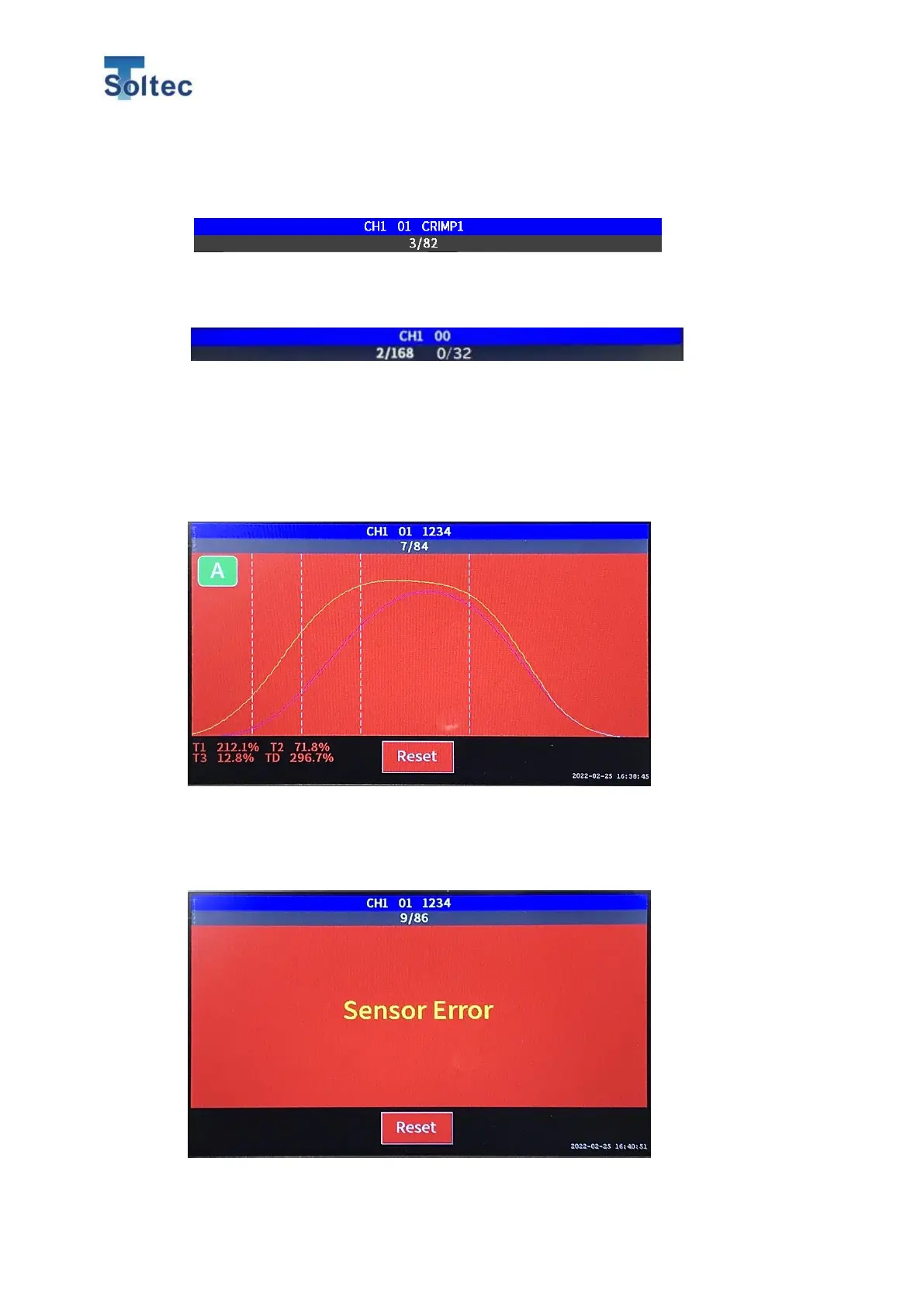
current error count / Total count is displayed. For the details, refer to 5.2 Program
edit and 5.3 System setting.
Cycle Crimp Count
On the right side of total count, Current count / Cycle count is displayed.
5.1.4. Error screen
When CFM judges a sample as an error, display turns to red and error alert sounds.
At that time, confirm if the sample is really ok or not ok.
CFM cannot make a judgement for a next sample until the error is cleared.
Error is reset by pushing Reset button on the bottom center.
5.1.5. Sensor error screen.
This is an error which happens when voltage of the sensor is out of the correct
range. Clear the error after the confirming the sensor.



 To Next Page