CFM-BL10Pro General instruction manual
63 / 87
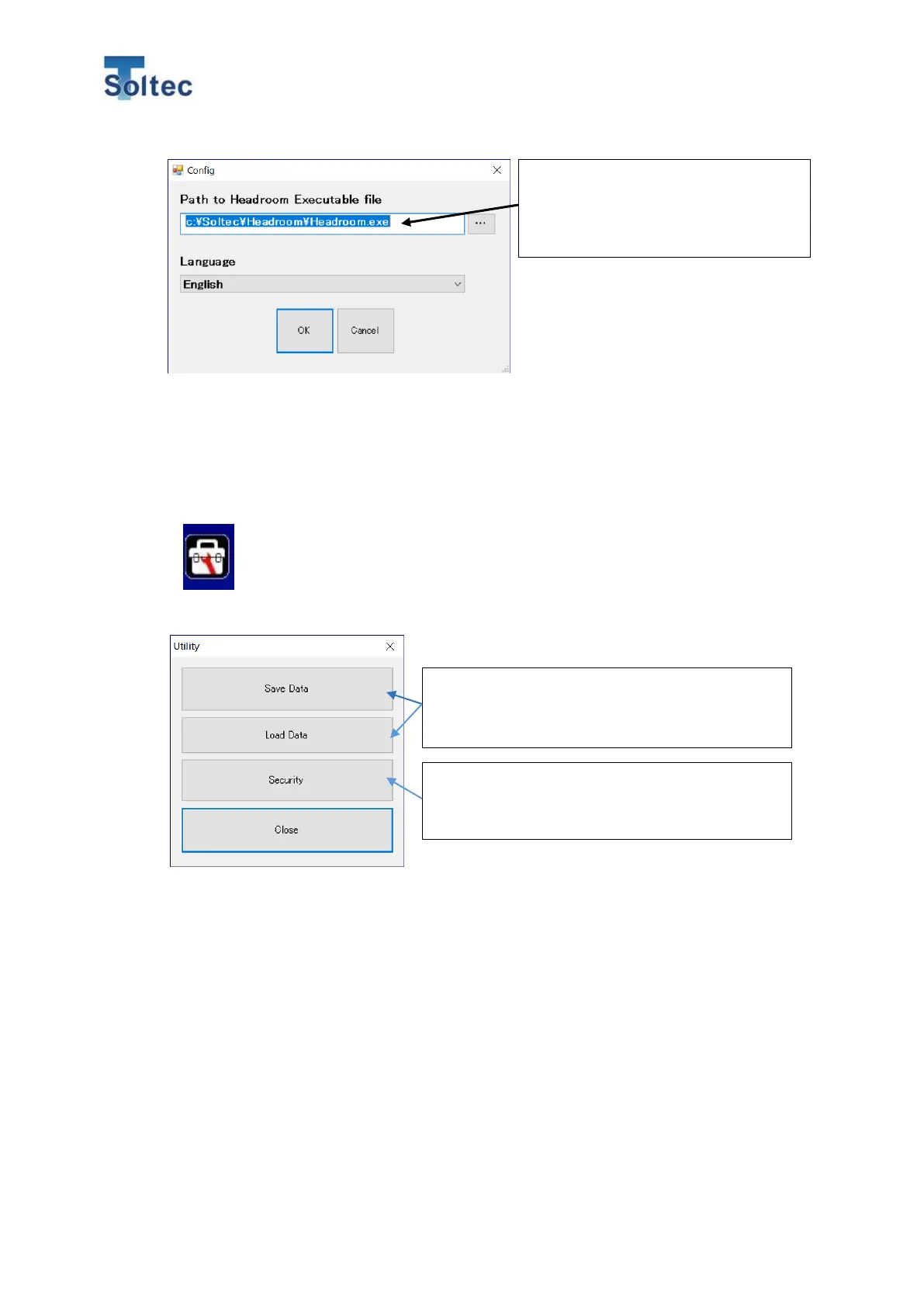
Select the Language for this software.
The language can be selected among English, Chinese and Japanese.
6.5. Utility screen.
The force curve data which is collected while connecting the Main unit can
be saved. And the data which is saved in the past can be loaded.
Also, the password function for limiting the operation can be set.
6.5.1. Save Data
While CFM is connected with this software via an USB cable, CFM save the force curve
data as a file.
The data collected while connecting CFM main unit is saved on a PC memory. The data
includes the maximum 9,999 crimp data. Save the data as needed.
The save format is “dat” file, which is a special one for the software.
The software automatically names the saved file “YYYYMMDDHHMMSS.dat” as the
initial file name based on the date and time.
*If you close the software without saving data, the data on the PC memory is cleared.
Set the path of the execution file for
the Headroom software. No need to
change this setting normally.
Saving and loading data can be done. The
software cannot save any data if no force curve
is captured.
Open the password setting screen for this
software. This password is different form the
one of the Main unit.



 To Next Page