CFM-BL10Pro General instruction manual
39 / 87
5.3. System setting
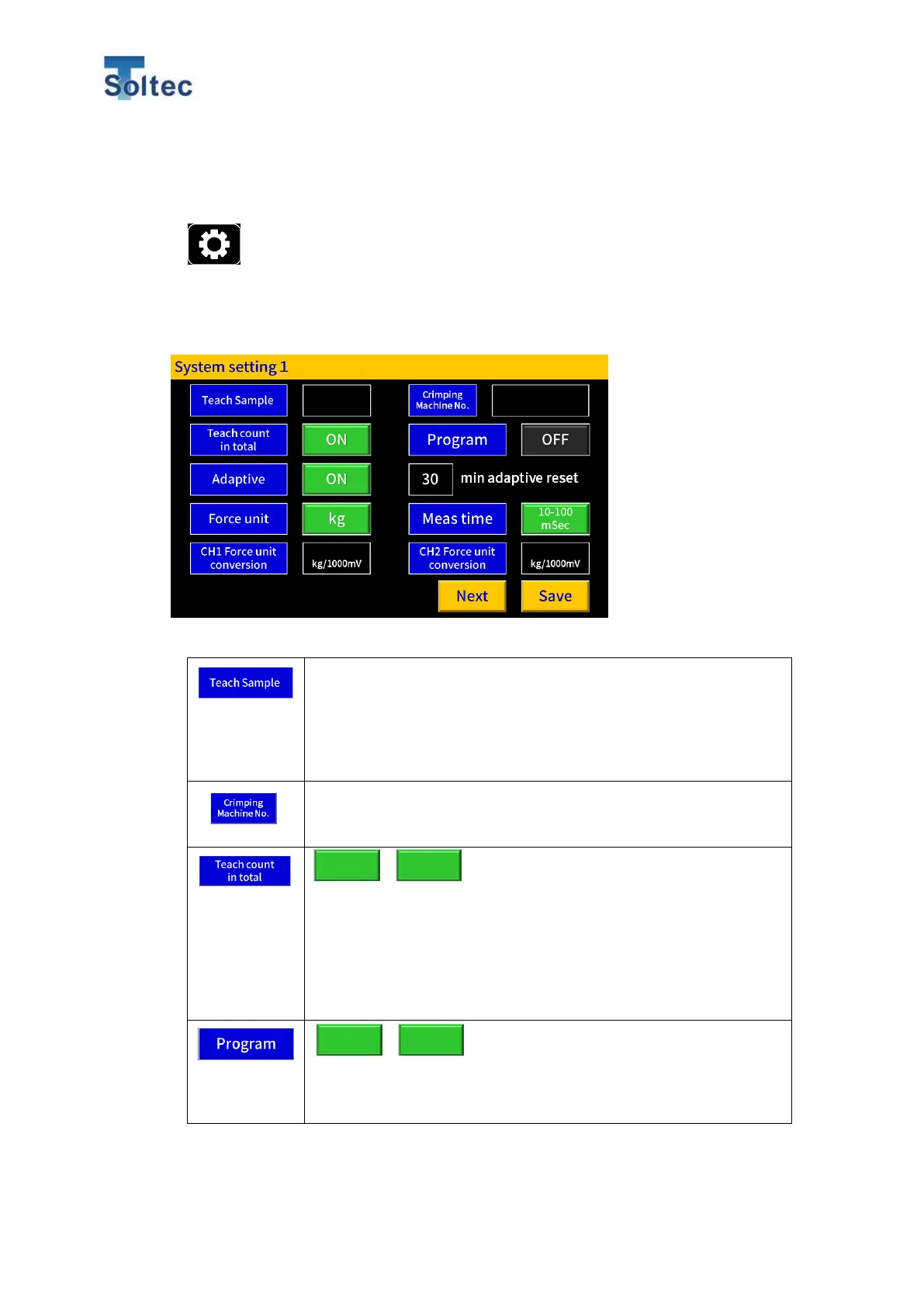
5.3.1. System setting 1
Press this button on the main screen and System setting screen is
opened. Here, fundamental settings can be confirmed and changed.
Normally, System setting has to be set first when CFM is installed on a press
machine.
Teach sample number can be set to create reference force
curve. When the number is more than 2, CFM calculates
reference force curve from the average of the sample number.
The number can be set in the range of 1 to 10 (Initial setting is
4).
A Name of press machine on which CFM is installed or machine
number are registered. Maximum 20 alphanumeric characters
will be registered.
ON: Number of Teaching samples is included in Sub count
number.
OFF: Number of teaching samples is not included in Sub count
number.
Initial setting is ON.
ON: Program is enabled.
OFF: Program function is disabled.
Initial setting is ON. Refer to the page below for the Program.



 To Next Page