CFM-BL10Pro General instruction manual
67 / 87
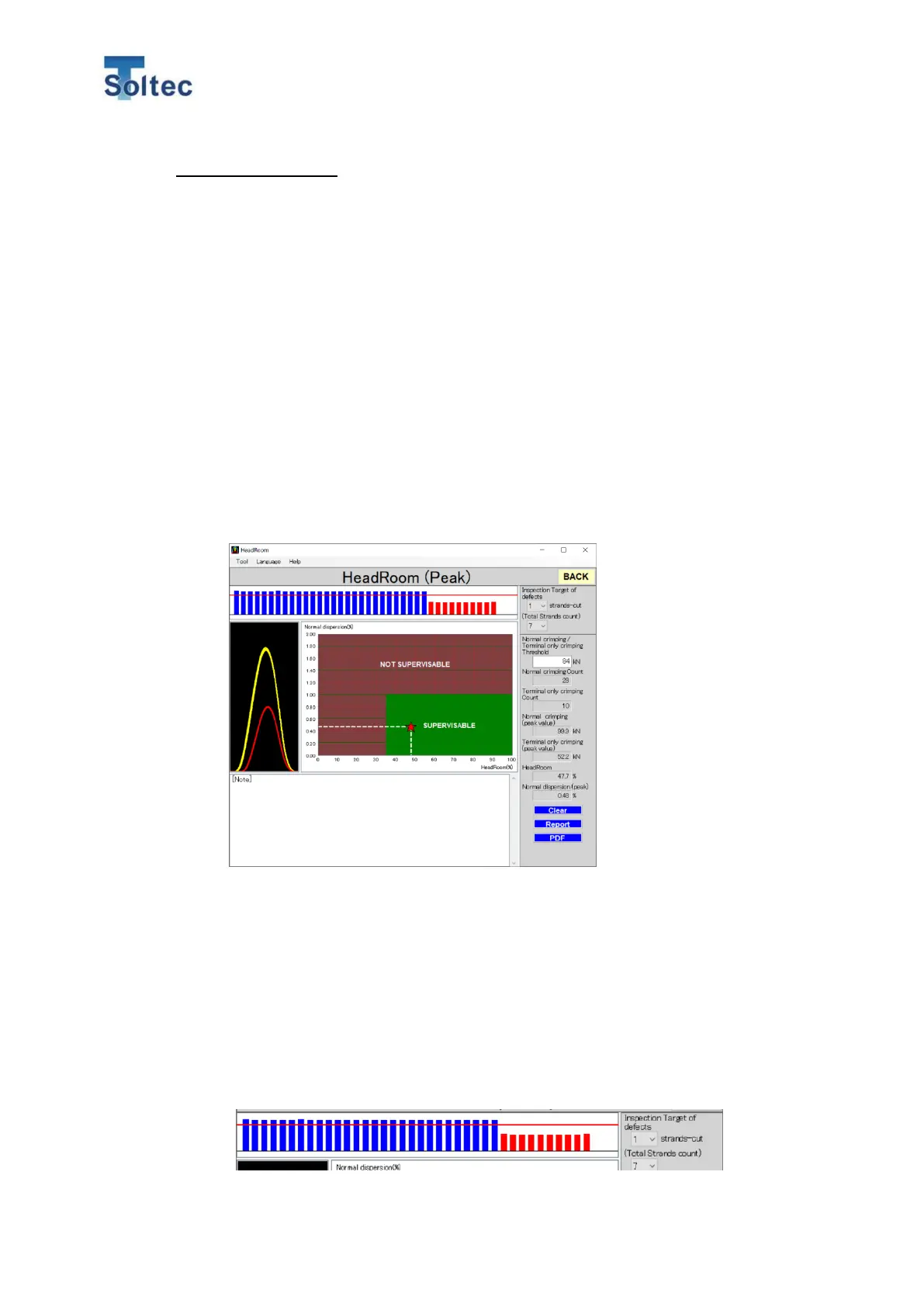
Normal dispersion (%)
Normal dispersion shows how much the peak force fluctuates. This figure should stay
less than 1% in order for CFM to make stable judgements. It works by collecting the
peak-force data of 30 good crimps, and then automatically calculating the average of
them in %.
At Head room, these 2 indicators are calculated and shown on the screen, which
helps customers understand more easily.
6.6.1. How to use the Headroom software.
A. Collect Data
After opening Head Room, makes 30 pcs. of good crimp, and 10 pcs. of
crimp without wire. A bar graph and a force curve of each crimp appear after
each crimping.
B. Setting Threshold
At the bar graphs, drag the red horizontal line to between the gap of good
crimp and crimp without wire.
All the graphs over the red line will then turn blue, whereas those below the
red line are shown in red (picture below). Make sure the graphs of good
crimps are in blue, and of crimp without wire are in red. Now, Head room is
ready to use.



 To Next Page