CFM-BL10Pro General instruction manual
64 / 87
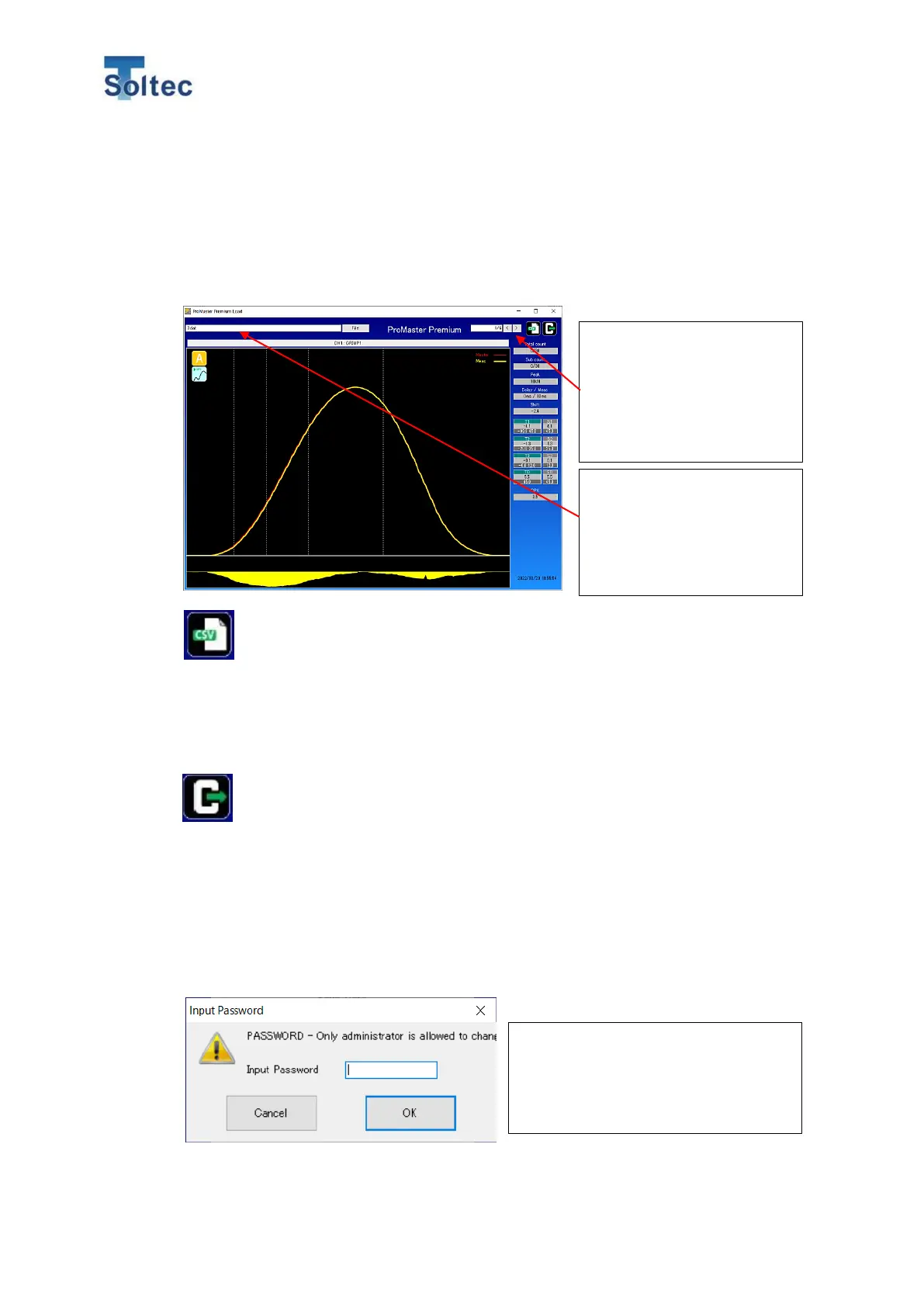
6.5.2. Load Data
The “dat file” which is saved by the Save data and is directly saved in a USB memory
from the main unit is loaded and displayed.
Click Load data and the another window will open.
Select the folder where the data is saved and file.
CSV output
The software converts the loading data to CSV file format and output it.
Click the icon while the data you would like to convert is opened.
Save the data with a proper file name as a CSV file.
The file can be opened via Excel software.
Close the Data load screen.
6.5.3. Password setting
The password setting is for this software can be set. It is possible to separately limit the
main unit operation from this software for each operator and engineer with a password.
*This password is different form the one of CFM main unit. As for the password of CFM
main unit, refer to 5.3 System setting or 6.3 Main unit setting screen.
The file name of the current
data is displayed. When you
open the other files, click
“File” and select another file
name.
“Count of the data
displayed/Total count of the
data saved in this data is
displayed. Switch the
displayed count by
“<”“>”button.
To use the password function, the
administrator password has to be set
first. The administrator authority can
access all the operations.



 To Next Page