CFM-BL10Pro General instruction manual
65 / 87
Procedure:
1) Click “Security” button from the Utility menu and open the password input
screen. At the first
In the initial state, the software does not have a password. Therefore, click “OK” button
without inputting any password. If the administrator password is already set, input the
administrator password and click OK button.
*If a wrong password is entered, you cannot go to a next step.
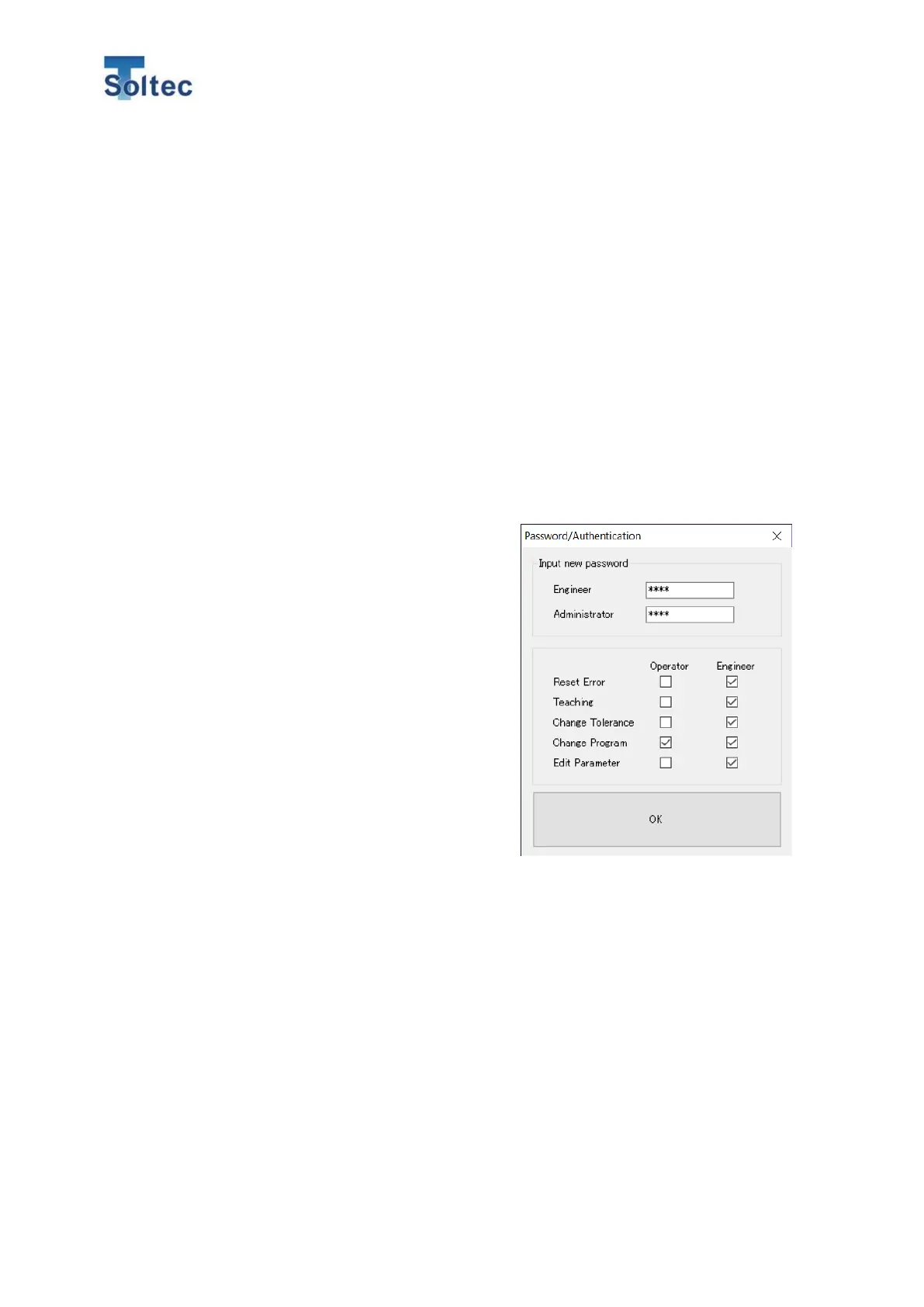
2) In the initial state, the password of both engineer and administrator is empty.
Set an appropriate password for each authority. The half-width alphanumeric
characters can be used for the password.
3) Check the boxes on the lower row of the window. Then, the checked items can
be operated.
E.g., In the right image, Operator
authority can perform the Teaching and
Program reset from this software.
There’s no password which can allow
Operator to access any operation.
Engineer authority can perform the
operation except for Edit Parameter.
Administrator authority can perform all
the operation.
To open this Password/Authentication
window, the administrator password is
needed.
4) Click “OK“ and close the window.
After you set the password, the password function is enabled, and the software
requires the password against the unchecked operation.



 To Next Page