Vertiv™ | Liebert® STS2/PDU
™
User Manual | Rev. 6 | 10/2017 108
To configure the Input Contact Isolator relays:
1. Select INPUT CONTACT ISOLATOR from the Comm Options menu.
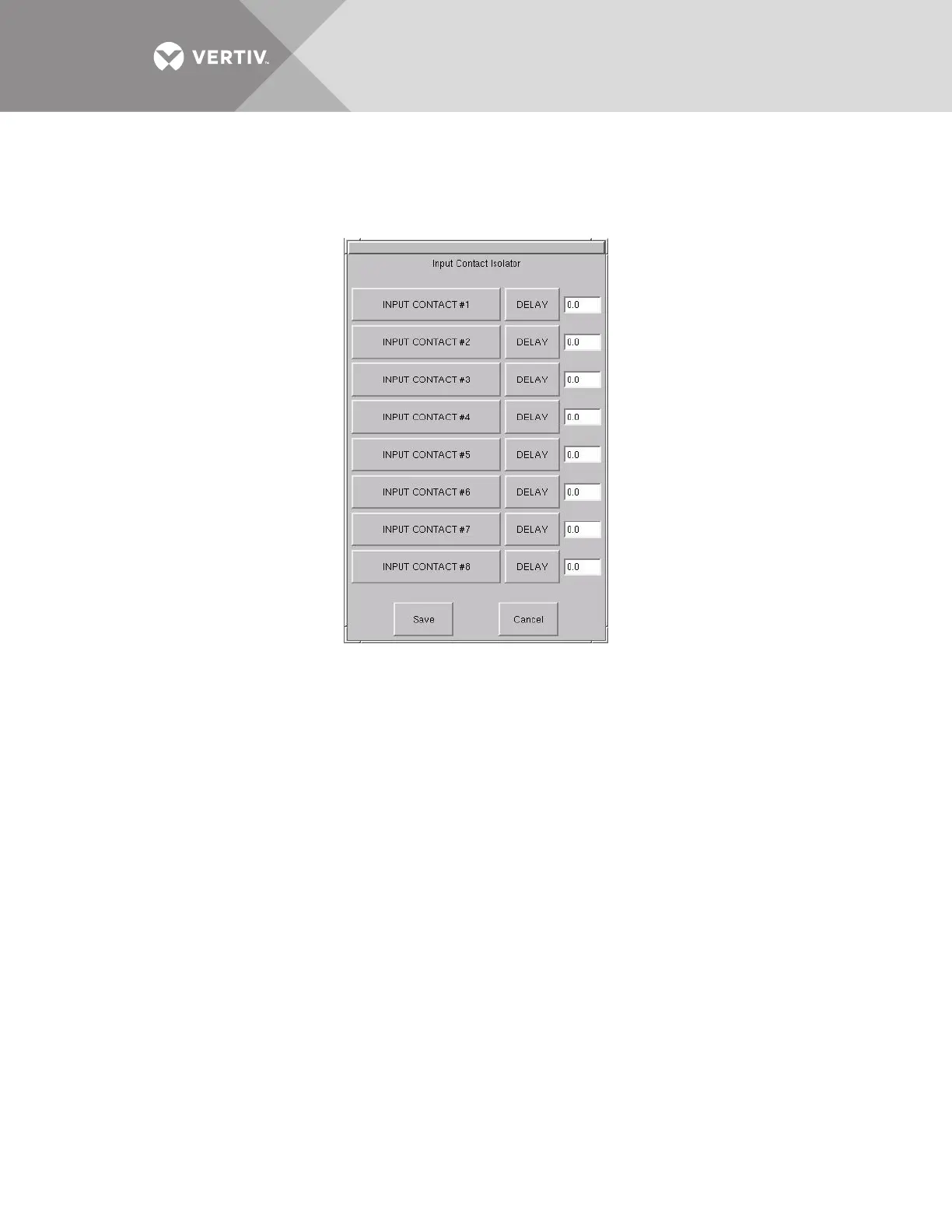
The Input Contact Isolator dialog box is displayed.
Figure 71 Input Contact Isolator dialog box
2. Select INPUT CONTACT 1.
A keyboard is displayed to allow you to enter the name of the alarm.
3. Enter the name of the alarm set for that input. For example, a fan problem could be indicated by naming the button FAN.
4. Select OK on the keyboard to keep your label.
5. Select DELAY.
A keypad is displayed prompting you for a delay time, in seconds, for a condition to exist before the alarm is triggered.
6. Enter the delay value. The range for the values are from 0 (zero) to 99.9 seconds.
7. Select OK on the keypad to keep your setting.
The value you entered is displayed in the field adjacent to the corresponding input contact.
8. Repeat Steps 2 to 7 for each input contact.
9. Select SAVE after you have configured all input contacts.
Be sure to select Save even if you have accessed this dialog only to change a setting.
10. Enter the settings in Table 33 - Input contact isolator settings record.
This information is not saved if control power is removed.
11. Select OK in the Comm Options dialog box to activate the settings.



 To Next Page