Vertiv™ | Liebert® STS2/PDU
™
User Manual | Rev. 6 | 10/2017 98
13.2.1 Security
Because the Liebert STS2/PDU Color Graphical Display provides access to various configuration and monitoring
choices, a password or key lockout switch may be used to protect access to certain changes, including:
• Change configuration settings
• Clear logs
• Make a source transfer
• Reset an alarm
Without entering the password or enabling changes with the key lockout switch, you still can:
• View the display, including the mimic, status and event help
•View logs
• View the startup and bypass procedures
• Use the SILENCE button to turn off the audible alarm
Using the Optional Key Lockout Switch
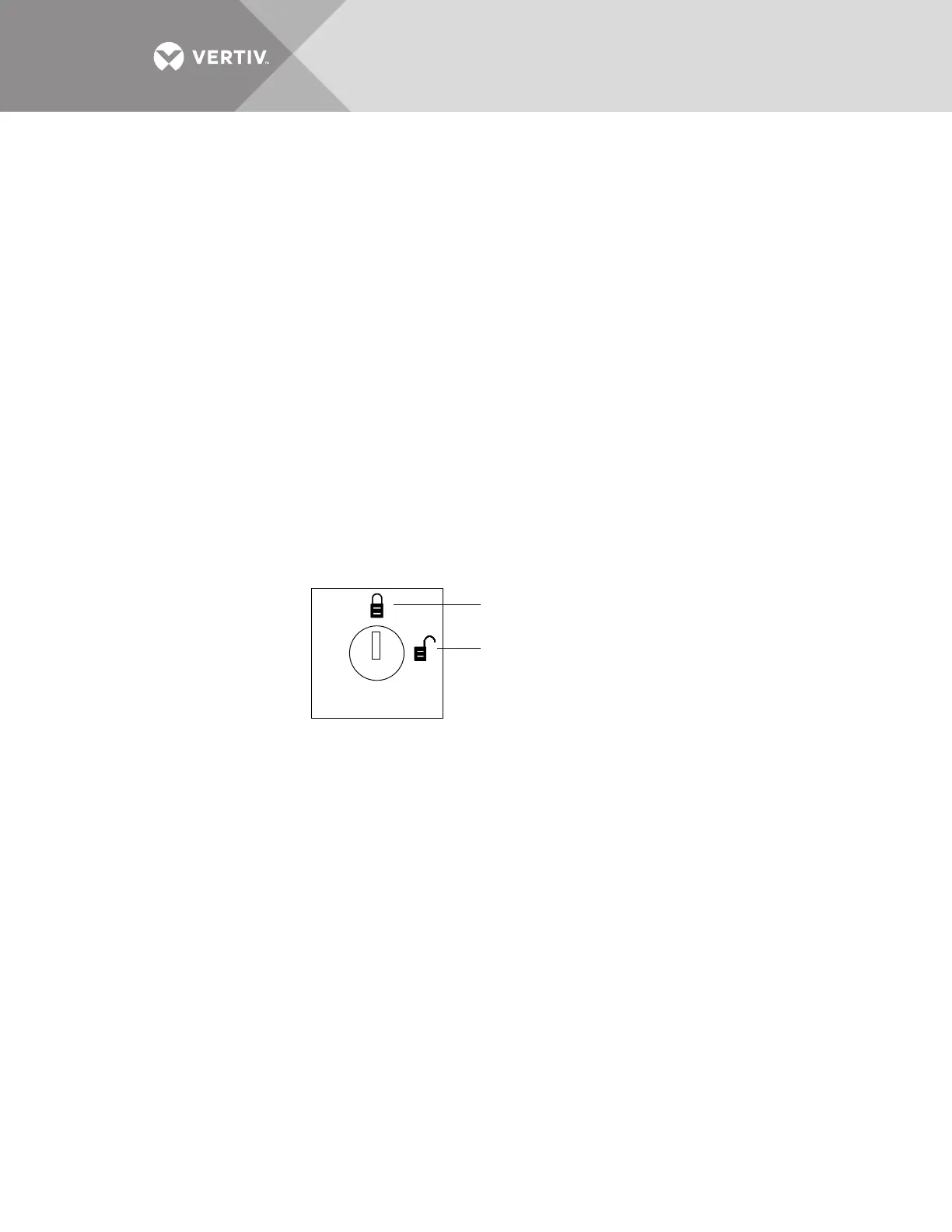
An optional key lockout switch for the Liebert STS2/PDU enables or disables the ability to make changes on the
Liebert STS2/PDU. The key lockout switch is located on the front of the unit next to the display; it is behind the
front door but can be operated without opening the front door. See Figures 20 through 22 for location of the key
lockout switch.
• To disable the changes, turn the key to the top of the switch, toward the closed padlock.
• To enable changes turn the key to the horizontal position, toward the open padlock.
Figure 64 Key lockout switch
Using the Password
If the unit is not equipped with a keylock, a password is required when you attempt to:
• Save changes in the CONFIG menu choices.
• Transfer sources.
• Reset active alarms.
• Clear logs.
When a password is requested, a keyboard is displayed on the touchscreen. After you enter the password, select
OK.
The password is case-sensitive. Password access times out after ten (10) minutes and must be re-entered to
save changes. The time-out period cannot be changed.
To set or reset the password:
1. Select SYSTEM SETTINGS from the CONFIG menu.
2. Select SYSTEM ID form the SYSTEM SETTINGS menu.
3. Click PASSWORD. A keyboard is displayed.
4. Enter a password. The password must be four (4) alpha-numeric characters and is case sensitive.
5. Click OK.
Changes disabled
Changes enabled



 To Next Page