Vertiv™ | Liebert® STS2/PDU
™
User Manual | Rev. 6 | 10/2017 110
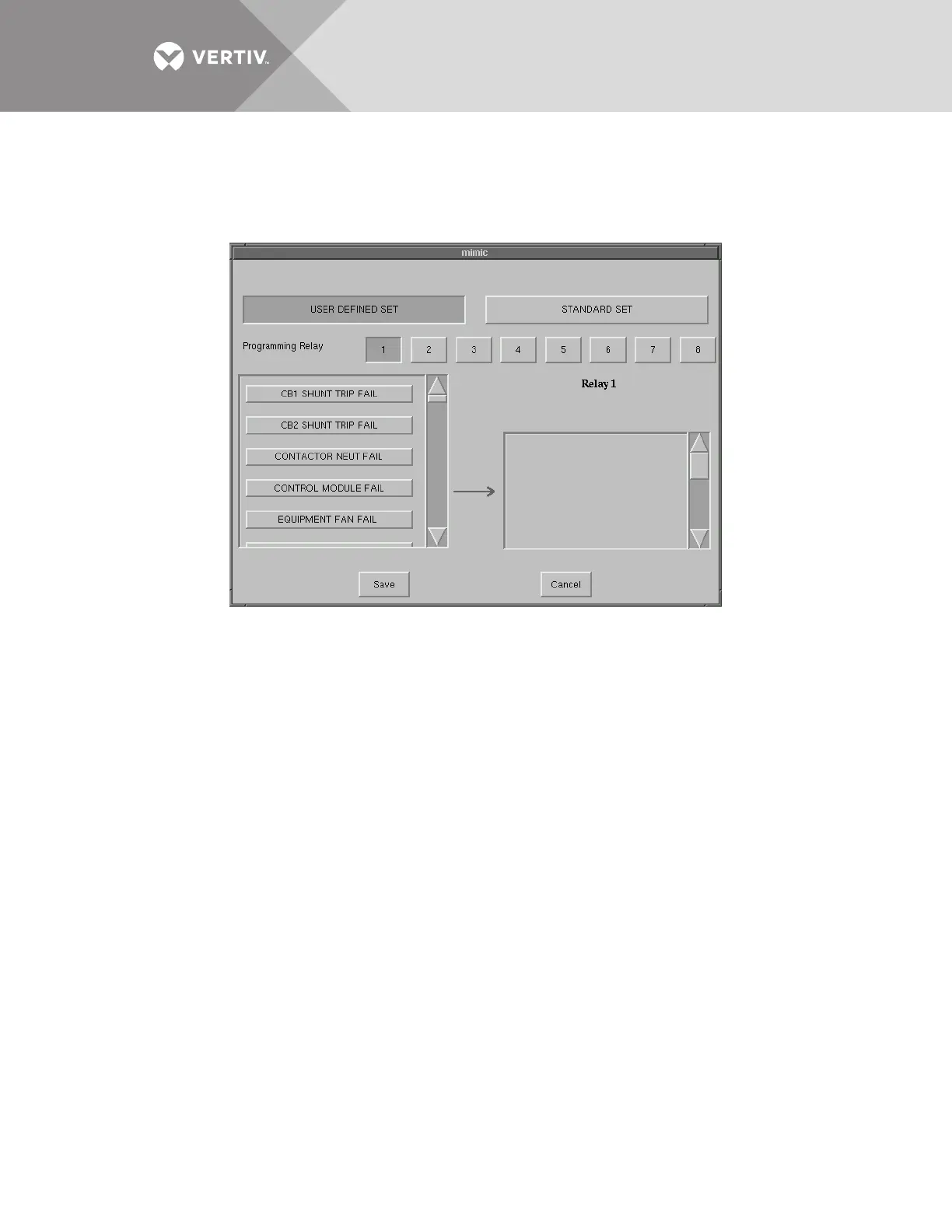
To configure your programmable relay boards for user defined settings:
1. Select PROG. RELAY BOARD # x from the Comm Options dialog box, where x is the corresponding board number.
The Programmable Relay Board dialog box is displayed.
Figure 72 Programmable relay board dialog box
2. Select your configuration settings.
• Select STANDARD SET to use the settings configured at the factory. See Go to step 4.
• Select USER DEFINED SET to configure your own settings. Go to step 3.
If you enter a user-defined setting, record the setting in Table 32. If the control board is replaced, it will be necessary to
reprogram the Programmable Relay Board with this information.
3. To define your relay board settings:
a. Select a Programming Relay.
b. Select an event you want associated with the relay. That fault is placed in the Relay column.
You can associate up to ten (10) events with one relay. If you do so, you should group the events logically to simplify
troubleshooting when an event is triggered.
4. Select SAVE to keep the settings.
5. Select OK for the applicable Programmable Options Board option in the Comm Options dialog box to activate the settings.
Configuring the Liebert IntelliSlot
™
Web/485 Card With Adapter
A Liebert IntelliSlot Web/485 Card With Adapter (IS-WEB485ADPT) can be installed in the Liebert STS2/PDU to
provide Ethernet connectivity via an RJ-45 port.
Ethernet cabling is the responsibility of the customer. Category 5 cabling is required.
See 6.4 - Liebert IntelliSlot
™
Web/485 Card With Adapter for more information on the card. See the Liebert IS-
WEB485ADPT installation and user guide for configuration instructions for the card.
If the optional Liebert IS-WEB485ADPT is installed in the Liebert STS2/PDU:
• Select YES for the Liebert IntelliSlot Web/485 Card With Adapter option in the Comm Options dialog box to activate the
card.



 To Next Page