Vertiv™ | Liebert® STS2/PDU
™
User Manual | Rev. 6 | 10/2017 102
Source Setpoints
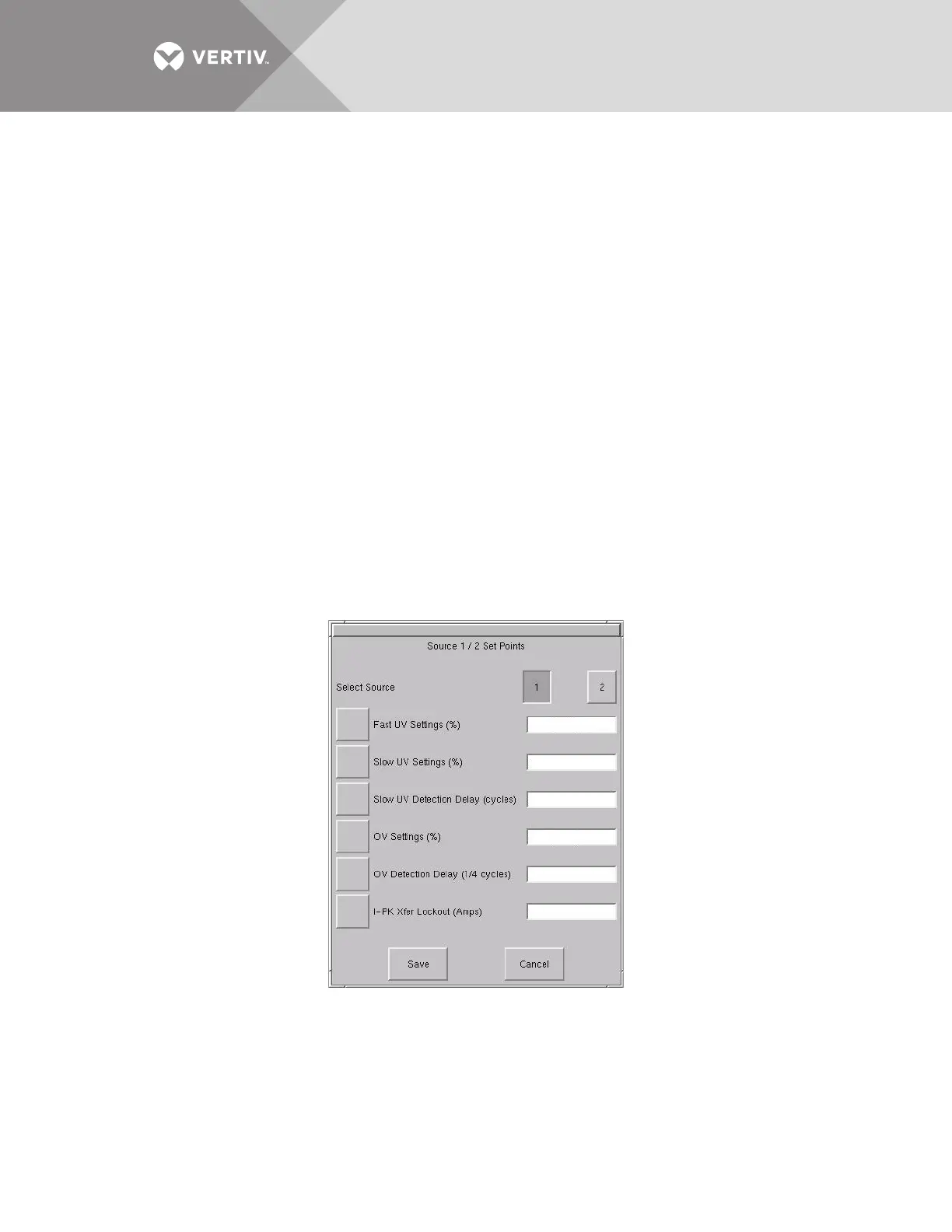
The Source 1/2 Setpoints allows you to configure trigger points for each input source (1 or 2) for the Liebert
STS2/PDU via a keypad dialog or HI/LO dialog box. The source numbers do not designate the source as the
preferred or alternate source. The numbers simply identify the input source. See 10.2 - Manual Transfer /
Preferred Source Selection to set the preferred source.
The Setpoints are based on values in relation to the nominal voltage required for the Liebert STS2/PDU. UV
refers to under voltage, meaning the amount of voltage below the nominal voltage. OV refers to over voltage or
the amount of voltage over the nominal voltage.
• Fast UV Setting (%) — if the voltage drops below this set percentage of the nominal voltage, the Liebert STS2/PDU
transfers from the current source to the opposite source.
• Slow UV Setting (%) — if the voltage remains this set percentage below the nominal voltage for the period of the slow
detection delay, the Liebert STS2/PDU transfers from the current source to the opposite source.
• Slow UV detection delay — the number of cycles that the source must remain below the Slow UV Setting before the
Liebert STS2/PDU transfers.
• OV Setting (%) — if the voltage exceeds this set percentage of the nominal voltage for the period of the OV detection
delay, the Liebert STS2/PDU transfers from the current source to the opposite source.
• OV Detection Delay — the number of cycles that the source must remain above the OV Setting before the Liebert
STS2/PDU transfers sources.
• I-PK Xfer Lockout — if current from the source exceeds this threshold, the Liebert STS2/PDU disables source transfers
and has to be reset either manually or automatically. The type of reset is configured under the User Settings.
To configure the setpoints for each source:
1. Select SOURCE 1/2 SETPOINTS from the User Settings dialog box. The Source 1/2 Setpoints dialog is displayed.
Figure 67 Source setpoints
2. Select 1 to configure the settings for Source 1.



 To Next Page