Vertiv™ | Liebert® STS2/PDU
™
User Manual | Rev. 6 | 10/2017 99
13.3 Mimic Display
The Mimic display provides a color diagram of the operation of the Liebert STS2/PDU. This display imitates the
power flow through the Liebert STS2/PDU and indicates source status, breaker status, switch status, source
voltage and current readings, output power measurements and active alarm messages. See Figure 61.
13.4 Event Controls
The STS 2 detects events when certain thresholds are passed or certain problems occur. The alarm controls
allow you to acknowledge the existence of these events.
• RESET — All latched events whose conditions have cleared are removed from the Event Display.
Faults and alarms that remain active or are not recoverable are not affected when this button is selected. This button is
also used to perform manual I-Peak resets and manual retransfers.
• SILENCE — turns off the audible alarm (horn or beeper) without resetting the triggering event. This setting does not
permanently turn off the horn. The alarm sounds again when the next event with an audible alarm setting is triggered.
Active events are shown in the Event Display, whereas cleared events can be reviewed via the Event Log.
13.5 Event Display
The Event Display lists the condition of the Liebert STS2/PDU in real-time. Both nominal system parameters and
alarm messages are displayed in the Event Display. You can touch any message in the Event Display to display
more information in the Display Panel to the left. The selected status is displayed in bold type.
13.6 Menu Bar
As previously mentioned, the menu bar provides both configuration choices and information. The choices under
the Config and Log menus access additional dialog boxes, while the other menu choices only show information
in the display panel.
13.7 Configuration Menu
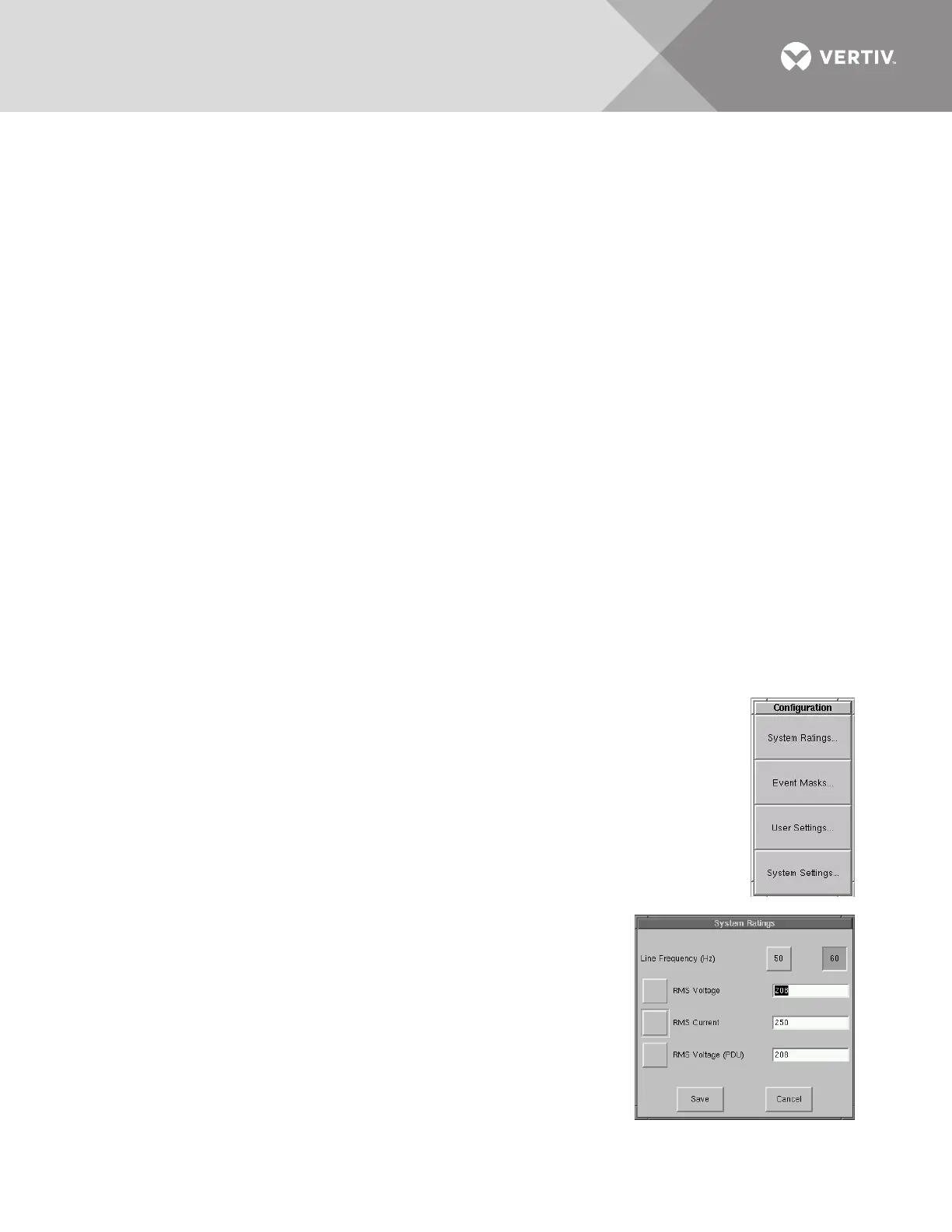
When you select the CONFIG (Configuration) menu choice, a pop-up menu is displayed with
four choices.
• System Ratings— used to configure frequency, voltage and currents settings for the Liebert
STS2/PDU.
• Event Mask — allows you to configure system’s response for events.
• User Settings — allows you to configure operations for the Liebert STS2/PDU.
• System Settings — accesses another pop-up menu to configure communication and system
choices and the system ID.
Each of these choices accesses a separate dialog box.
System Ratings
The System Ratings menu is used to set the nominal line frequency,
nominal voltage and nominal current at which the system operates when it
is installed. These settings are configured when the system is initialized at
the factory or under maintenance and should not be changed by the user.



 To Next Page