Vertiv™ | Liebert® STS2/PDU
™
User Manual | Rev. 6 | 10/2017 59
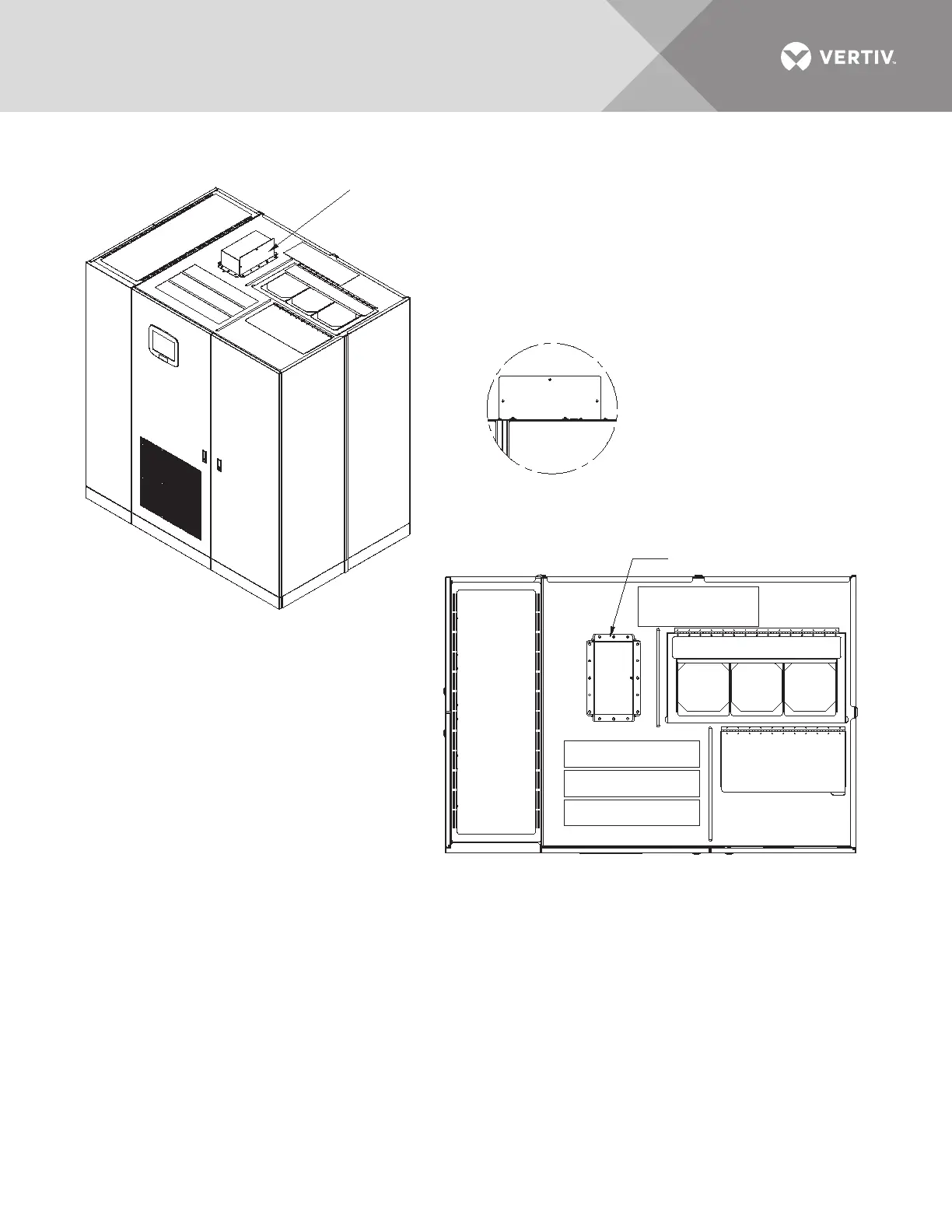
Figure 49 Control location drawing conduit box, top entry, 400-600A Liebert STS2/PDU
PSP13401
Rev. 1
UNIT WITH CONDUIT
BOX INSTALLED
Control Conduit Box
TOP VIEW
DETAIL A
Remove side cover to install conduit
and cables. Then replace side cover.
Control Conduit Box
See Detail A and Notes.
NOTES
1. The control conduit box is mounted
upside down and inside of top of the unit
for shipping.
2. Remove the box and side cover.
3. Drill top of box for conduits.
4. Replace the box as shown in the
installed view.
5. Install conduit and land cables.
6. Replace side cover.



 To Next Page