Vertiv™ | Liebert® STS2/PDU
™
User Manual | Rev. 6 | 10/2017 77
10.2 Manual Transfer / Preferred Source Selection
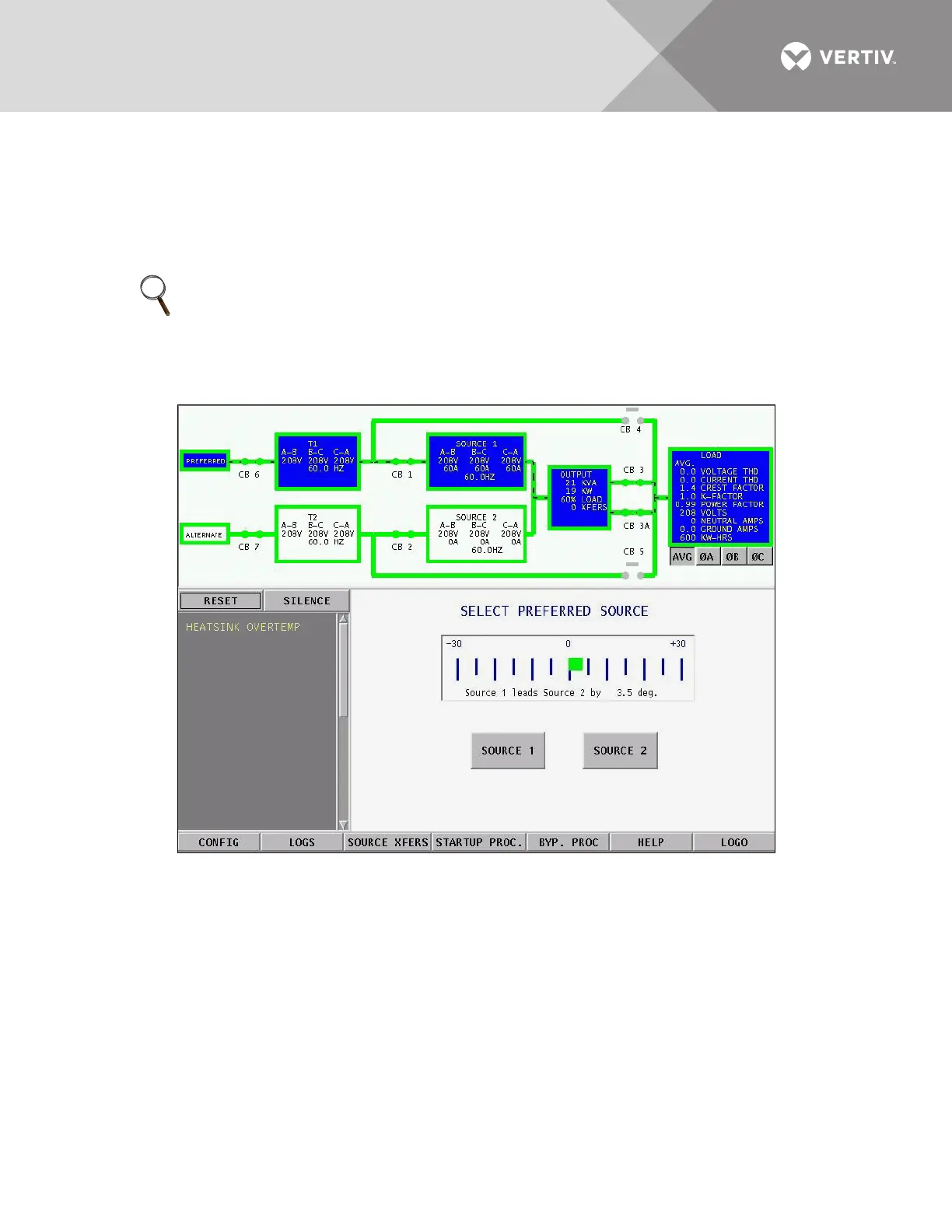
The Source Transfer option (Source Xfers) in the touchscreen menu allows you to select a preferred source.
Transfers are only permitted when the voltage and current are within their proper operating range and the
sources are synchronized. The Source Transfer screen indicates the synchronization between the two sources,
while the voltage and frequency are displayed on the Mimic. See Figure 59. Transfer is inhibited if the deviation
exceeds the parameter set in Source Setpoints. See User Settings on page 101.
Figure 59 Source Transfer screen
NOTE
If one source will be de-energized for an extended period (hours or days), set the Liebert STS2/PDU to bypass
mode for the remaining source. Without using bypass, if a failure occurs in the switch components for the
remaining source, the Liebert STS2/PDU does not have a second source to switch to and the load would not
receive power. See 14.2.12 - Maintenance Bypass for bypass instructions.



 To Next Page