E-12 Videojet DataFlex 6530 Service Manual - Rev AA
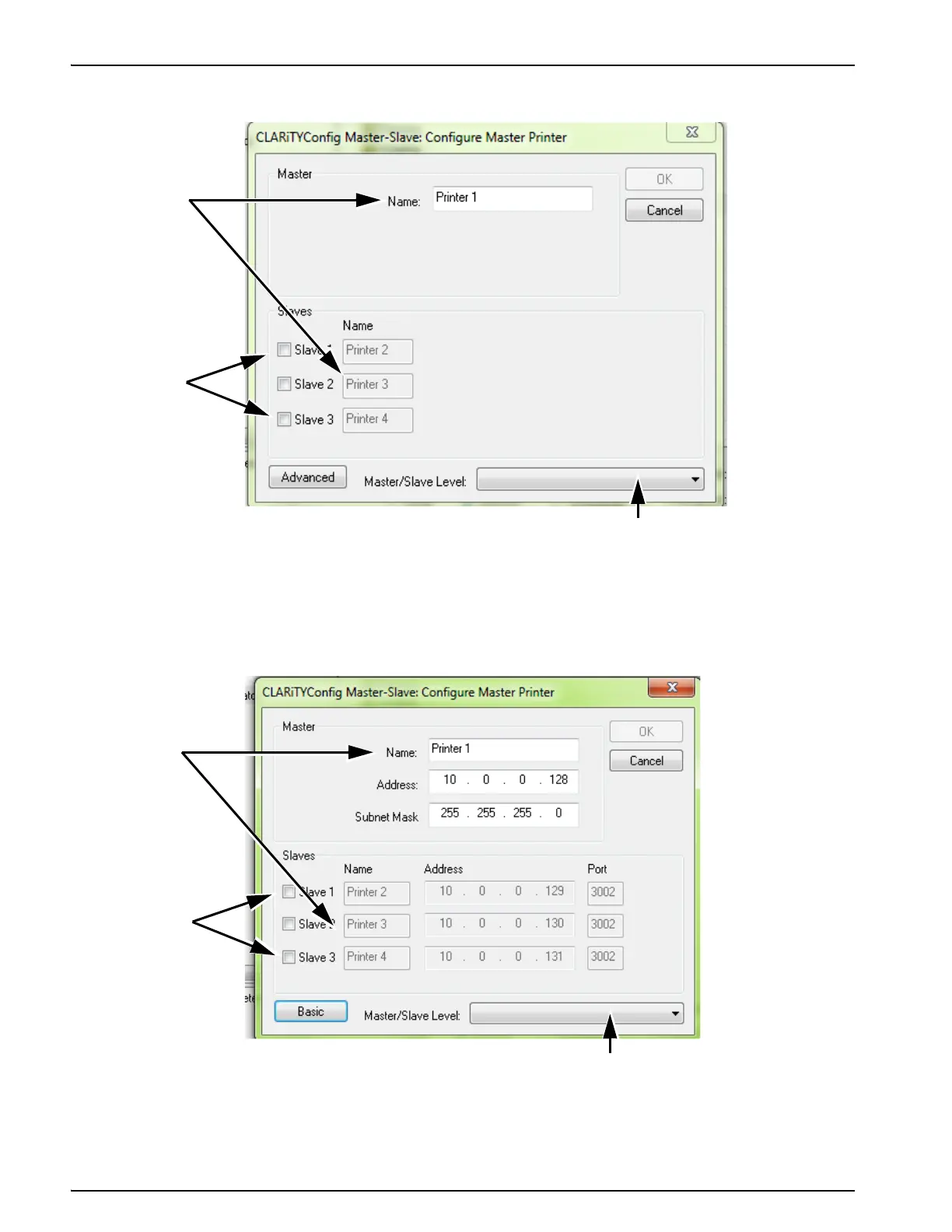
A configure master printer dialog box appears (Figure E-12).
3. Click on the Advanced button, to change to advanced configuration. The advance configure
master printer dialog box appears (Figure E-10).
Figure E-12: Configure Master Printer Dialog Box
1. Master/Slave Level Drop - Down List
2. Check Boxes
3. Names Fields
3
2
1
Figure E-13: Advanced Configure Master Printer Dialog Box
1
2
3
1. Master/Slave Level Drop - Down List
2. Check Boxes
3. Names Fields



 To Next Page