Videojet DataFlex 6530 Service Manual - Rev AA 4-9
Installation
Connecting the CLARiTY Configuration Manager to the Printer using an Ethernet Cable
Connecting the printer to CLARiTY Configuration Manager via Ethernet requires the following
• A correct Ethernet cable:
- If connection is being made directly between the PC and the printer, a crossed
Ethernet cable must be used
- If the connection is being made via an office LAN or Ethernet hub, an ordinary
uncrossed patch cable is required
• Correct configuration of the PC ethernet port
• Correct configuration of the printer’s ethernet port
To connect the CLARiTY Configuration Manager to the printer, the following settings have to be
done on the PC ethernet port and printer’s ethernet port:
PC
The PC Ethernet port must be set up to connect at a specific IP address. If you are connecting via
an office LAN, consult with your IT manager before assigning IP addresses to your PC. If you
are making a direct connection, you may specify any IP address.
Note: The printer IP address will default within the local IP range to automatically connect over the local
link.
To establish a specific IP address, please follow the steps below:
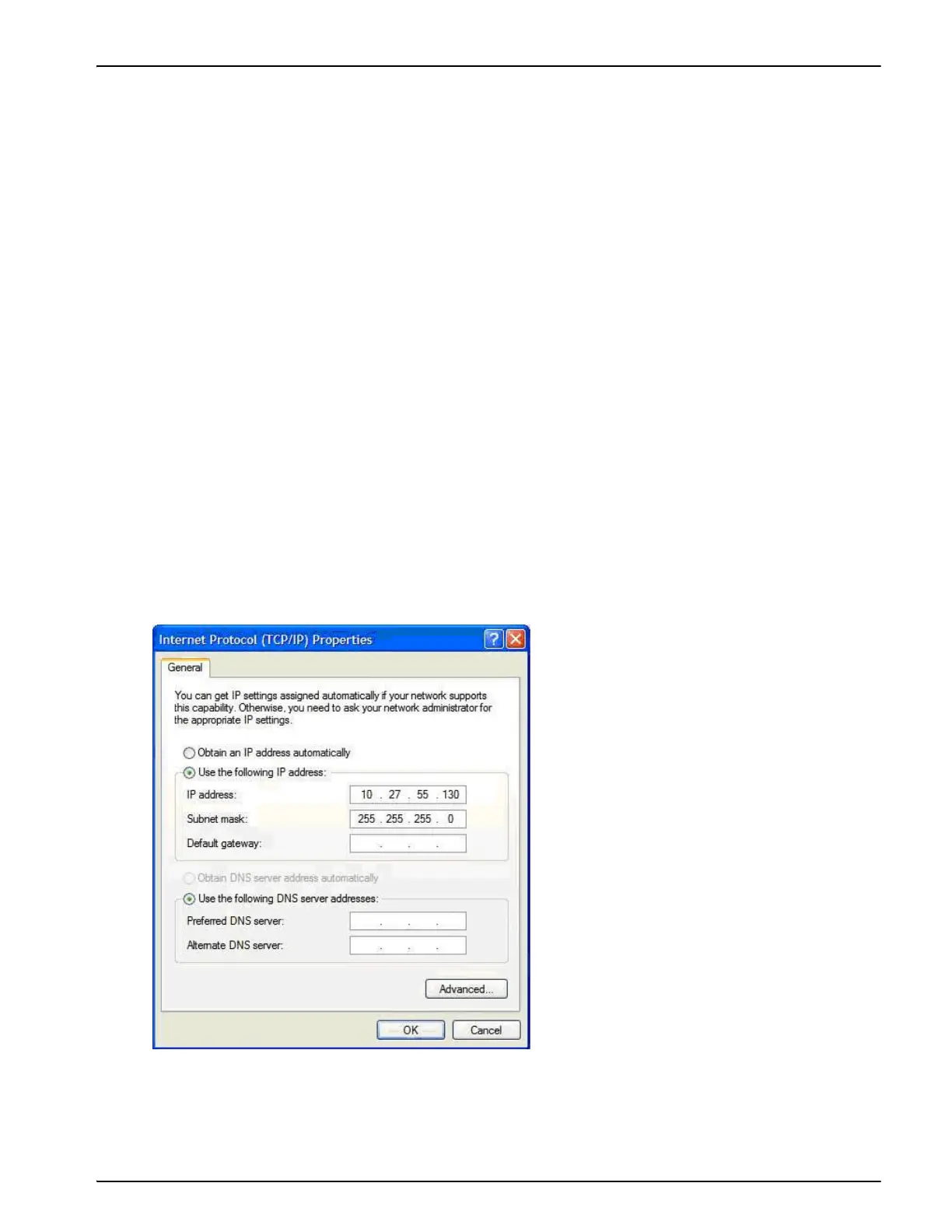
1. Open the PC Ethernet port properties and modify the TCP/IP not to assign an IP address
automatically. Then specify the new address (for example 10.27.55.130 in Figure 4-9) and the
subnet mask (Usually 255.255.255.0).
Note: The screen above shown varies depending on the operating system installed on your PC.
2. Click OK to apply the settings.
Figure 4-9: IP Address Settings on the PC



 To Next Page