4-10 Videojet DataFlex 6530 Service Manual - Rev AA
Installation
Printer (Coder) Ethernet Port
3. Connect the CLARiTY Configuration Manager to the printer using an RS232 connection and
upload the printers parameters.
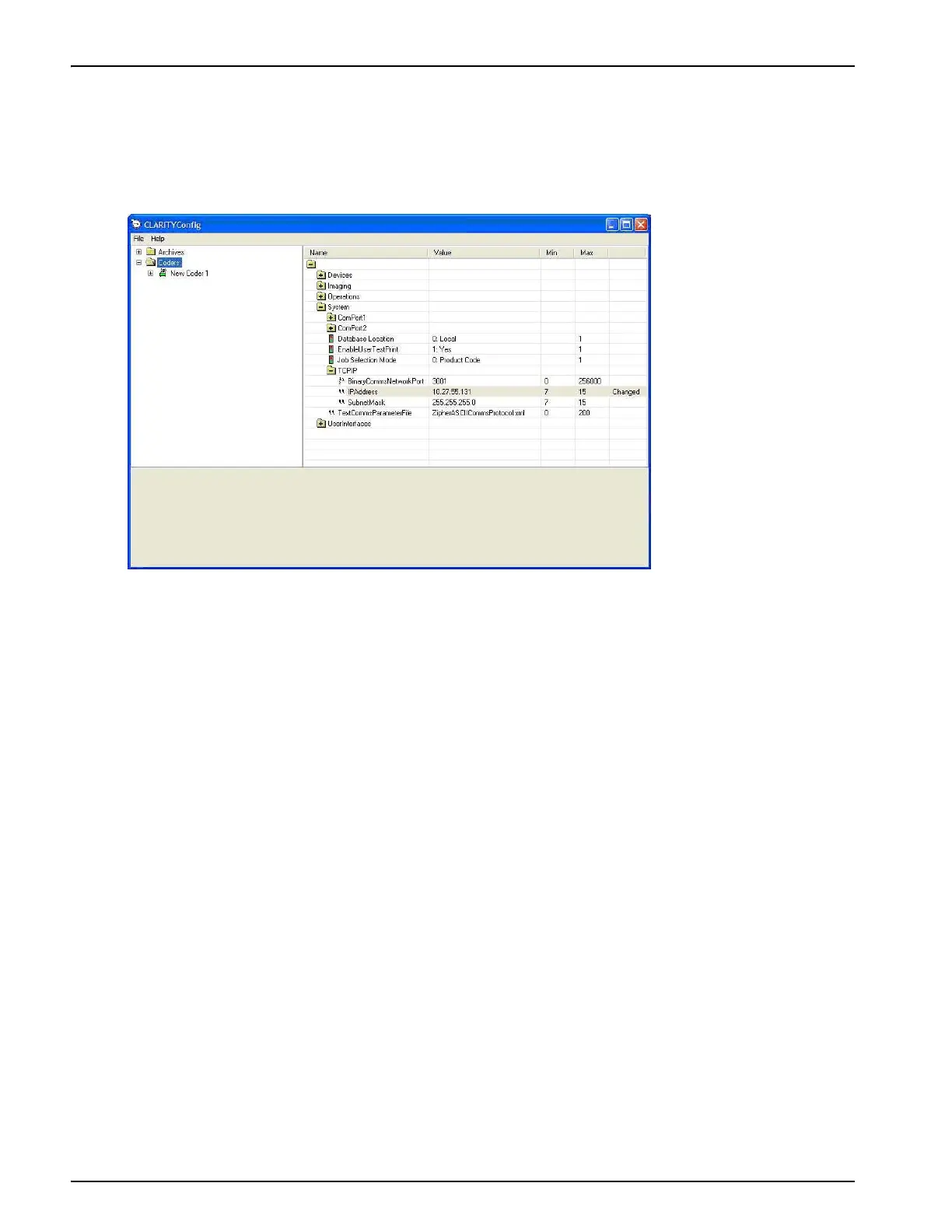
4. Locate the TCP/IP configuration parameters as shown in Figure 4-10.
5. Set the BinaryCommsNetworkPort parameter to 3001.
6. Set the IP address to be in the same range as the PC port (for example 10.27.55.131 in
Figure 4-10).
Note: The printer IP address should not be the same as the IP address of the PC.
7. Set the subnet mask to match that of your PC port.
8. Click the Download button to download the parameters to the printer.
Figure 4-10: IP Address Settings on the Printer



 To Next Page