Videojet DataFlex 6530 Service Manual - Rev AA 4-11
Installation
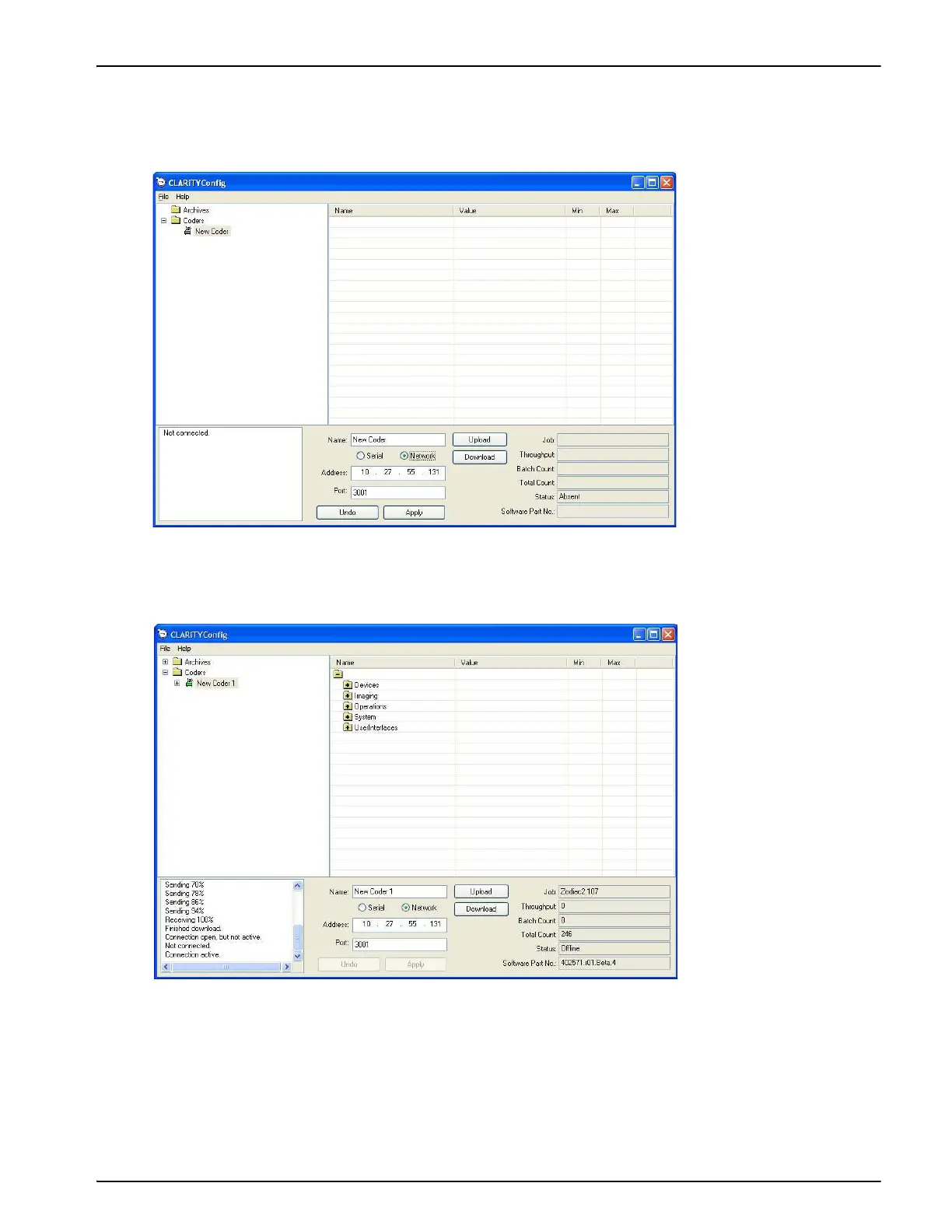
9. Click the New printer icon and change the method of connection to Network. Enter the
correct IP address and Port number to match the values downloaded into the printer
(Figure 4-11).
10. Click Apply and the new settings are activated and the printer icon turns green (Figure 4-12).
11. Click the Upload button. The progress of the operation is displayed in the status pane. This
uploads the printer parameters set to the PC.
The list of folders containing the configuration parameters appears in the parameter listing
(in the right hand frame of the Configuration Manager).
Figure 4-11: Printer Settings
Figure 4-12: Printer Settings



 To Next Page