ELECTRICAL SYSTEM
B2420, WSM
9-S10
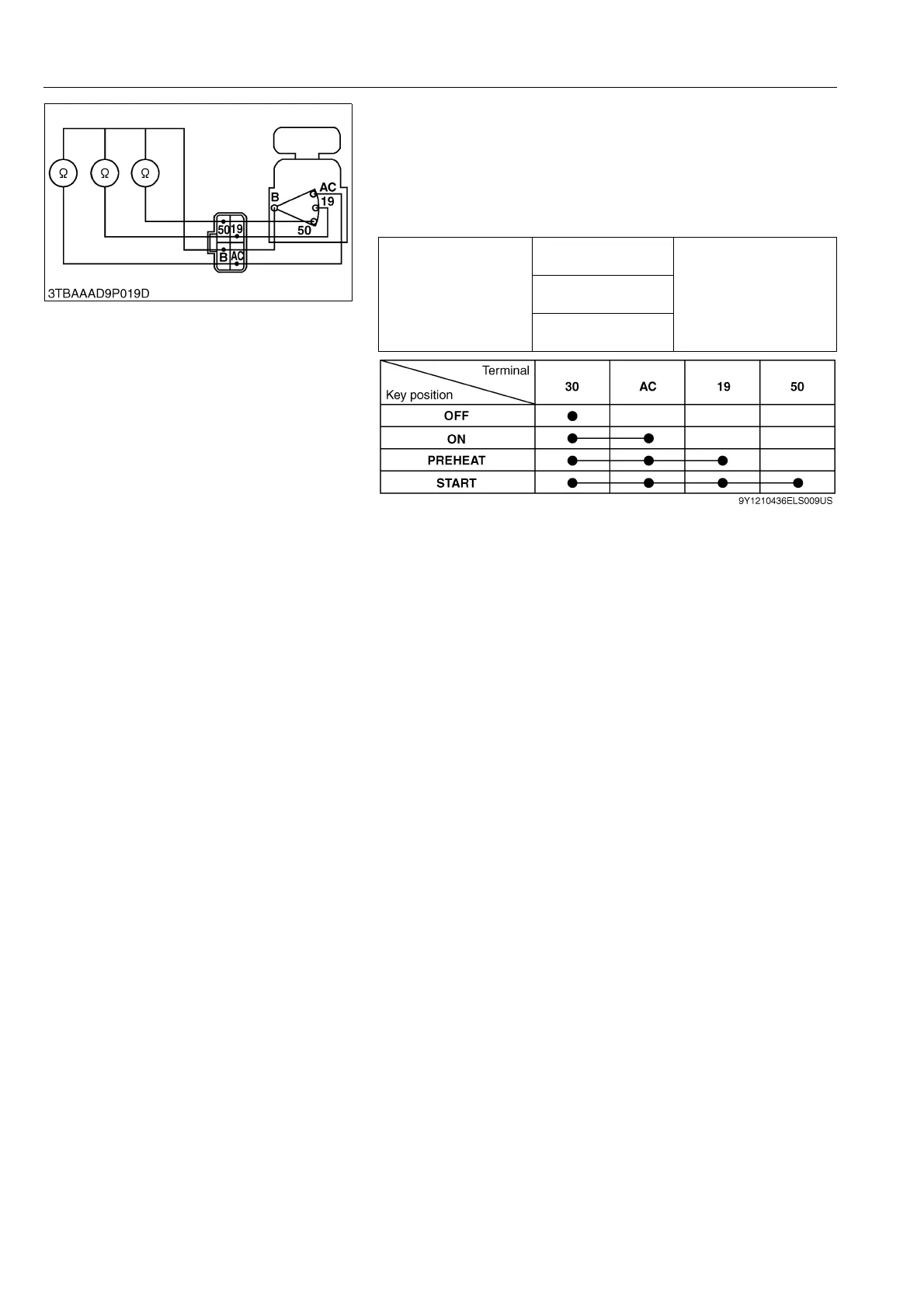
4) Main Switch Key at START Position
1. Set and hold the main switch key at the START position.
2. Measure the resistance with an ohmmeter across the B terminal
and the 19 terminal, across the B terminal an the 50 terminal,
and across the B terminal and the AC terminal.
3. If 0 Ω is not indicated, these contacts of the main switch are
faulty.
9Y1210436ELS0031US0
Resistance
B terminal – 19
terminal
0 Ω
B terminal –
50 terminal
B terminal –
AC terminal



 To Next Page