101
AF-DUAL Receive Function (Receiving Signals on Other Frequency Channels While Listening to Broadcast Radio)
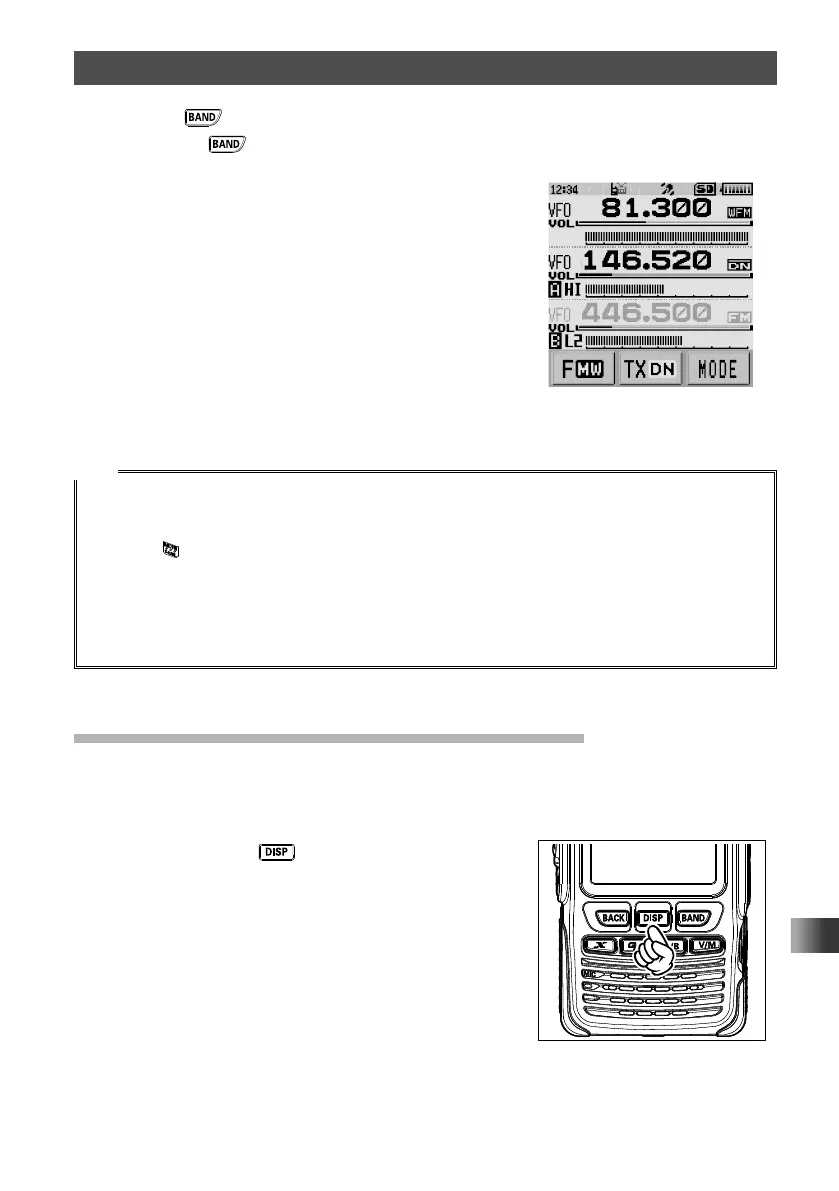
5 Press the key to select [AM] or [WFM].
Pressing the
key each time switches between the AM broadcast (middle
wave band) and FM broadcast.
On the LCD, AM (AM broadcast) or WFM (FM
broadcast) is displayed.
6 Rotate the DIAL to tune to the frequency of the broadcast station.
Tips
• For broadcast station frequencies, refer to “Worldwide short wave broadcast” on page 69 or a
commercially sold frequencies list.
• The AF-DUAL receive function can also be used for a radio frequency registered to a memory bank.
• Pressing
during radio reception allows receiving the standby frequency.
• While listening to the radio using the AF-DUAL function, in standby receive mode, the transceiver
cannot simultaneously receive broadcasts on the AM frequency (middle wave band) on either the
band-A or band-B, and FM frequency.
• To disable the AF-DUAL Function, touch [F MW] followed by [A.DUAL].
The frequency (memory channel) in receive standby appears on the LCD.
Setting the Resumption Time of Radio Reception
While receiving a radio broadcast, the ham radio band (A-band or B-band) can be
monitored in standby receive mode. After losing the receive signal or completing
transmission, broadcast reception can be resumed.
1 Press and hold the key for over one second.
The transceiver enters Set mode.



 To Next Page