76
Memory Channel Scanning
The memory channel frequencies may be scanned in the order of the memory channel
numbers.
1 Press the key to enter Memory mode.
2 Rotate the DIAL to select the memory channel to begin memory scanning from.
3 Touch [F MW].
The function menu appears on the LCD.
4 Touch [SCAN].
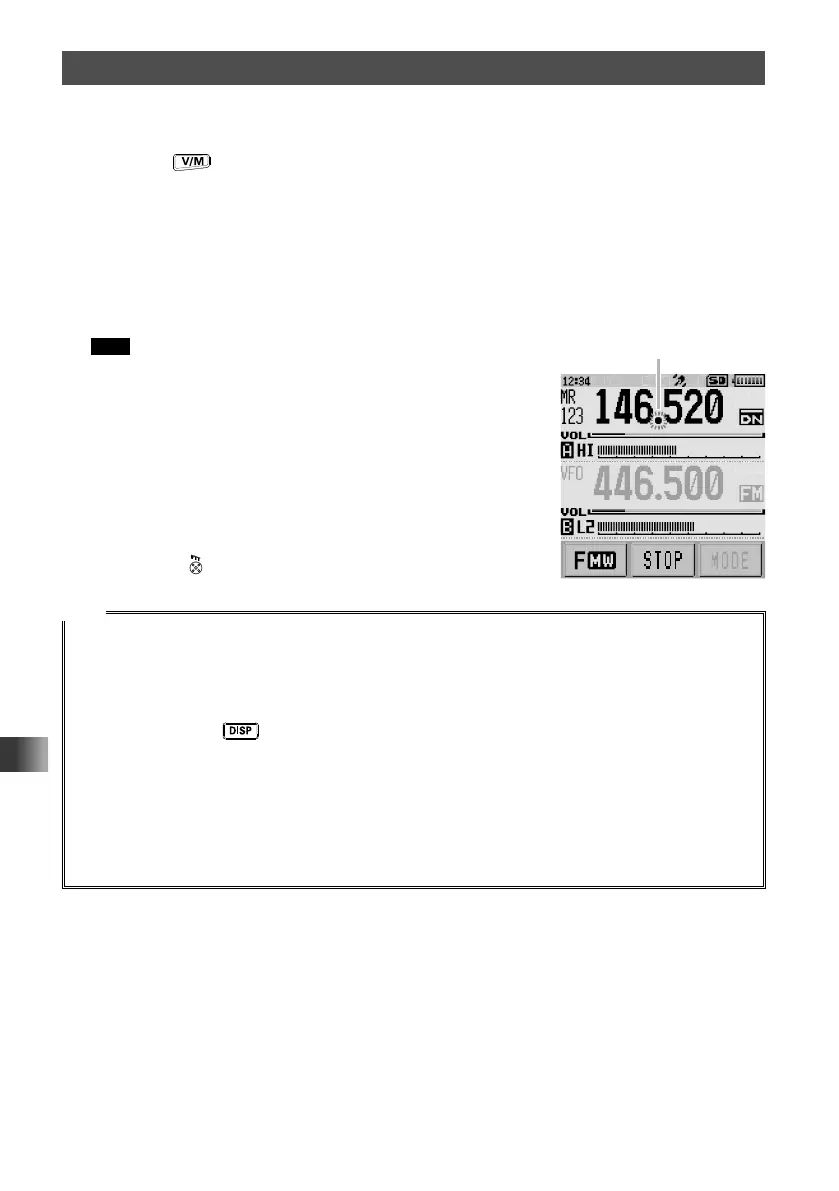
Scanning (SCAN) begins and progresses toward higher memory channel numbers.
When a signal is received, the decimal point blinks.
Tips • Rotate the DIAL clockwise to start scanning toward higher
frequencies.
• Rotate the DIAL counterclockwise to start scanning toward
lower frequencies.
• When a signal is received during scanning, scanning stops
for 5 seconds to monitor the signal on the frequency of the
signal.
• When scanning stops, the decimal point blinks and the LCD
remains illuminated.
• After receiving the signal for 5 seconds, scanning resumes.
• Press
to cancel scanning.
Tips
• When a memory channel is recalled, the regular memory channels (memory channel numbers 1-900)
are scanned.
• When a memory bank is recalled, only the memory channels in the memory bank are scanned.
• To set the transceiver operation when scanning stops, see “Setting the Receive Operation When
Scanning Stops” on page 74.
• Press and hold the
key for over one second to enter Set mode, then configure the following
operating preference settings.
[CONFIG] → [3 BEEP] → [SELECT]: Sets whether or not the beep sound is emitted when scanning
stops.
[CONFIG] → [3 BEEP] → [EDGE]: Sets whether or not the beep sound is emitted when the
frequency band edge or memory channel 01 is reached during scanning.
[SCAN] → [2 SCAN LAMP]: Sets whether or not the LCD is illuminated when scanning stops.
[SCAN] → [5 SCAN WIDTH]: Sets the range of frequencies or channels to be scanned.
When a signal is received,
the decimal point blinks.



 To Next Page