136
Customize Menu Settings for Individual Use (Set Mode)
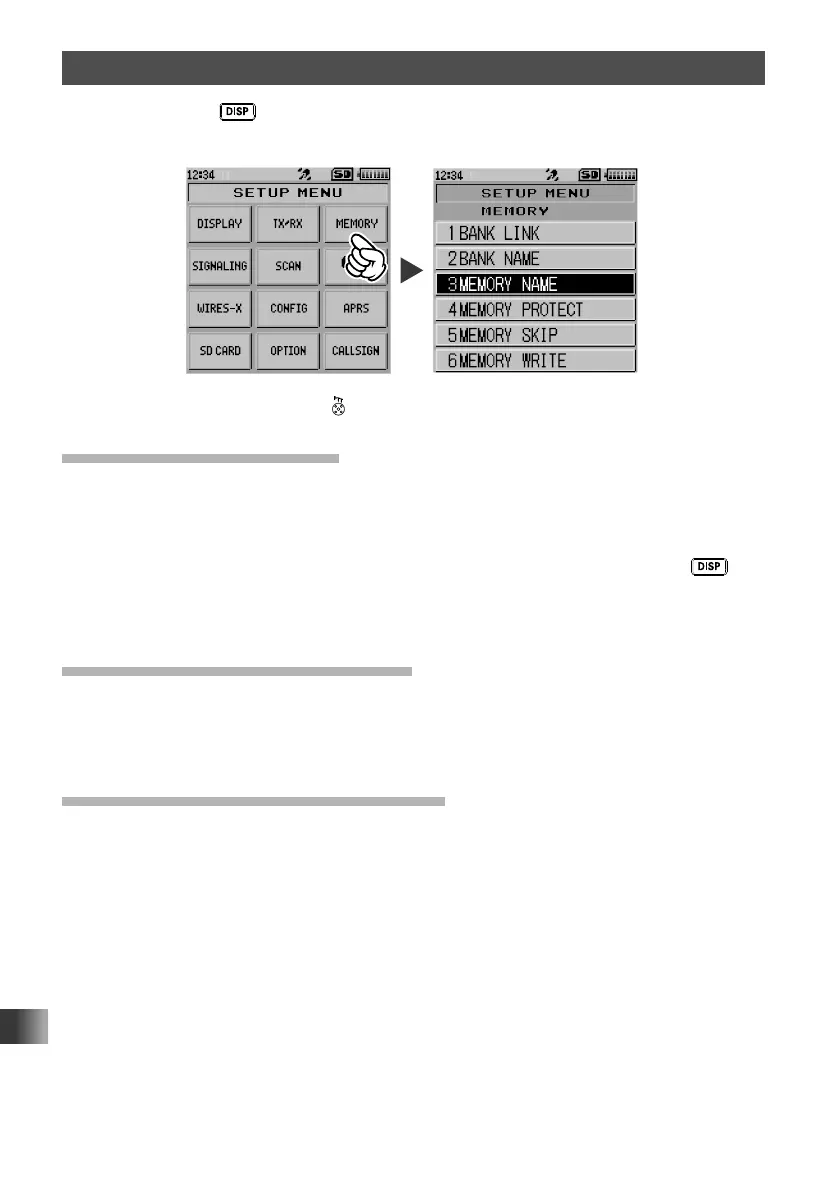
Set Mode: MEMORY Menu Operations
Press and hold the key for over one second to display “SETUP MENU”, then touch
[MEMORY] to set the individual items.
After completing the setup, press to exit from Set mode.
Setting Memory Bank Link
You can link multiple registered memory banks so that you can recall frequently used
memory banks immediately.
1 Touch [1 BANK LINK].
2 Rotate the DIAL to select the memory bank you want to link, then press the key.
The checkbox is checked.
3 Repeat step 2 to link the memory banks one by one from BANK 1 to BANK 24.
Assigning Name to Memory Bank
By selecting [2 BANK NAME], you can assign a name to each memory bank using up to
16 characters.
For details, see “Assigning Name to Memory Bank” on page 64.
Assigning Name to Memory Channel
By selecting [3 MEMORY NAME], you can assign a name such as a call sign and
broadcast station name to each memory channel and home channel.
For details, see “Using Memory Tag” on page 59.



 To Next Page