74
VFO Scan
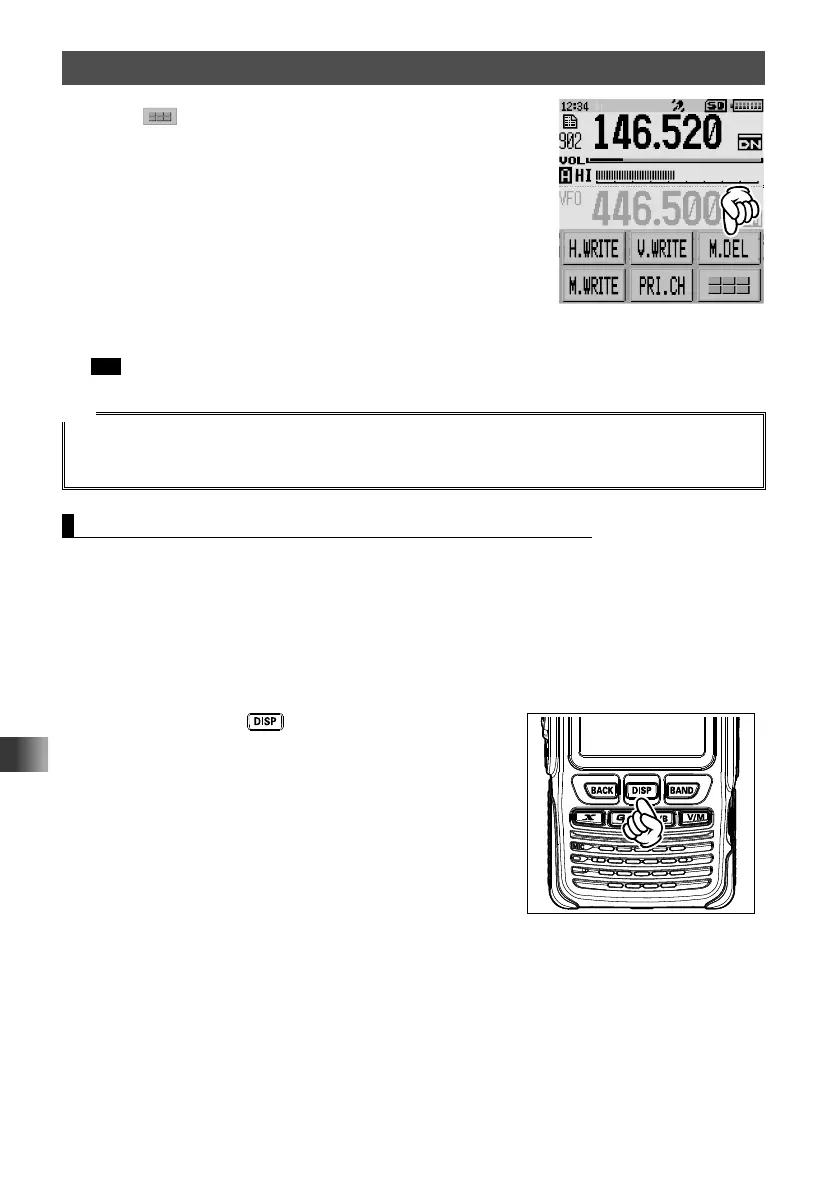
4 Touch .
5 Touch [M.DEL].
[DELETE OK?] appears on the LCD.
6 Select [OK], then touch [OK] to confirm.
TOP画面!A1
The frequency is removed from the skip search memory channel.
Tip To remove other frequencies from the skip search memory channels, repeat steps 2 to 6.
Tip
• Restoring the deleted Frequency to the Skip Search Memory Channel
If you have not registered a new frequency to the same memory channel, you can restore the deleted
frequency by repeating steps 1 through 4, then touching [M.REX].
Setting the Receive Operation When Scanning Stops
When scanning stops, one of the following three receiving options may be chosen:
(1) The signal is received for a specified period of time, and then scanning resumes. The
scan resume time may be set from 2 to 10 seconds at 0.5 second intervals.
(2) The signal is received and [BUSY] appears on the LCD until the signal fades out. Two
seconds after the signal fades out, scanning resumes.
(3) Scanning stops and the current frequency is received. [HOLD] appears on the LCD.
1 Press and hold the key for over one second.
The transceiver enters Set mode.



 To Next Page