50
Miscellaneous Settings
Attenuator (ATT) Function (except AM broadcasts and AM broadcasts)
If the remote station signal is too strong or there is a strong signal nearby disturbing you
from hearing the remote station signal, switch the attenuator to ON. When there is no
reception problem, there is no need to switch the attenuator ON.
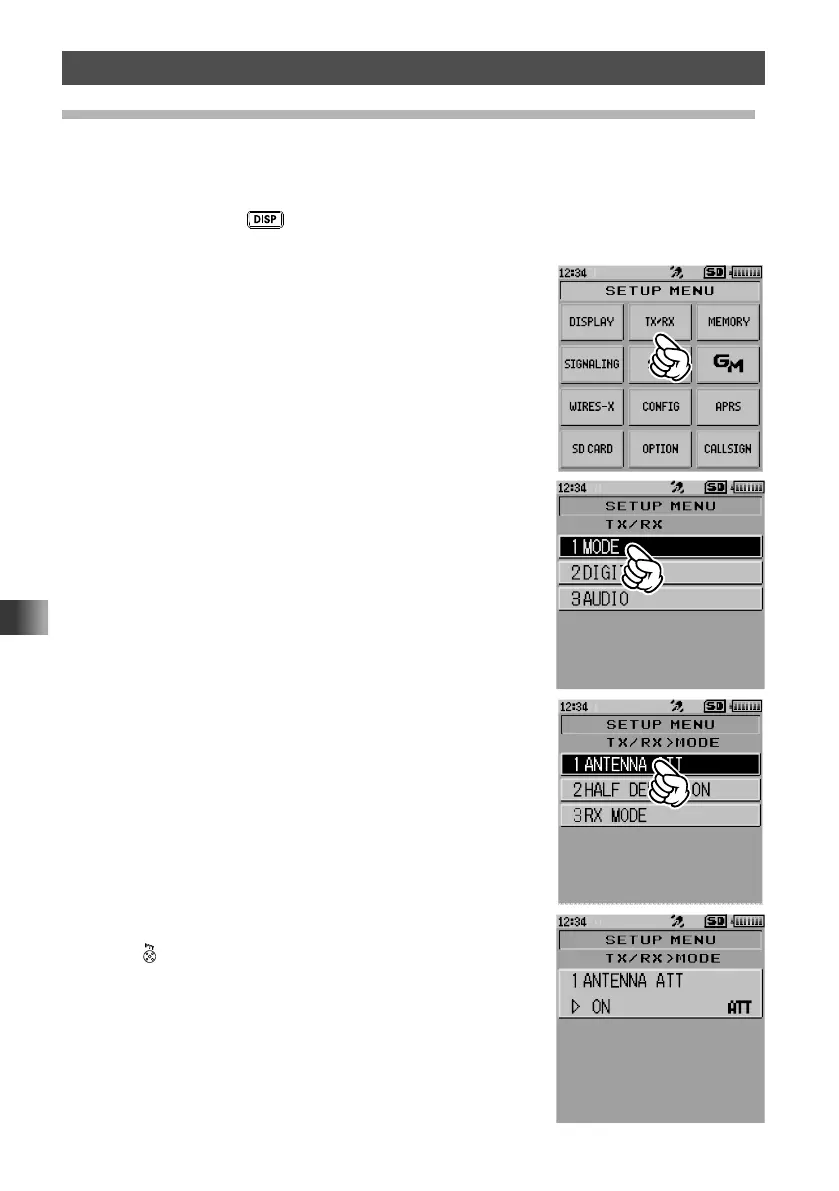
1 Press and hold the key for over one second.
The transceiver enters Set mode.
2 Touch [TX/RX].
3 Touch [1 MODE].
4 Touch [1 ANTENNA ATT].
The current setting is displayed.
5 Rotate the DIAL to select [ON].
6 Press .
The transceiver exits from Set mode.



 To Next Page