84
Digital Group Monitor Function
Standard Operation of the GM Function
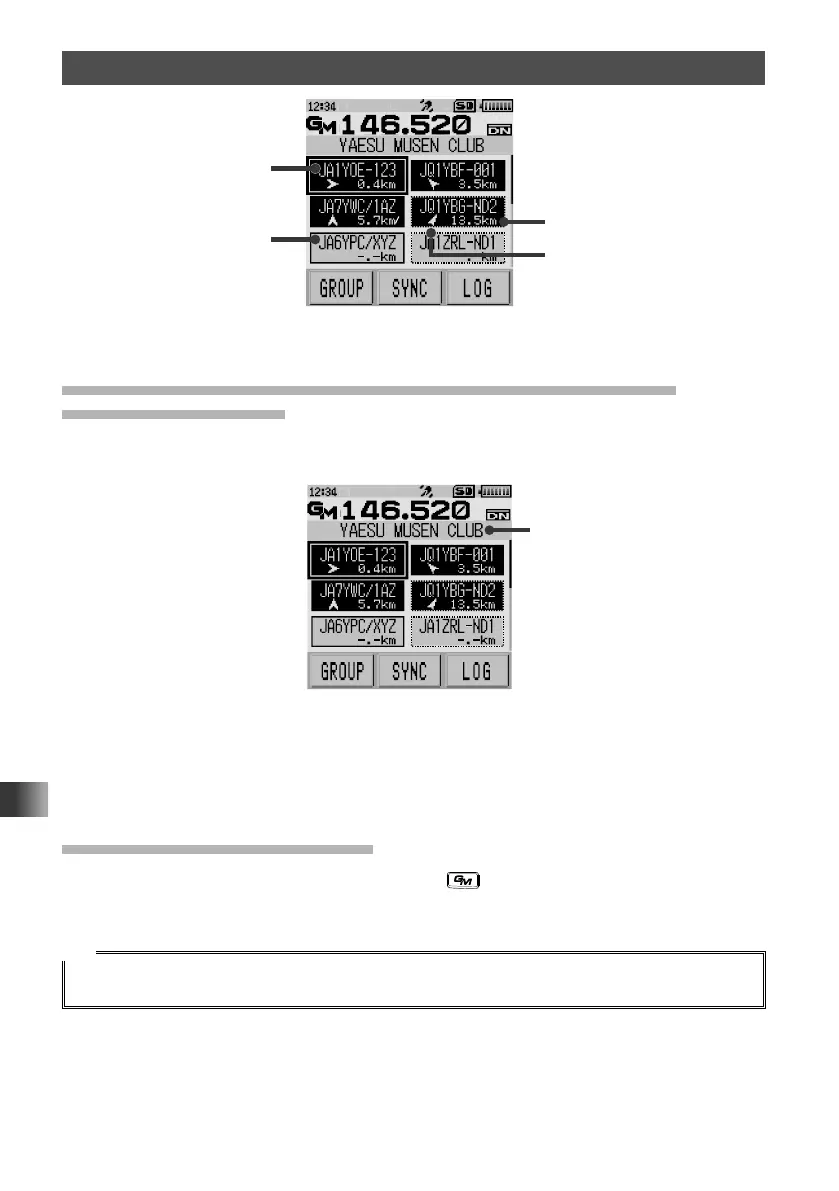
Direction
Distance
Example of display when ALL is selected
In
range
Out
of range
Registering IDs of Friends in a Group and Displaying Only
Registered GM Users
Create a group with a name such as [Touring] or [Camp] and display only members
registered to that group.
Group name
Example of display when GROUP is set
For details on how to setup a group and register members to it, refer to the GM Function
Instruction Manual which is available on the Yaesu website.
Deactivating the GM Function
While operating with the GM function, press the key.
The GM function is exited and the transceiver returns to the previous operating status.
Tip
With the GM function, messages and images can be transmitted between members.
For details, refer to the GM Function Instruction Manual which is available on the Yaesu website.



 To Next Page