48
Miscellaneous Settings
4 Rotate the DIAL to select the desired frequency step.
Remark Selectable frequency steps are as follows:
• AUTO • 5.0KHz • 6.25KHz
• (8.33KHz) • 10.0KHz • 12.5KHz
• 15.0KHz • 20.0KHz • 25.0KHz
• 50.0KHz • 100.0KHz
It is recommended that AUTO be selected for normal operations.
Default: AUTO
5 Press .
The transceiver exits from Set mode.
Tips
• For the AIR band (108 MHz to 136.991 MHz), the frequency step “8.33 kHz” can also be selected.
• For bands covering 250 MHz to 300 MHz, and bands covering 580 MHz or higher, the frequency
steps “5 kHz”, “6.25 kHz”, and “15 kHz” cannot be selected.
Changing the Mode
The operating mode of the selected band may be changed.
By default, “AUTO (Auto Mode)” is set so that the typical operating mode (radio wave
type) is automatically selected according to the frequency band in use.
1 Press key for over one second.
The transceiver enters Set mode.
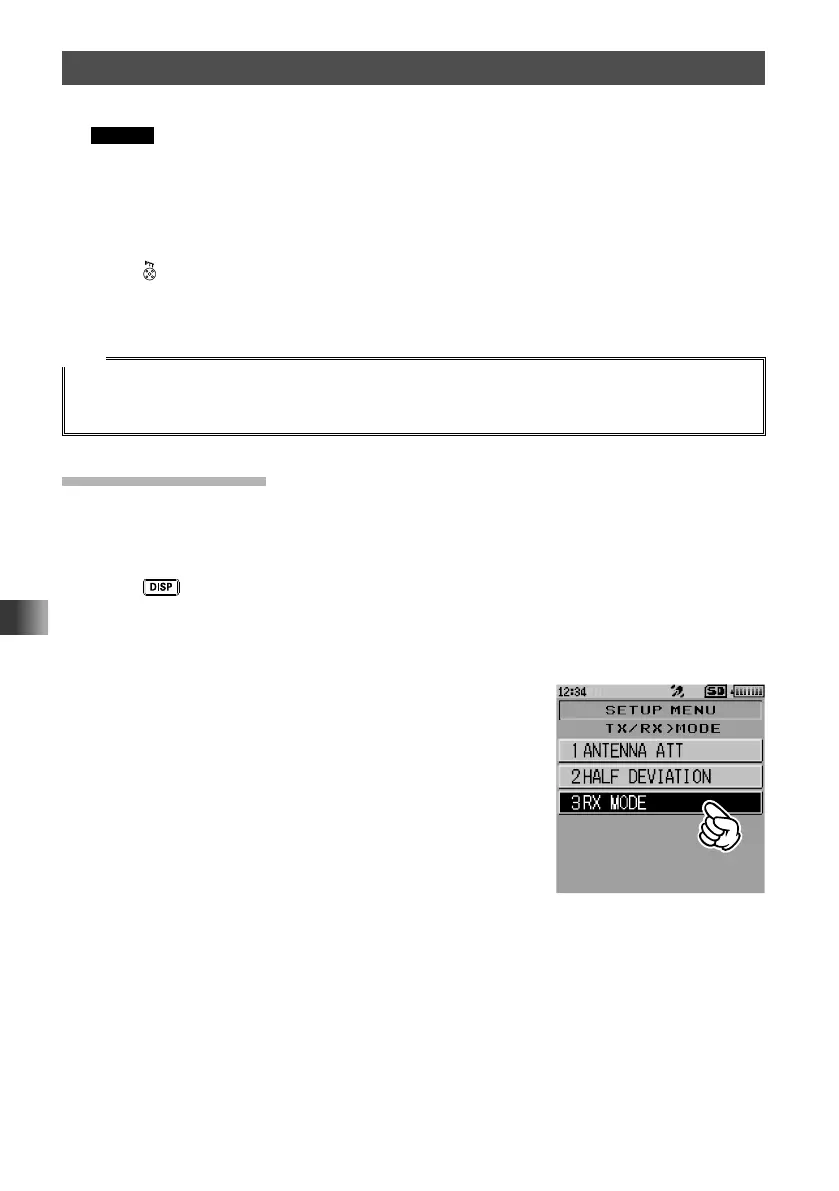
2 Touch [TX/RX].
3 Touch [1 MODE].
4 Touch [3 RX MODE].
The current setting will be displayed.



 To Next Page