117
Communicating with a Specific Remote Station
Calling Only a Specific Station New Pager Function
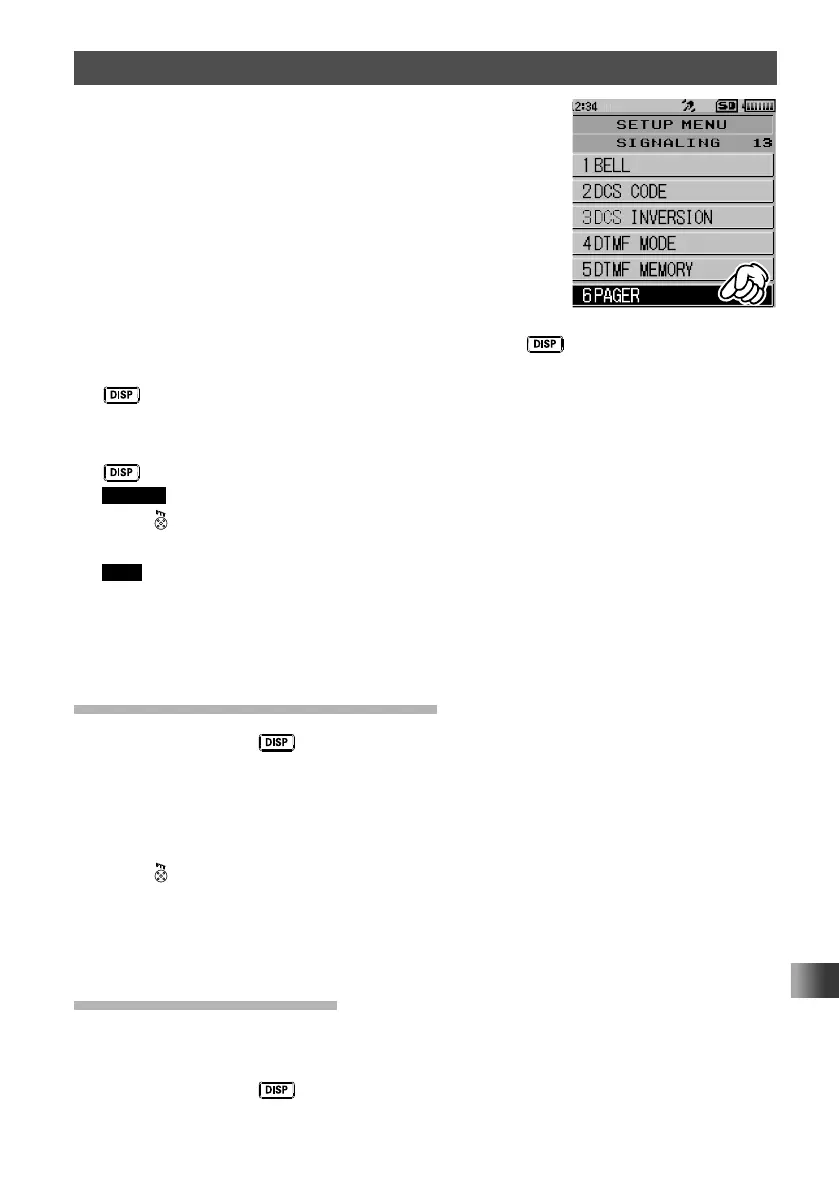
3 Touch [6 PAGER].
4 Rotate the DIAL to select [CODE-RX], then press the key.
5 Rotate the DIAL to select the first element of the code from 1 to 50, then press the
key.
The cursor moves.
6 Rotate the DIAL to select the second element of the code from 1 to 50, then press the
key.
Caution The same code cannot be use for both elements.
7 Press .
Your station code is set and the transceiver exits from Set mode.
Tips • The default setting: [05 47]
• Even if the first and second parts of your personal code are reversed, i.e., [47 05] from [05 47]
they are still recognized as the same code.
• If the same code is specified for all individuals, all the individuals can be called at the same
time.
Activating the New Pager Function
1
Press and hold the key for over one second.
The transceiver enters Set mode.
2 Touch [SIGNALING].
3 Rotate the DIAL, then touch [11 SQL TYPE].
4 Rotate the DIAL to select [PAGER].
5 Press .
The new pager function is activated and the transceiver exits from Set mode.
You are ready to make a call, or wait for a call from a remote station, using the new
pager function.
Calling a Specific Station
1
See “Activating the New Pager Function” on page 117to activate the new pager
function.
2 Press and hold the key for over one second.
The transceiver enters Set mode.



 To Next Page