104
Using the DTMF Function
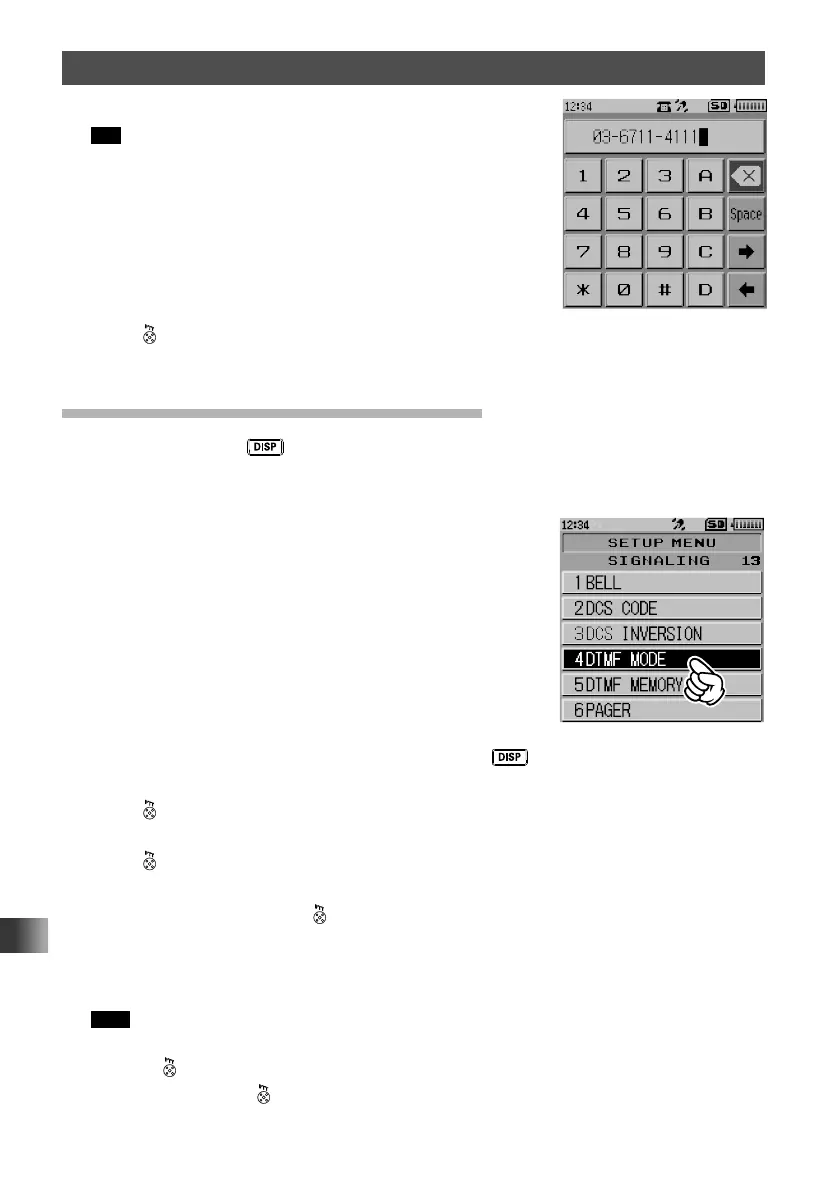
5 Input the DTMF code using the numeric keypad.
Tip Up to 16 characters (including symbols) can be input as a
DTMF code.
6 Press .
The DTMF code is set, and the transceiver exits from Set mode.
Transmitting the Registered DTMF Code
1
Press and hold the key for over one second.
The transceiver enters Set mode.
2 Touch [SIGNALING].
3 Touch [4 DTMF MODE].
4 Rotate the DIAL to select [MODE], then press the key.
5 Rotate the DIAL to select [AUTO].
6 Press .
The auto dialer is enabled.
7 Press .
Displays [DTMF].
8 While pressing and holding , touch [DTMF].
Displays the numeric keypad screen.
9 Use the numeric keypad to input the channel number of the DTMF memory you want
to transmit.
Tips • The registered DTMF code is transmitted.
• The transmitted DTMF audio can be heard from the speaker.
10 Release .
Even after releasing
, the transmission continues until the DTMF code
transmission is completed.



 To Next Page