77
Memory Channel Scanning
Specifying Skip/Selected Memory Channels
Two types of memory channels may be designated, “skip memory channels” and “specified
memory channels” for effective memory channel scanning.
Skip memory channels: You can specify a memory channel you do not want to scan
during memory channel scanning. Alternatively, you can specify that only designated
memory channels are scanned during memory scanning.
1 Press the key to enter Memory mode.
2 Rotate the DIAL to show the memory channel to register as a skip memory channel or
specified memory channel.
3 Press and hold the key for over one second.
The transceiver enters Set mode.
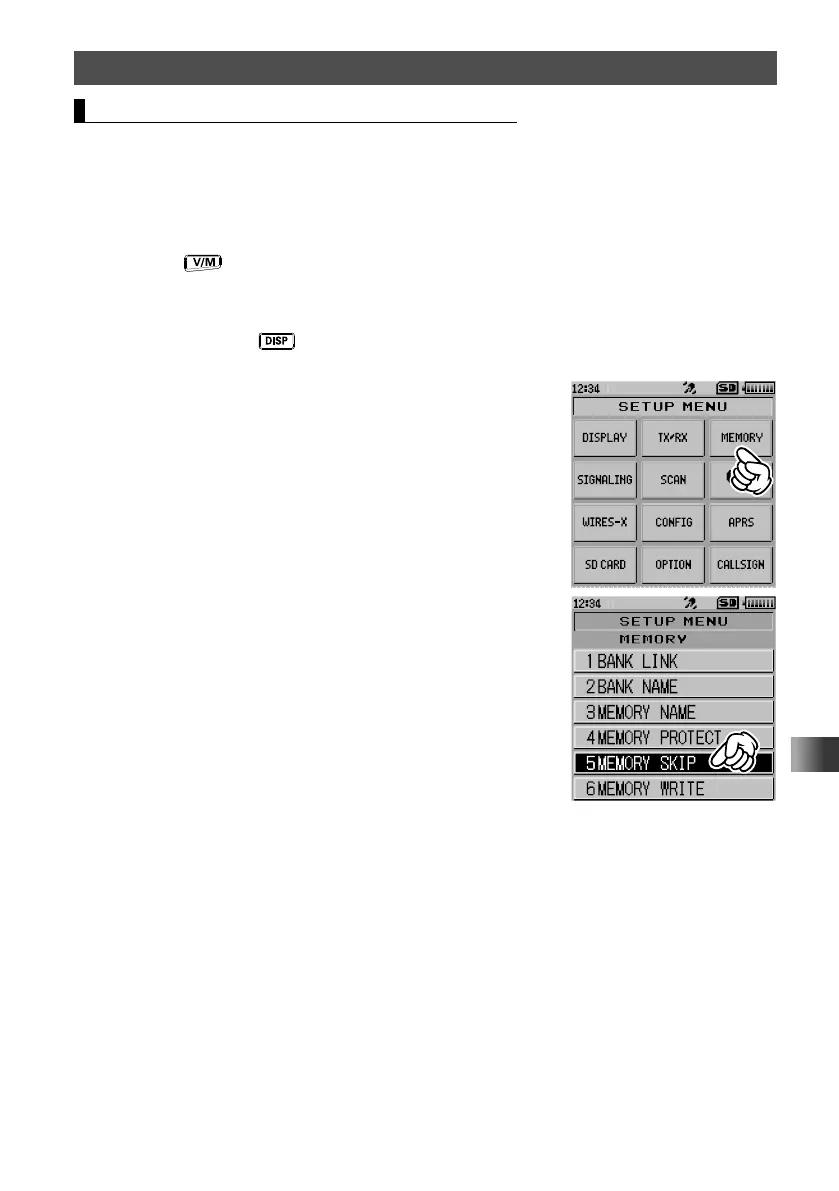
4 Touch [MEMORY].
5 Touch [5 MEMORY SKIP].
6 Rotate the DIAL to select [SKIP] or [SELECT].
To register as a skip memory, select [SKIP].
To register as a specified memory, select [SELECT].



 To Next Page