56
A Wide Variety of Memory Functions
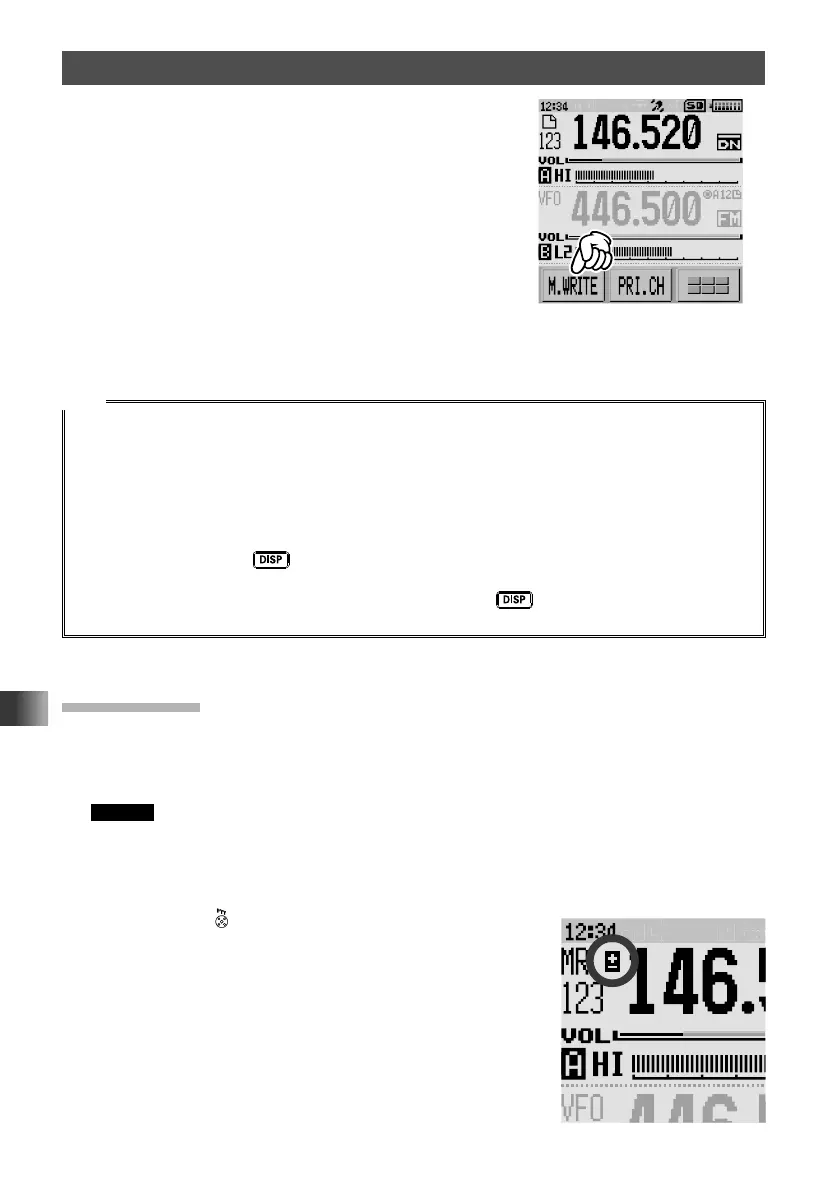
4 Touch [M.WRITE].
The frequency registration will initiate.
If you attempt to register a frequency to a memory
channel on which another frequency has already
been registered, “OVERWRITE?” will appear on
the LCD.
When [OK] is selected, touch [OK] to register the
frequency to the memory channel.
Once the registration is completed, the VFO
frequency will again appear on the display.
Tips
• By default, 144.000 MHz is registered to the memory channel 1. It can be changed to another
frequency, but cannot deleted.
The frequency which has been registered to a memory channel can be overwritten with a new
frequency.
When registering a frequency to a memory channel, an unregistered memory channel automatically
appears.
• To display the lowest unregistered memory number when registering a frequency to a memory
channel, press and hold
key for over one second to enter Set mode, and then select
[MEMORY] → [6 MEMORY WRITE].
• To inhibit registration to all memory channels, press and hold
key for over one second to
enter Set mode, and then select [MEMORY] → [4 MEMORY PROTECT].
Split Memory
Two different frequencies, one for receive and another for transmit, can be registered to
a memory channel.
1 Register a receive frequency to a memory channel.
Remark See “Registering to Memory Channel” above.
2 Set a transmit frequency in VFO mode.
3 Touch [F MW] for over one second.
4 Rotate the DIAL to select the channel that the receive frequency was registered to.
5 While pressing , touch [M.WRITE].
When the memory channel to which two different
frequencies (one for receive and the other for transmit) is
recalled, @ appears on the LCD.



 To Next Page