46
Miscellaneous Settings
Changing the Transmission Power Level
The maximum transmit power level of this transceiver is 5 W. When communicating with
another station in the immediate area, or to reduce the battery power consumption, the
transmit power level may be lowered. For power supply types and transmit power levels,
see the table shown below.
Battery type
HIGH
(High Power)
LOW3 LOW2
LOW1
USA/EXP European
Battery pack
5W 2.5W 1W
0.1W
0.05W (VHF)
0.1W (UHF)
External power supply (DC13.8V)
Battery Case (alkaline battery) Approx. 0.8W
0.05W (VHF)
0.1W (UHF)
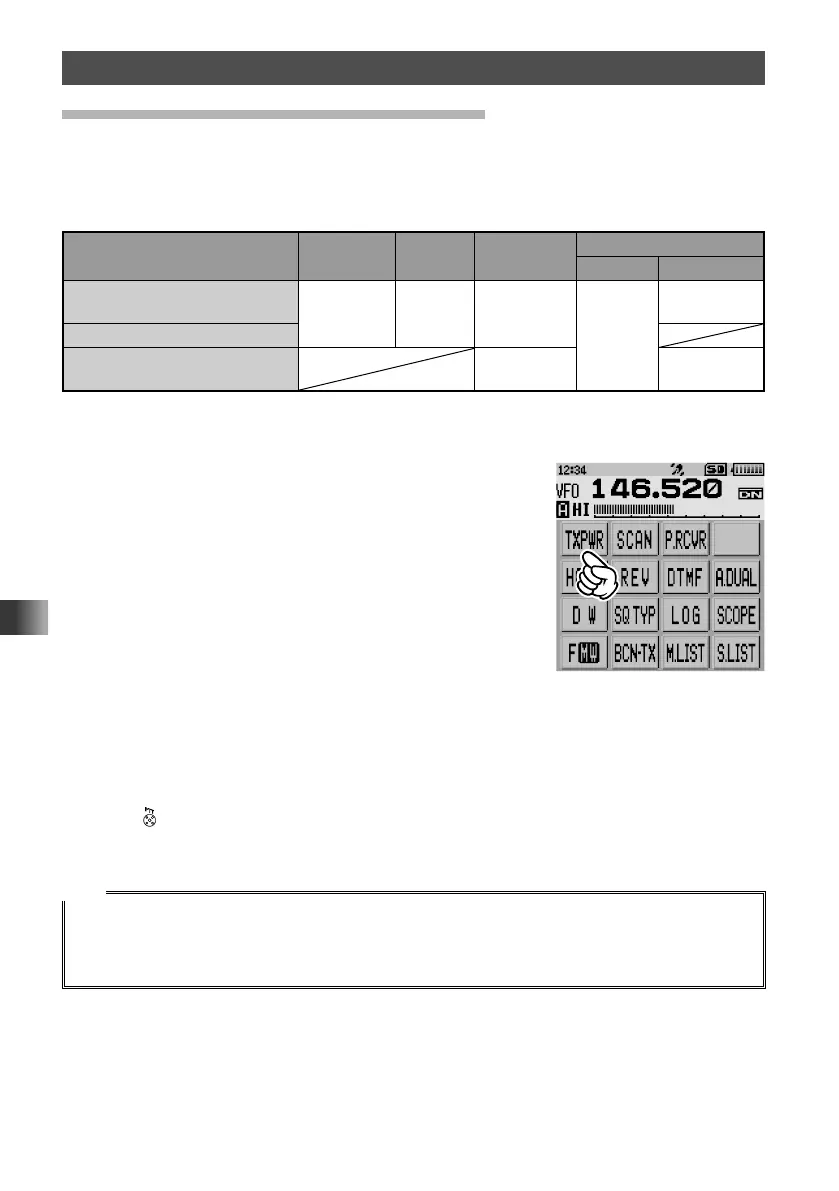
1 Touch [F MW].
2 Touch [TXPWR].
3 Rotate the DIAL to select one of the following transmission power levels.
“HIGH”, “LOW3”, “LOW2”, “LOW1”
4 Press .
The transmit power level will be set.
Tips
• The transmitter power level may be set separately for the A-band and B-band.
• Use the transceiver at the minimum required transmit power level to reduce battery power
consumption.
• By default, “HIGH (High power)” is selected.



 To Next Page