59
A Wide Variety of Memory Functions
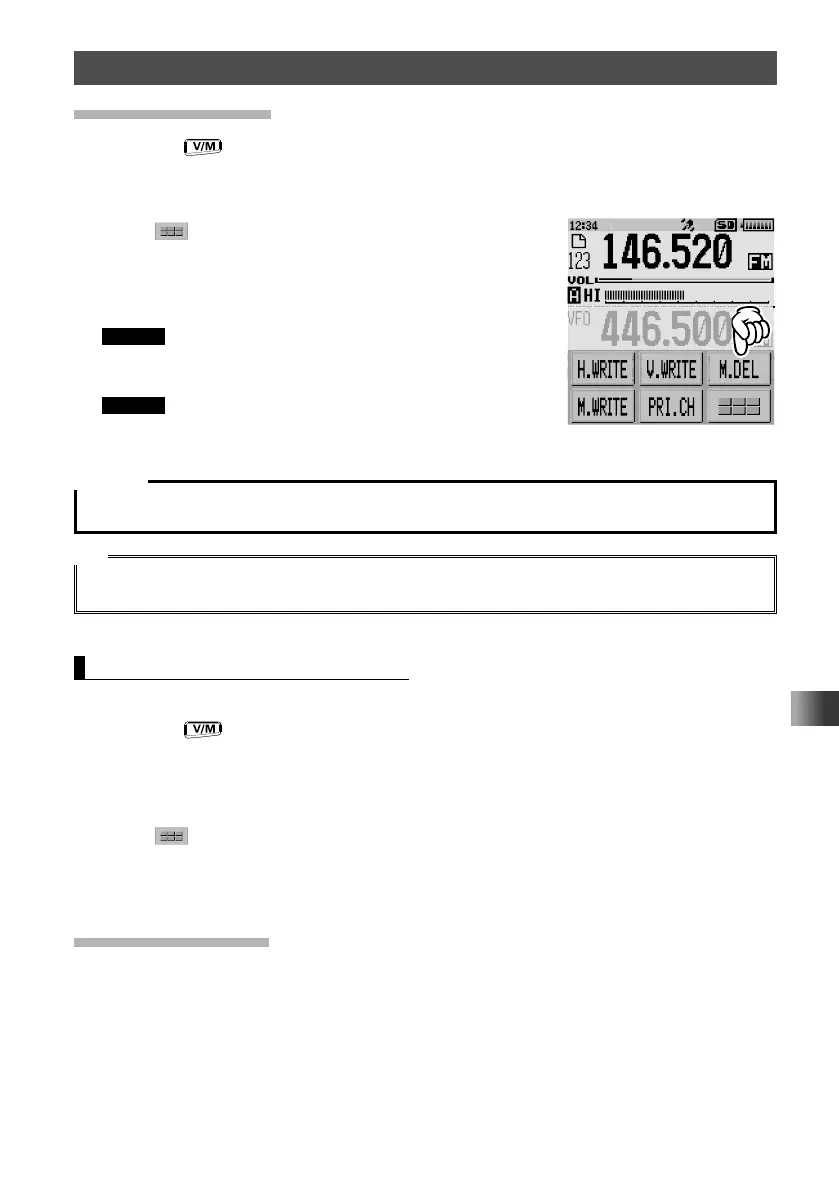
Clearing Memories
1
Press the key to enter Memory mode.
2 Touch [F MW] for over one second.
3 Rotate the DIAL to select the memory channel from which the data is to be cleared.
4 Touch .
5 Touch [M.DEL].
6 “DELETE?” appears.
7 Select [OK], then touch [OK] to confirm.
Remark To cancel the memory clear operation, touch
[CANCEL].
The memory data is cleared.
Remark To clear data from other memory channels, repeat
steps 2 to 7.
Caution
Data on memory channel 1 cannot be deleted.
Tip
Memories cannot be cleared from the specified priority memory channel. To clear a priority memory
channel, cancel the priority setting of the memory channel.
Restoring the Cleared Memories
The cleared memory channels may be restored:
1 Press the key to enter Memory mode.
The most recently used memory channel is displayed.
2 Touch [F MW] for over one second.
3 Rotate the DIAL to select the memory channel, to restore the memory data.
4 Touch .
5 Touch [M.REV].
The cleared data is restored to the memory channel.
Using Memory Tag
Memory name tags, such as a call sign or broadcast station name may be assigned
to the memory channels and home channels. Input a memory tag using up to 16
characters. Alphabetic characters (upper and lowercase), Numbers and Symbols may
be entered to the memory name tag.



 To Next Page