115
Communicating with a Specific Remote Station
Using the Tone Squelch Function
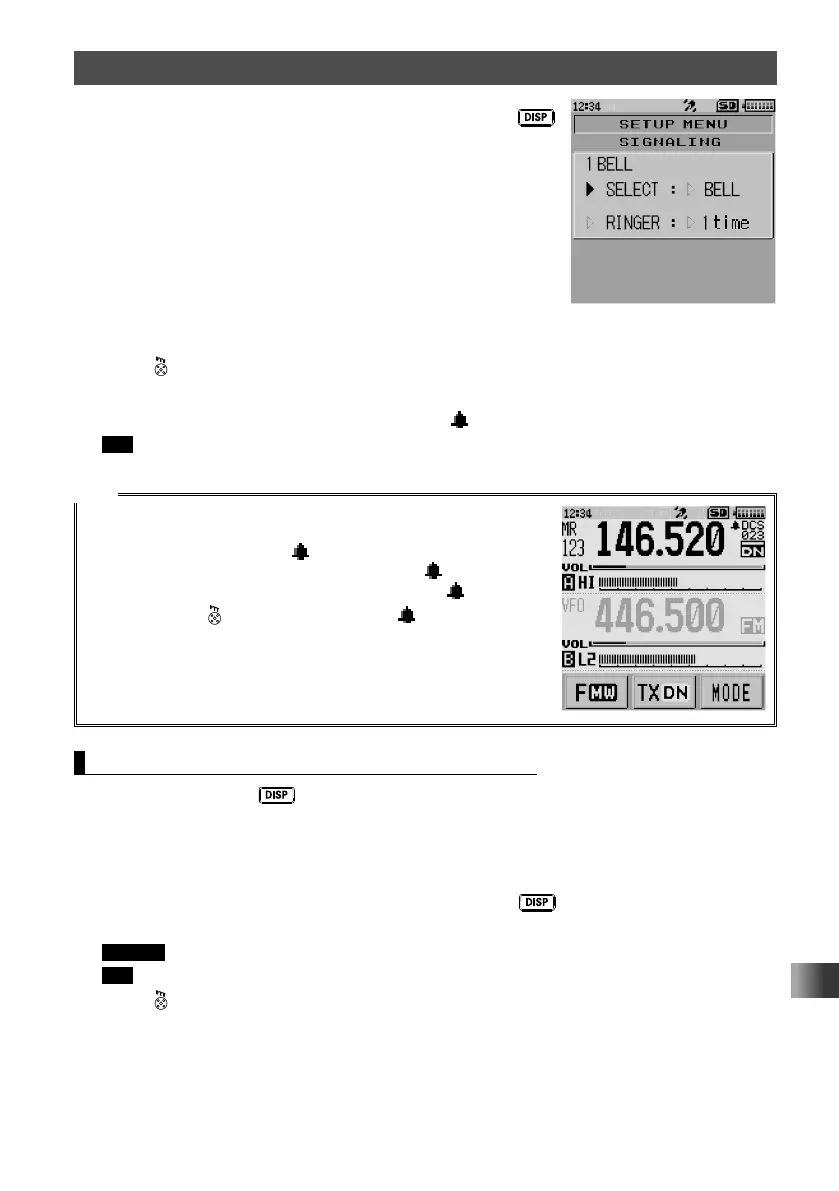
4 Rotate the DIAL to select [SELECT], then press the
key.
5 Rotate the DIAL to select [BELL].
6 Press .
The Bell function is activated to on and the transceiver exits from Set mode.
When the tone squelch or DCS code is set,
appears.
Tip To deactivate the Bell function, select [OFF] in step 5.
Tips
• To use the Bell function, set the tone squelch or DCS to on.
• The bell function cannot be used via the repeater.
• When the bell function is on,
appears on the LCD.
When a signal is received from a remote station,
blinks.
• When a signal is received from a remote station,
blinks.
When pressing to perform transmission, stops blinking
and lights up.
Changing the Number of Times the Bell Rings
1 Press and hold the key for over one second.
The transceiver enters Set mode.
2 Touch [SIGNALING].
3 Touch [1 BELL].
4 Rotate the DIAL to select [RINGER], then press the key.
5 Rotate the DIAL to select the desired number of times the Bell rings.
Remark The default setting: Once
Tip You can select the number of times the bell rings from among 1 to 20 times, or continuous.
6 Press .
The setting is applied and the transceiver exits from Set mode.



 To Next Page