119
Customize Menu Settings for Individual Use (Set Mode)
Customize Menu Settings for Individual Use (Set Mode)
Using Set Mode
Set Mode allows selecting various functions from the list and setting each function
according individual preferences.
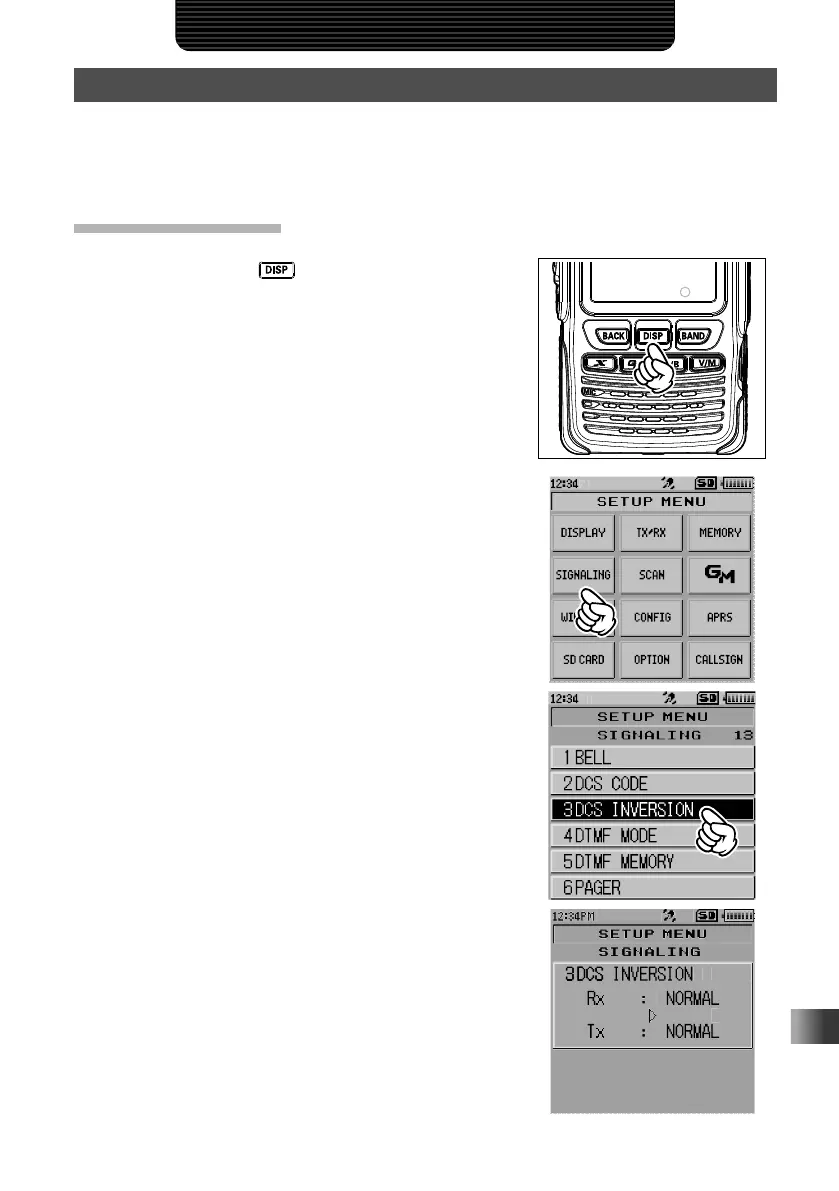
Set Mode Operation
1
Press and hold the key for over one second.
The transceiver enters Set mode.
2 Touch the desired item in SETUP MENU.
3 Rotate the DIAL, then touch the desired Set mode
sub-menu.
4 Rotate the DIAL to select the desired item to set.



 To Next Page