19
Before Using the Transceiver
Names and Functions of Controls
Entering Letters
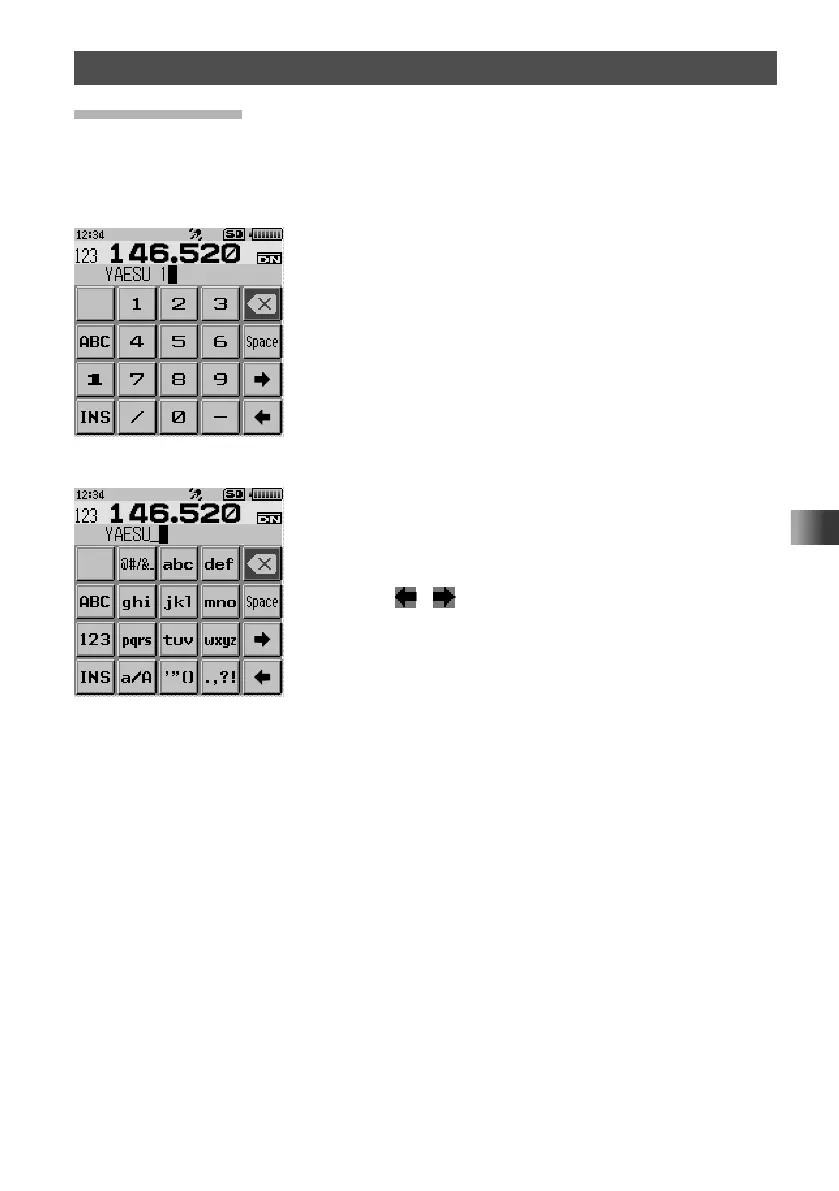
The keyboard screen appears for inputting letters, numbers and symbols for your call
sign or a memory channel tag.
y Number Input Screen
y Alphabet Input Screen
• Touch [ABC] to display the alphabet input screen.
• Touch [A] to display the alphabet (2 byte character)
input screen.
• Touch the [1] key to display the numeric (2 byte
character) keypad input screen.
• Touch the [123] key to display the numeric keypad input
screen.
• Touch [#$%] to display the symbol input screen.
• Touch [#] to display the symbol (2 byte character) input
screen.
• Repeatedly touch the same key to advance in order through
the characters assigned to the key. Lowercase letters are
displayed, and then uppercase. For example, every time
you touch [abc] key, it changes the characters as follows:
a → b → c → A → B → C
• Touch [
] [ ] to move the cursor to left/right in the
text input area.



 To Next Page