34
Performing Communication
Adjusting the Volume Level
The transceiver volume levels for the A-band and B-band are adjusted separately.
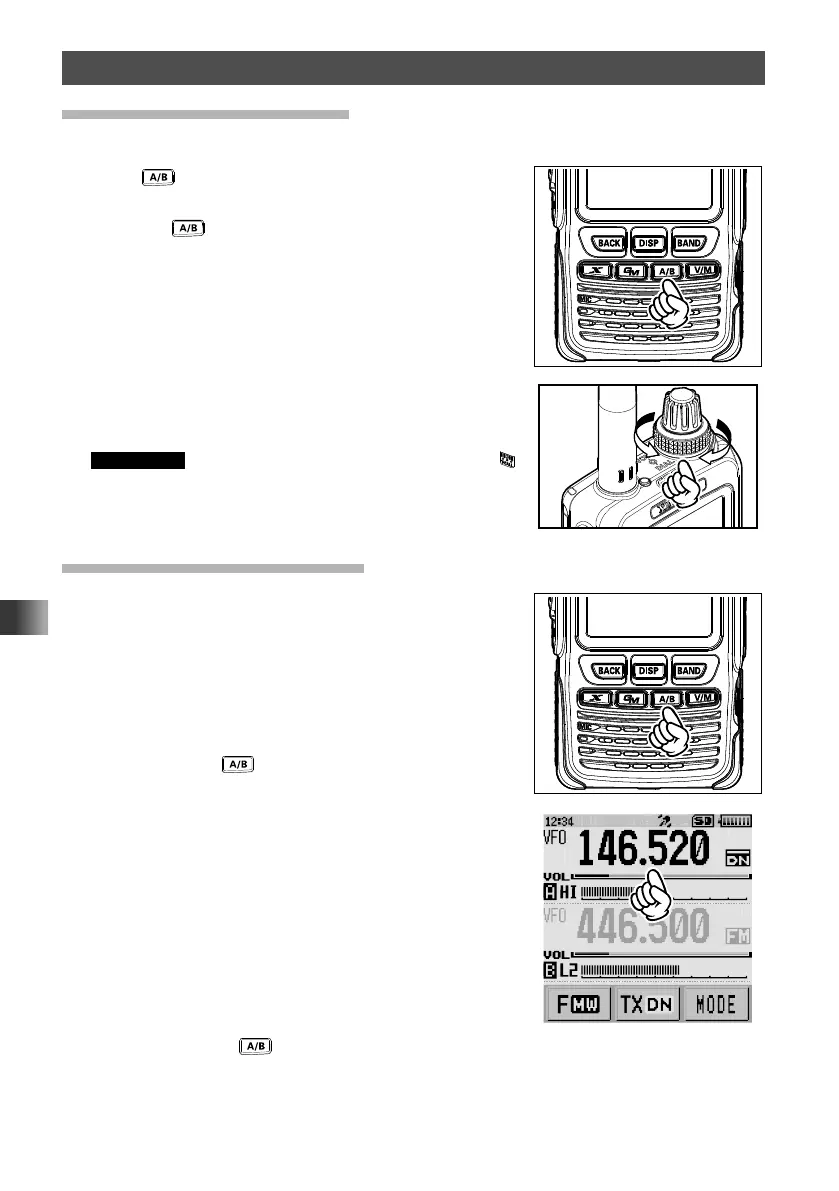
1 Press key to select the band for which the volume
level is to be adjusted.
Pressing
key each time toggles between the
A-band and B-band.
2 Rotate the VOL knob clockwise/counterclockwise to
adjust the volume level.
The [VOL] gauge moves right/left.
Supplement If no sound is heard from the speaker, press
and then adjust the volume level while listening to
white noise.
Toggling the Operating Band
Normally, both operating bands are displayed on the top
half and bottom half of the transceiver touch screen. This
is Dual band.
With one of the bands selected, change the frequency
and radio operating mode. The selected band (displayed
in black letters) is called Operating band. The other band
(displayed in gray letters) is called Sub-band.
Each time pressing
key toggles the operating band.
The desired operating band may also be selected by
touching the frequency display.
Pressing and holding for over one second displays only the operating band, this is
Mono-band.
For details on how to toggle the display by touching the LCD, see the following illustrations.



 To Next Page