31
Using a microSD Memory Card
Formatting a microSD Memory Card
Format a new microSD memory card following the steps below before use.
Caution
Formatting a microSD memory card erases all data saved on it. If you are going to format the
microSD memory card you are using, be sure to check the data saved on it before formatting.
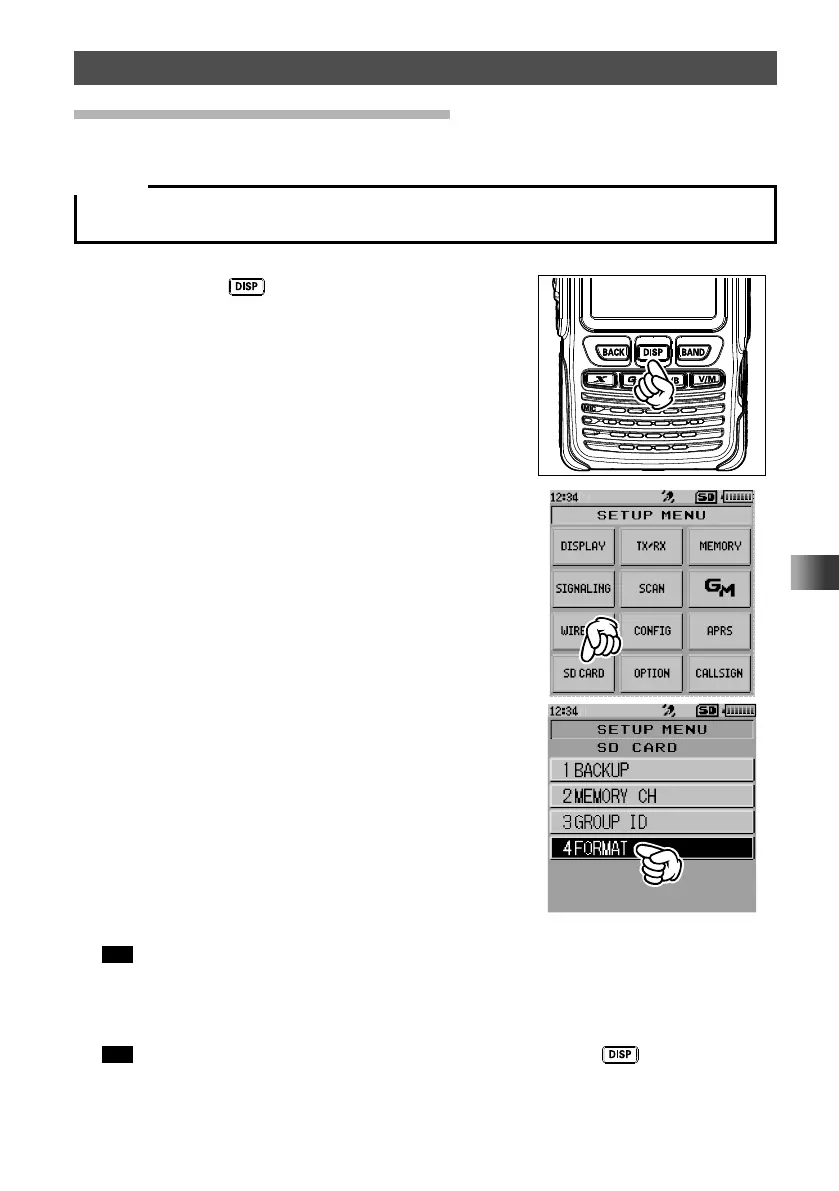
1 Press and hold key for over one second.
The “SETUP MENU” screen appears.
2 Touch [SD CARD].
3 Touch [4 FORMAT].
[FORMAT?] appears on the LCD.
4 Touch [OK].
Tip To cancel formatting, select [Cancel].
Initialization starts and “Waiting” appears.
When formatting is completed, a beep sounds and [COMPLETED] appears on the
LCD.
Tip You can also select each item by rotating the DIAL and pressing the key.



 To Next Page