98
Dual Receive (DW) Function
Memory Channel Dual Receive
Memory channel → Priority memory channel
1 Press the key to enter Memory mode.
2 Touch [F MW] for over one second.
The memory registration mode is enabled, and the channel number blinks.
3 Rotate the DIAL to select the desired memory channel.
4 Touch [PRI.CH].
The memory channel to preferentially receive (Priority Memory Channel) is selected.
The “P” appears on the LCD.
5 Select the memory channel you want to constantly receive.
6 Touch [F MW].
7 Touch [DW].
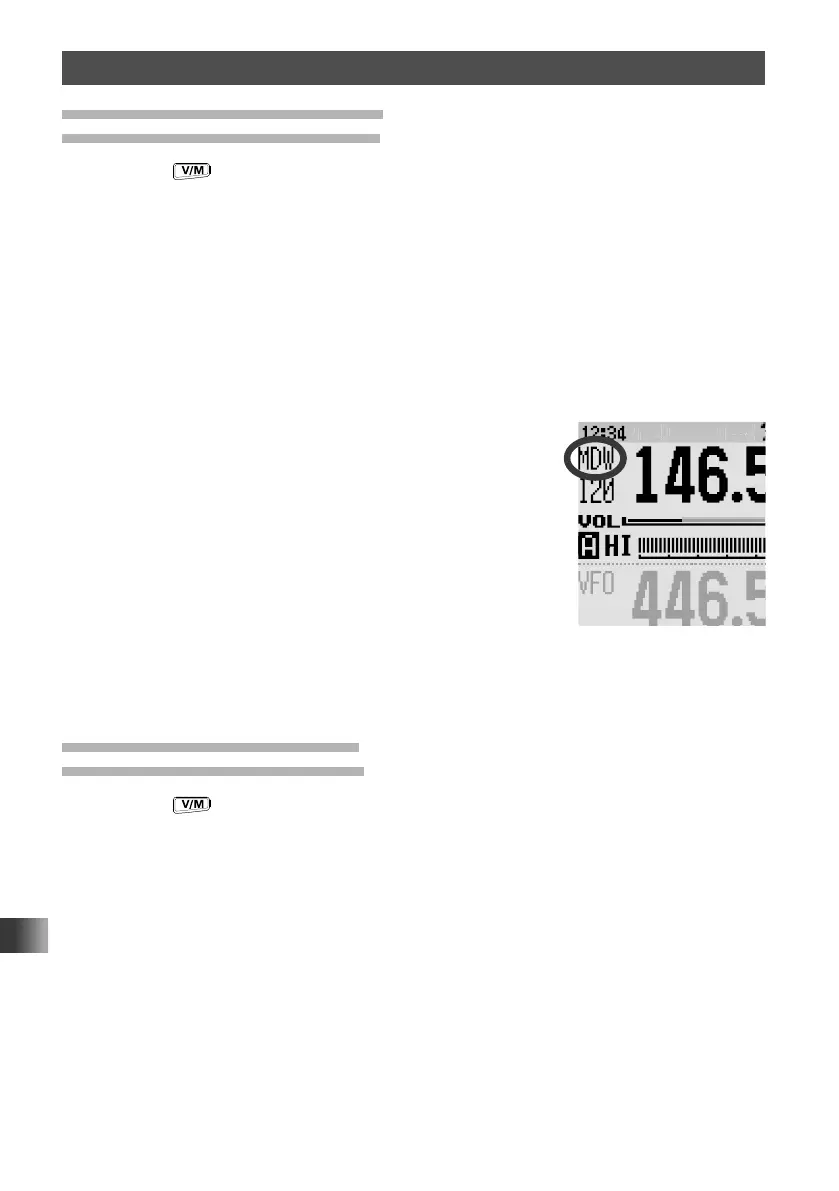
The HOME Channel Dual Reception starts and “MDW”
appears on the LCD.
8 Touch [STOP].
The Memory Channel Dual Receive is canceled.
Home Channel Dual Receive
Home channel → Priority memory channel
1 Press the key to enter Memory mode.
2 Touch [F MW] for over one second.
The memory registration mode is enabled, and the channel number blinks.
3 Rotate the DIAL to select the desired memory channel.
4 Touch [PRI.CH].
The memory channel to preferentially receive (Priority Memory Channel) is selected.
The “P” appears on the LCD.
5 Touch [F MW].
The function screen appears.



 To Next Page